
Get your dealership cited by AI answer engines
AEO stands for answer-engine optimisation. It helps tools such as ChatGPT, Gemini, Perplexity and Google’s AI Overviews understand your dealership and quote it. The AEO page gives you a score and the fields that raise it.
This is early ground for everyone, and results vary. The fields are quick to fill in, and the homepage summary and FAQ also help ordinary shoppers.
Who can do this
Owners and editors can save changes and run an audit. Viewers can read the page.
Read your score
- Open SEO in the sidebar, under Website, and click the AEO tab.
- The big number is your AEO score / 100. It updates as soon as you save changes.
- The bars below show where the points come from.
- Suggested actions lists what to add next.
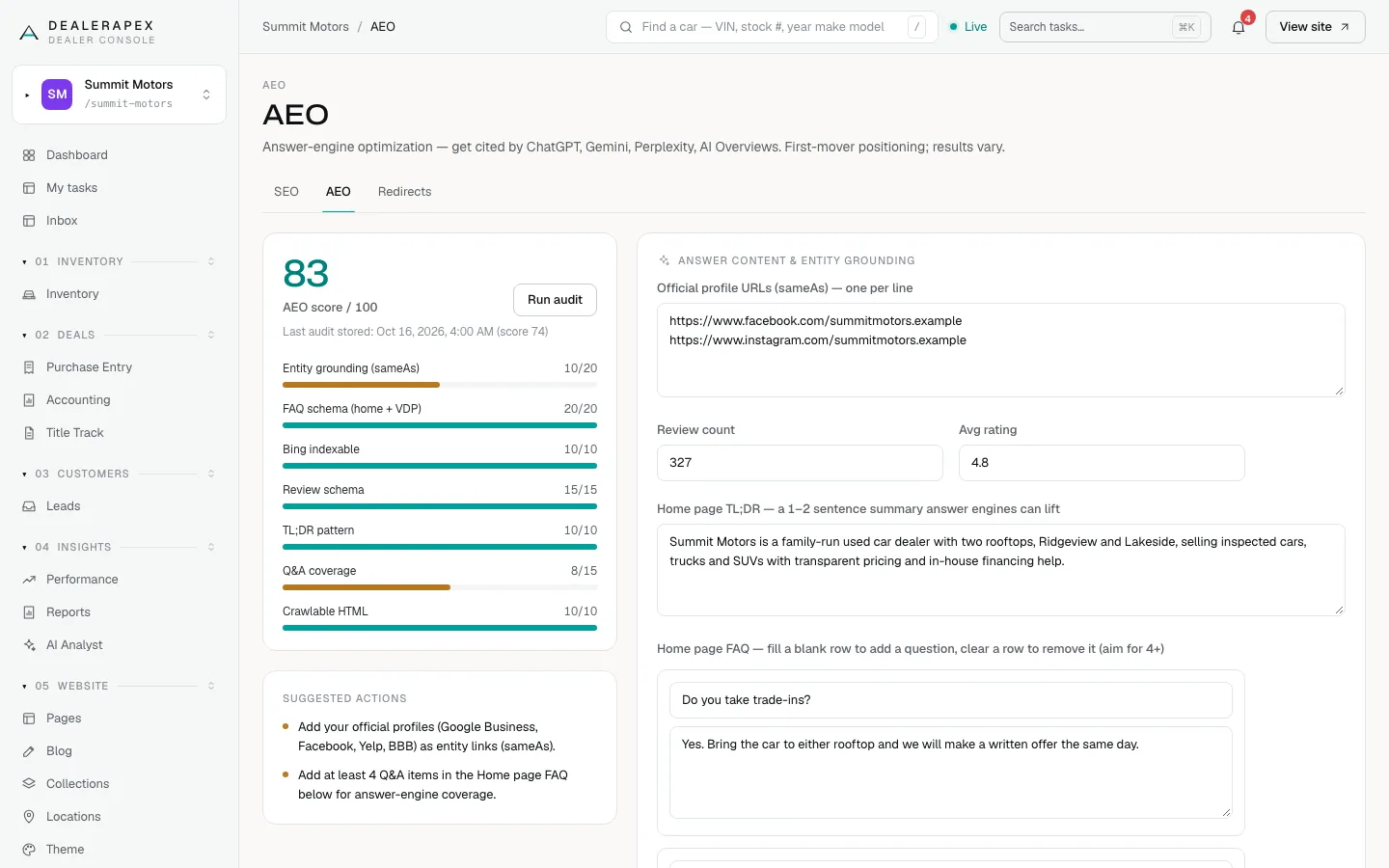
The score is made of these parts:
| Part | Points | How to earn them |
|---|---|---|
| Entity grounding (sameAs) | 20 | 10 for one official profile link, 20 for three or more. |
| FAQ schema (home + VDP) | 20 | Vehicle pages already earn 10. Add a homepage FAQ for the other 10. |
| Bing indexable | 10 | Automatic. |
| Review schema | 15 | 8 for any review count, 15 for 10 or more reviews. |
| TL;DR pattern | 10 | Add a homepage TL;DR. |
| Q&A coverage | 15 | 8 for two FAQ items, 15 for four or more. |
| Crawlable HTML | 10 | Automatic. |
Click Run audit to save a dated copy of today’s score. The line under the score shows the last one, so you can compare later.
Fill in the fields
- In Official profile URLs (sameAs), paste the full web address of each official profile, one per line. Google Business Profile, Facebook, Yelp and BBB are good choices.
- Enter your Review count and Avg rating (0 to 5). Use the real numbers from your review site.
- In Home page TL;DR, write one or two sentences that sum up your dealership: who you are, where, and what you sell.
- Under Home page FAQ, type a question and its answer into a blank row. Aim for four or more.
- Click Save.
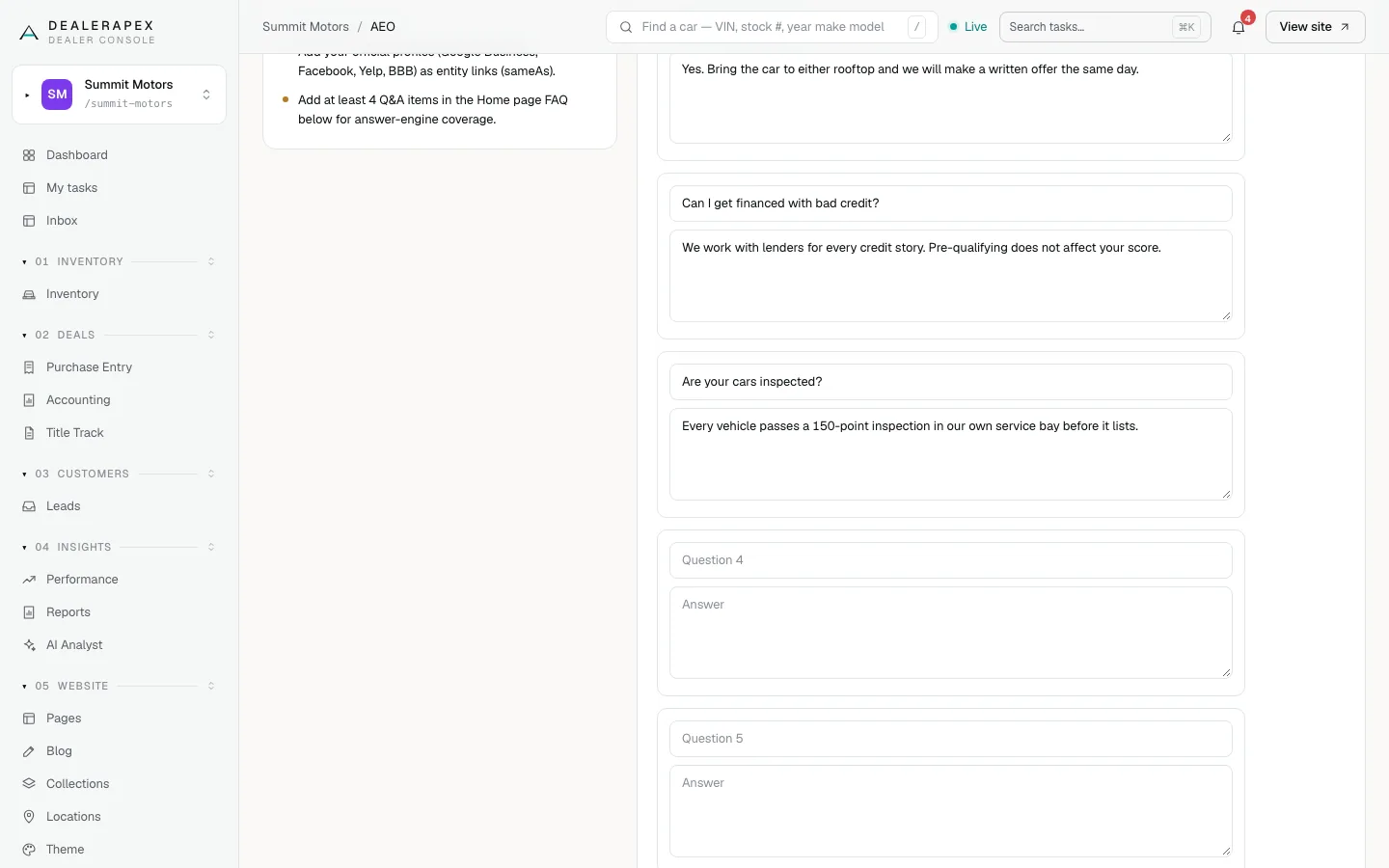
To remove an FAQ, clear both its question and answer, then save. A row with only a question or only an answer is not saved. After you save, more blank rows appear so you can keep adding.
The Save button doesn’t show a confirmation message. Check that the score and suggestions have changed.
Where this shows up
- Your TL;DR and FAQ appear on your homepage, in the questions section, and are marked up so answer engines can read them.
- Your profile links and review numbers are added to the hidden information search engines read about your business.
Common questions
Will this get me into ChatGPT answers?
Nobody can promise that. These fields give answer engines clear, consistent facts about your dealership, which makes citing you easier.
Do the review numbers update by themselves?
No. They are the numbers you type in. Update them every month or two so they stay close to your real reviews.
What makes a good TL;DR?
A plain summary a stranger could repeat: "Summit Motors is a family-run used car dealer in Ridgeview selling inspected cars, trucks and SUVs." Skip slogans.
Still stuck? Email [email protected] with the page you were on and what you expected to see.