
Control whether search engines list your site
The Search engine visibility card at the top of the SEO page tells you whether Google and other search engines are allowed to list your website. You can also hide single pages yourself.
Who can do this
- Hiding or showing your whole site: only DealerApex staff. Email [email protected] if this needs to change.
- Hiding a single page or blog post: owners and editors.
- Everyone who can open the SEO page can see the current status.
Check your site’s status
- Open SEO in the sidebar, under Website.
- Read the coloured line at the top of the Search engine visibility card.
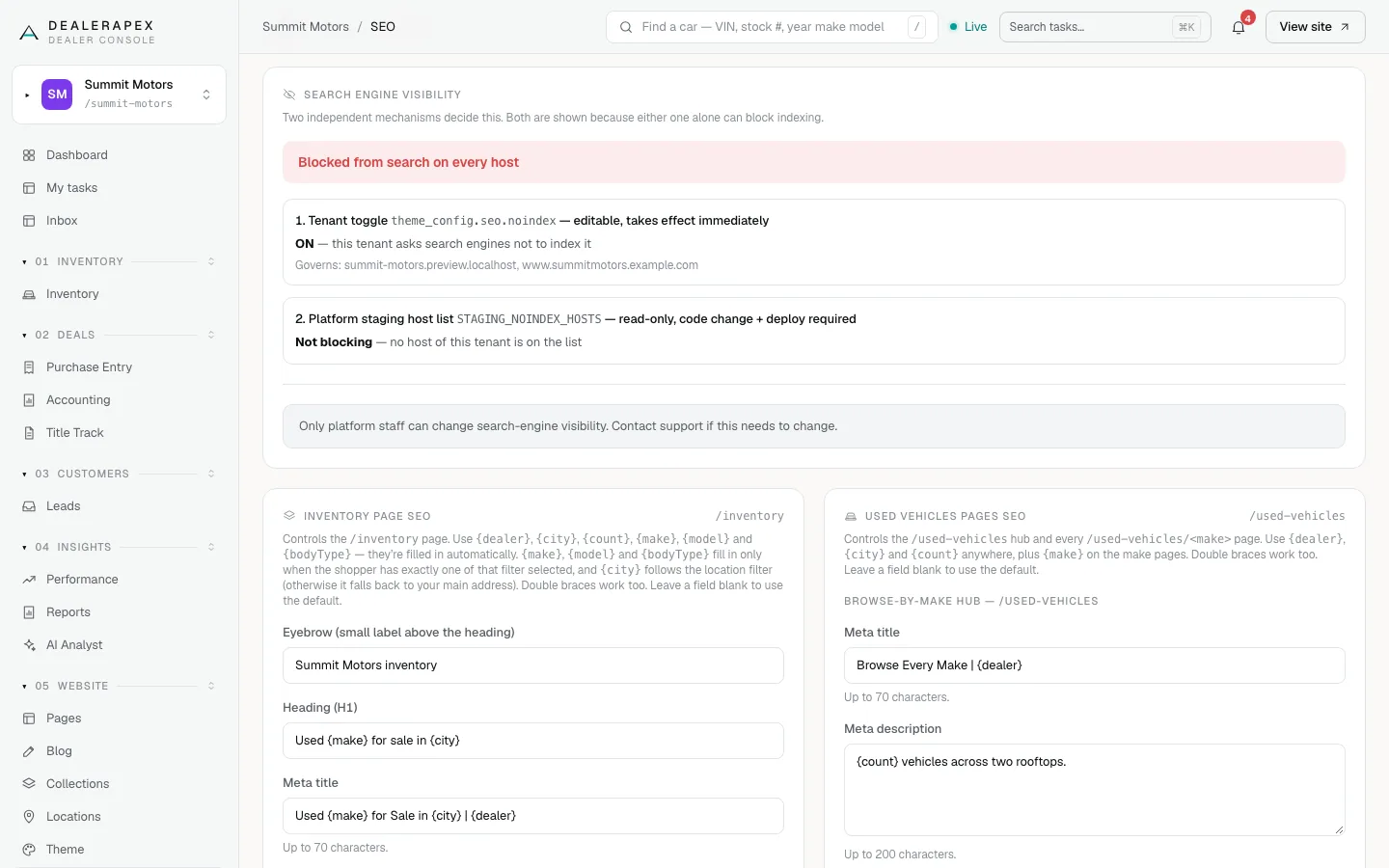
You will see one of these:
| Status | What it means |
|---|---|
| Indexable | Search engines may list your site. This is what you want once you are live. |
| Blocked from search | At least one of your addresses is kept out of search. |
| Blocked from search on every host | Every address your site runs on is kept out of search. Normal before launch, a problem after it. |
Below the status, two numbered checks show why:
- 1. Your site’s own setting. ON means your site asks search engines not to list it. The Governs: line lists the addresses it covers, such as your preview address and your own domain.
- 2. A safety list DealerApex keeps for known test and staging addresses, so they can never end up in Google by accident. For a normal dealer site this says Not blocking.
Either check on its own is enough to keep your site out of search.
Before and after launch
New sites are often kept out of search while they are being built. When you are ready to go live, email [email protected] and ask for your site to be made visible to search engines. After the change, the status reads Indexable.
Hide a single page
- Open Pages and click the page.
- In the SEO meta panel, tick Hide this page from search engines.
- Click Save meta.
The page keeps working for visitors and links. It asks search engines not to list it and is removed from your sitemap. On the SEO page, its Indexed column then shows Hidden. Blog posts have the same option, Hide this post from search engines, in the blog editor.
Hiding a page only works one way. If your whole site is blocked, no page setting can make a single page visible.
Common questions
Why can’t I change the site-wide setting myself?
One wrong click would remove your whole site from Google, so DealerApex staff make this change. Email [email protected] and we will switch it for you.
I’ve gone live but the status still says Blocked. What do I do?
Email [email protected]. Until it changes, Google won’t list your pages, however good your titles are.
Does hiding a page stop people visiting it?
No. Anyone with the link can still open it. It only asks search engines not to list it.
Still stuck? Email [email protected] with the page you were on and what you expected to see.