
Read AI chat conversations
The Conversations tab shows every exchange between a shopper and your website's AI assistant. Use it to see what shoppers ask about and which cars the assistant suggested.
Conversations only appear when the assistant is on your website. See Set up the chat widget.
Who can do this
Owners, editors and viewers can read conversations. Nobody can edit or reply to them from here.
Open the list
- In the sidebar, under Customers, click Leads.
- Click the Conversations tab.
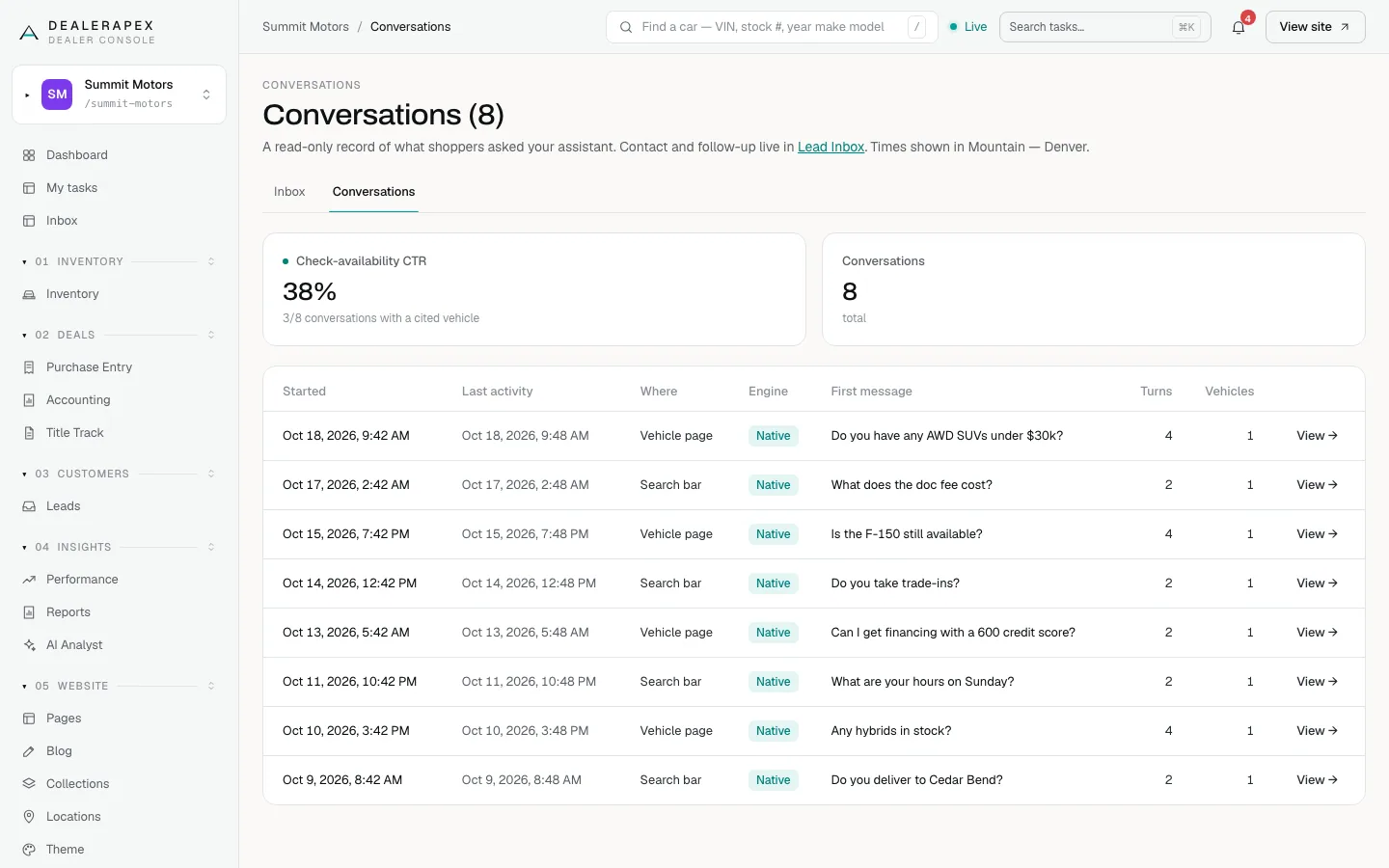
Two tiles sit at the top:
- Check-availability CTR: of the conversations where the assistant suggested a specific car, the share where the shopper then clicked Check availability. The line under it shows the counts, for example "3/8 conversations with a cited vehicle".
- Conversations: the total number of conversations.
The list shows the 200 most recently active conversations:
| Column | What it tells you |
|---|---|
| Started and Last activity | When the shopper sent the first and latest message. |
| Where | Where the chat started: Chat widget, Search bar or Vehicle page. A shopper on a Vehicle page was already looking at one car. Older conversations show a dash. |
| Engine | Native for our own assistant. Partner for a reply from a backup provider. |
| First message | The shopper's opening question. |
| Turns | How many messages were exchanged. |
| Vehicles | How many different cars the assistant mentioned. |
Read one conversation
- Click View → on a row.
- Read the transcript. Shopper messages are labelled SHOPPER, and the assistant's replies are labelled ASSISTANT.
- Under each assistant reply, Cited: lists the VIN of any car it mentioned. No vehicles cited means it did not point to a specific car.
- Click Back to conversations to return.
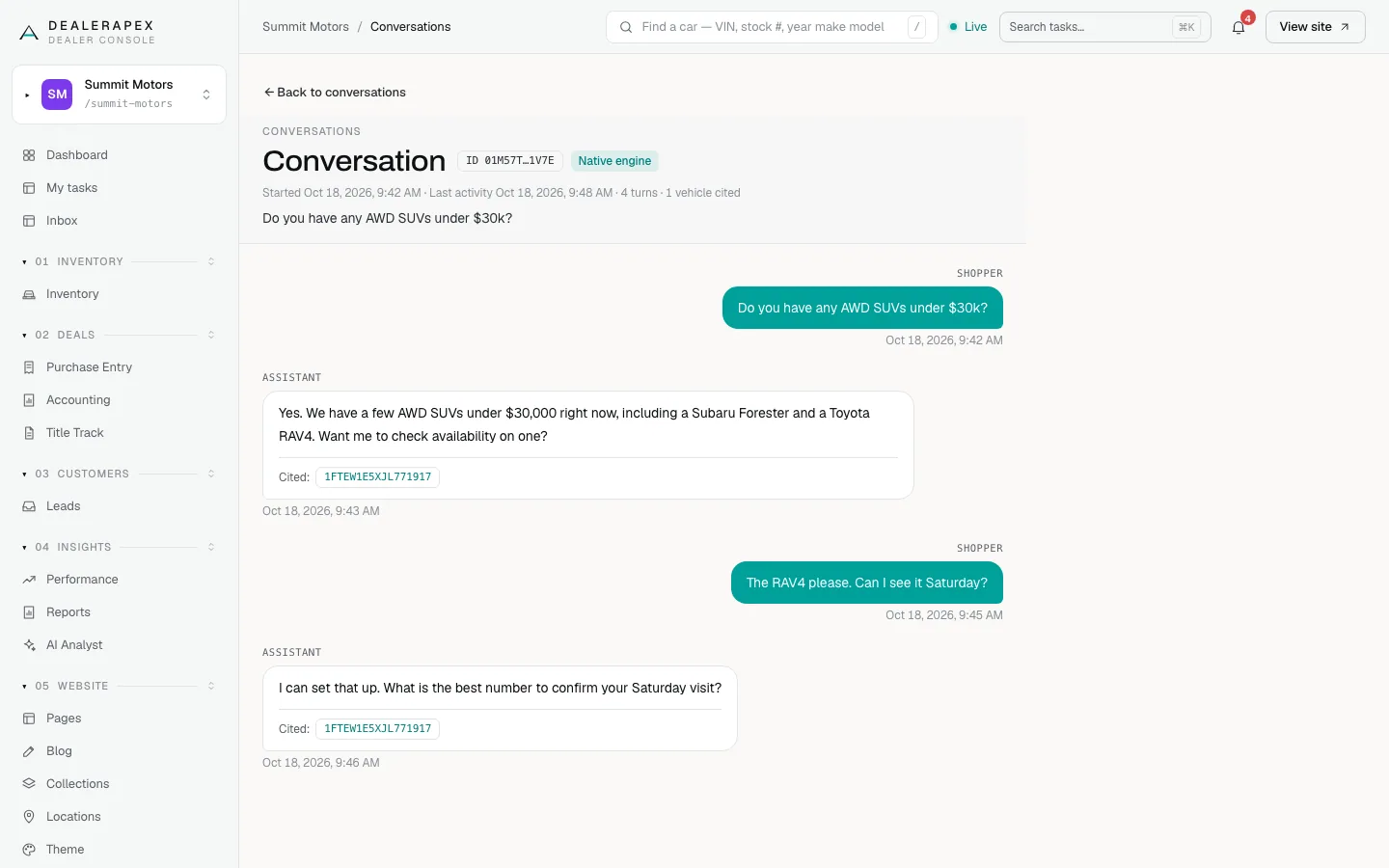
The header shows the conversation ID, the engine and a summary such as "4 turns · 1 vehicle cited". If any reply came from the partner engine, a note says so and those replies are marked Partner (un-guarded). Their wording was not checked by our own filter, so read them with that in mind.
Conversations and leads
A conversation is not a lead. Conversations hold no contact details. When a shopper fills in a form after chatting, such as Check availability or a test-drive request, that enquiry arrives in the Inbox tab like any other lead. Follow up from there.
What "AI chat leads" means in Performance
The Performance reports have a switch called Hide AI chat leads. It does not hide these website conversations. It hides leads that your CRM files under an AI Buying Signals source, which is a retargeting product rather than a shopper who contacted you. See Why the numbers differ.
Common questions
Can I reply to a shopper from a conversation?
No. Conversations are a read-only record. If the shopper left their details, the lead is in your Lead Inbox, and you can contact them from there or from your CRM.
Why does the assistant mention a car by VIN?
The VIN under Cited shows exactly which car in your inventory the assistant was talking about, so you can find it in Inventory.
What does a Partner engine badge mean?
That reply came from a backup provider instead of our own assistant, and our wording check did not run on it. Most conversations show Native.
Still stuck? Email [email protected] with the page you were on and what you expected to see.