
Turn the website chat on or off
Your website comes with a built-in AI chat. Shoppers open it from the Ask our AI button in the corner of every page, ask questions about your cars, and can book a test drive from the chat.
Who can do this
Owners and editors can make changes here. Viewers can open every screen but can’t save. Sales managers, inventory managers, title clerks and accountants don’t see the website sections at all.
Turn the chat on or off
- Open Theme and go to Chat & AI.
- Tick or untick Show AI chat widget.
- Click Save theme.
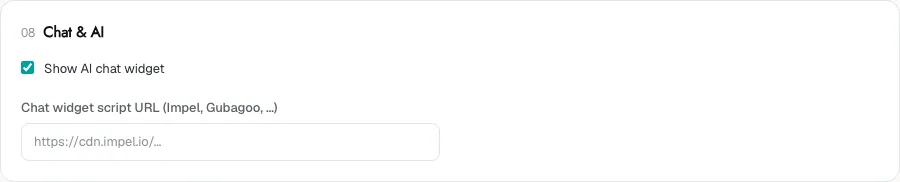
The chat is on by default. When you untick the box, no chat appears on your site at all, including a chat from another provider.
Use another chat provider
If you already pay for a chat tool such as Impel or Gubagoo, you can show it instead of the built-in chat.
- Get the script address from your chat provider. It usually starts with https://.
- Paste it into Chat widget script URL (Impel, Gubagoo, …).
- Leave Show AI chat widget ticked.
- Click Save theme.
With a script address set, your provider’s chat replaces the built-in Ask our AI chat. Clear the box and save to go back to the built-in chat.
Reading conversations
Conversations from the built-in chat are saved in your console. See AI chat conversations. Conversations in another provider’s chat stay in that provider’s system.
Common questions
Can shoppers book a test drive from the chat?
Yes, in the built-in chat. It offers the same open times as your test-drive picker. See Block out test-drive times.
I pasted my provider’s script and nothing shows. Why?
Make sure Show AI chat widget is still ticked and the address is the script address only, not the whole embed code. If it still doesn’t appear, check with your provider that your website’s domain is allowed.
Still stuck? Email [email protected] with the page you were on and what you expected to see.