
Handle test-drive requests
Shoppers can pick a day and time for a test drive on your website. This article shows where those requests arrive and how to stop the picker offering times when you are busy or closed.
Where test-drive requests arrive
A test-drive booking is a lead. It arrives in your Lead Inbox with the source test_drive, and goes to your lead notification emails and your CRM like any other lead.
- In the sidebar, under Customers, click Leads.
- Look for test_drive in the Source column. The Form column shows where it was booked, such as vdp_test_drive for a vehicle page.
- Click View → to open it.
The Message section starts with the time the shopper picked and the car, for example "Requested test drive: Sat, Aug 9 at 2:30 PM — 2021 Toyota RAV4", followed by anything they typed.
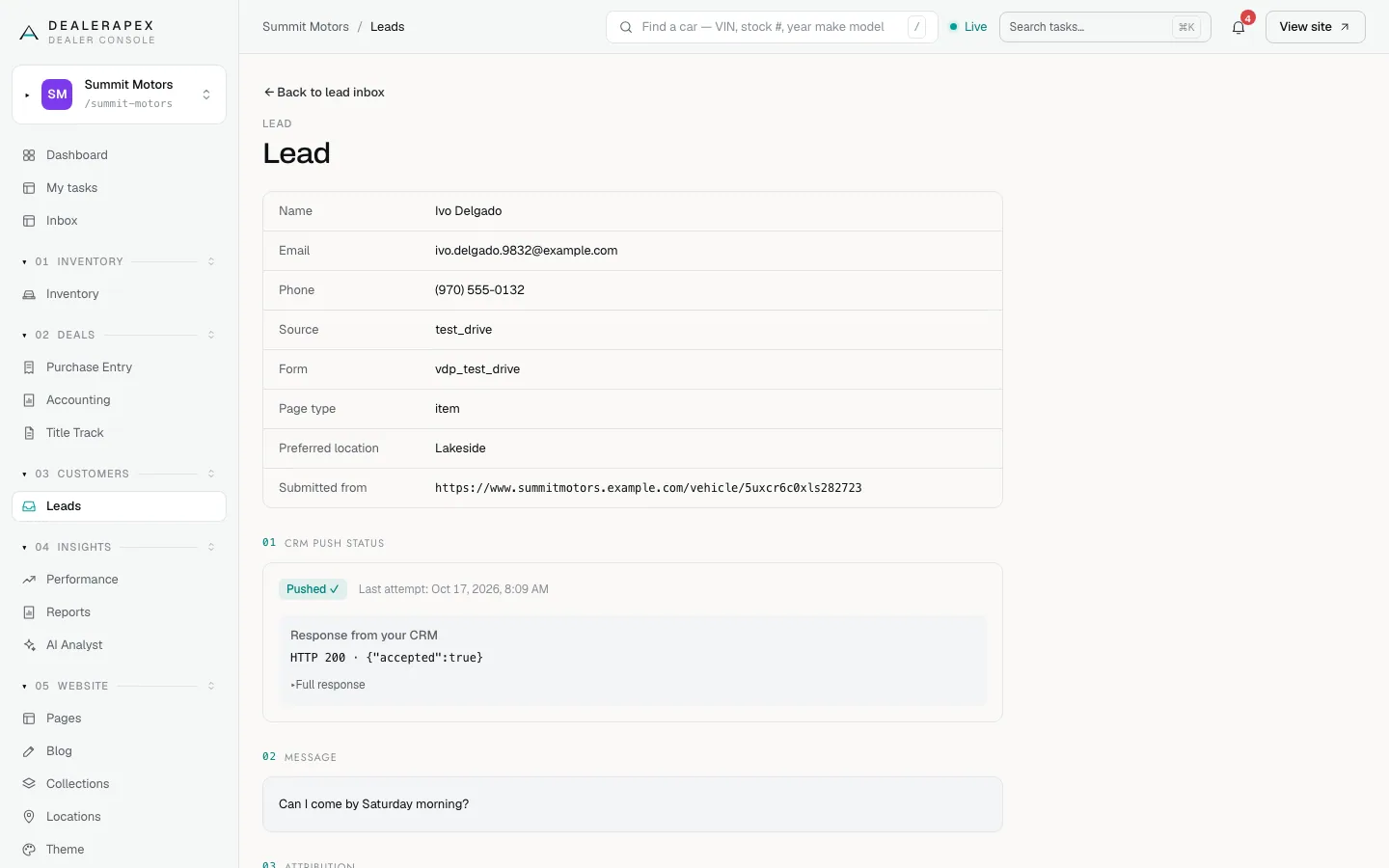
A booking is a request, not a confirmed appointment. Call or text the shopper to confirm the time. For the CRM status on the lead, see Check whether a lead reached your CRM.
Which times the picker offers
- Up to eight times on each open day, the same set of times each week.
- By default, Monday to Saturday, 10 AM to 7 PM. Sunday is closed. There is no setting for these hours in your console; to ask about different hours, email [email protected].
- Nothing sooner than an hour from now.
- No US federal holidays. These are left out automatically.
- Nothing you have blocked, as below.
All times use your dealership's timezone, set in General settings.
Block a date or time
- In the sidebar, under Website, click Theme.
- Scroll to Test-drive availability, near the bottom of the page.
- Choose a Date.
- To block part of the day, set From (optional) and To (optional). To block the whole day, leave both empty.
- Click Add block +.
The block appears in the list below, shown as All day or as a time range. The picker on your website stops offering those times straight away.
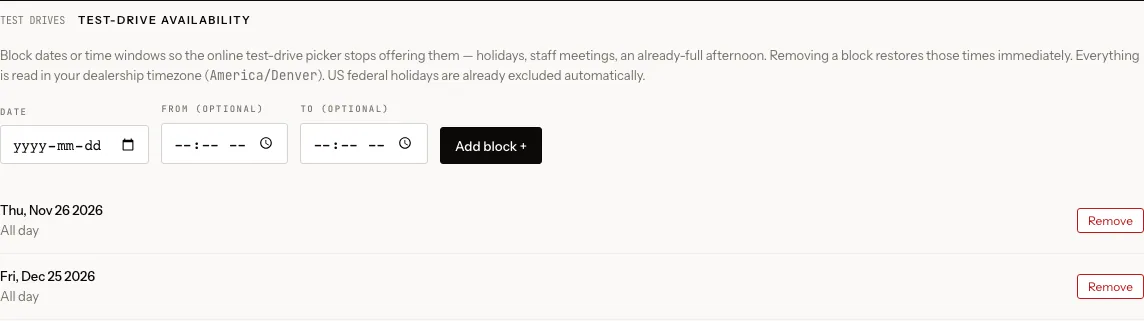
If you set only one of the times, you see "Enter both a start and end time, or leave both blank to block the whole day." The end time must be after the start time.
Remove a block
Click Remove next to the block. Those times are offered again straight away.
Who can do this
Owners, editors and viewers can see test-drive requests in the Lead Inbox. Only owners and editors can add or remove blocks. For more on the availability settings, see Test-drive availability.
Common questions
Does a test-drive request book a time in a calendar?
No. It arrives as a lead with the requested time in the message. Someone on your team should confirm it with the shopper.
Do I need to block public holidays?
Not US federal holidays. Those are left out automatically. Block any other day you are closed, such as the day after Thanksgiving.
Can I change the hours the picker offers?
There is no setting for this in your console. Email [email protected] with the hours you want and we will let you know what is possible. To close off a single day or a few hours, block the time instead.
Still stuck? Email [email protected] with the page you were on and what you expected to see.