
Why your numbers don’t match
Lead and sales counts appear in several places, and they rarely agree exactly. That's usually not a mistake: each one counts a different group of leads or uses a different date. This article explains the common differences.
Lead inbox vs All leads
These two count different things.
- The lead inbox (Leads in the sidebar, on the Inbox tab) lists the forms and chats submitted on your website, newest first. It isn't filtered by date and shows the latest 200. It's where you work individual leads. See Read your lead inbox.
- All leads (Performance → Marketing → All leads) lists every lead in your CRM that arrived in the chosen range, from every source: walk-ins, phone calls, marketplaces and your website.
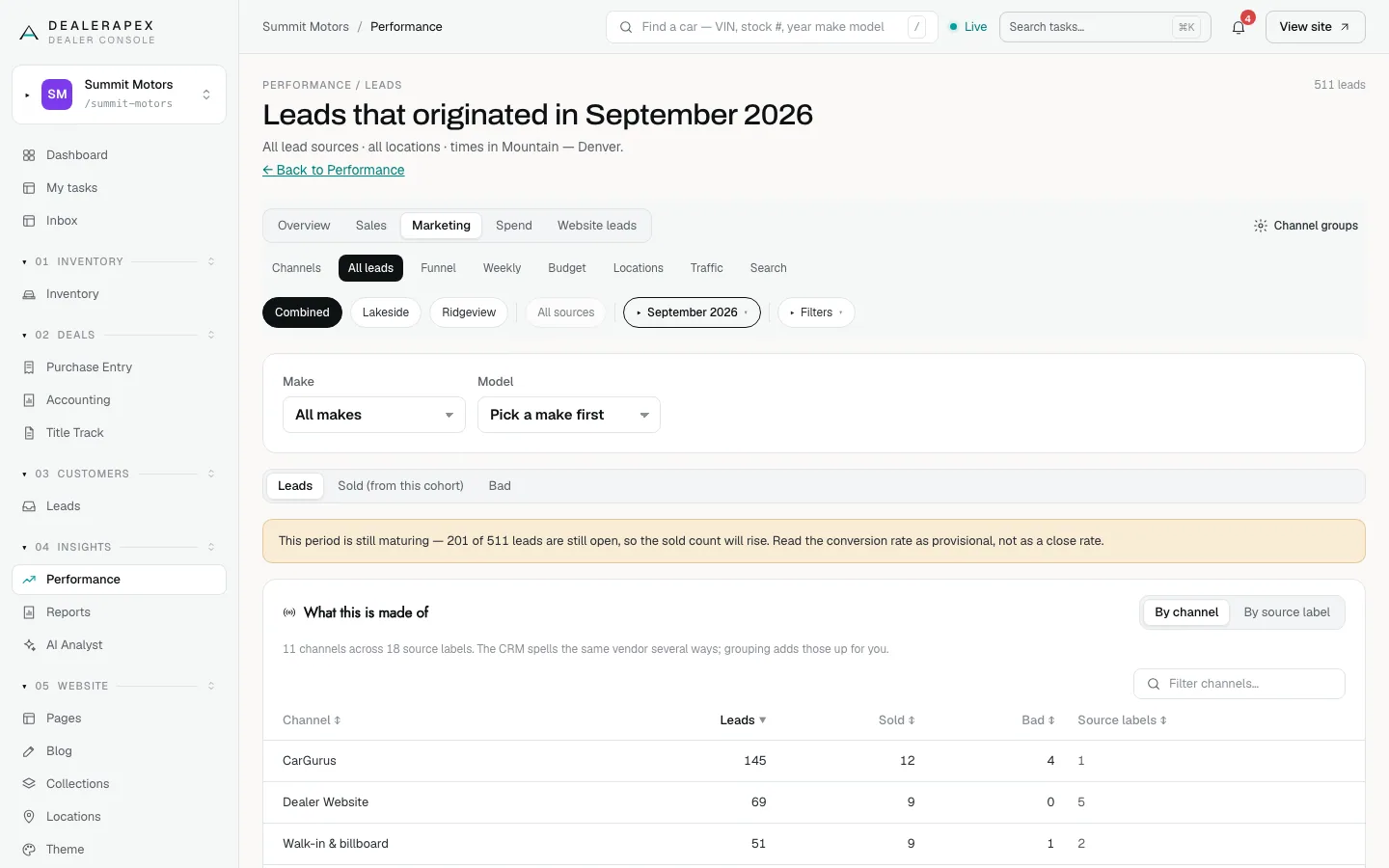
So All leads is almost always much larger. Your website leads show up inside it once they reach your CRM, usually under your website's channel.
The same split shows on the dashboard: All leads counts your CRM, while Website leads · 7 days counts only your website.
The filter toggles hide some leads on purpose
Performance, the dashboard tiles and Reports all start with the same defaults:
- review and listing tools are hidden (Hide review & listing tools is on);
- sell-my-car and trade-in leads are hidden (Hide sell-my-car / trade-in leads is on);
- migrated back-office records from your DMS are hidden (Show DMS history is off).
That's why Performance shows fewer leads than your CRM's own total. To match your CRM, click Filters, turn on Show DMS history and turn off the two Hide toggles. See Read the Performance overview.
Two kinds of "sold"
- Cohort sold counts leads that arrived in the range and have since sold. The overview, the dashboard, All leads, Weekly, the make and model table and the default Cost Per Sale report use this. It keeps growing for weeks after the period ends.
- Sold by date counts cars delivered in the range, whenever the lead arrived. The Sold tab, the weekly table on Vehicles, the Locations tab and the Close date basis of Cost Per Sale use this. It matches your books.
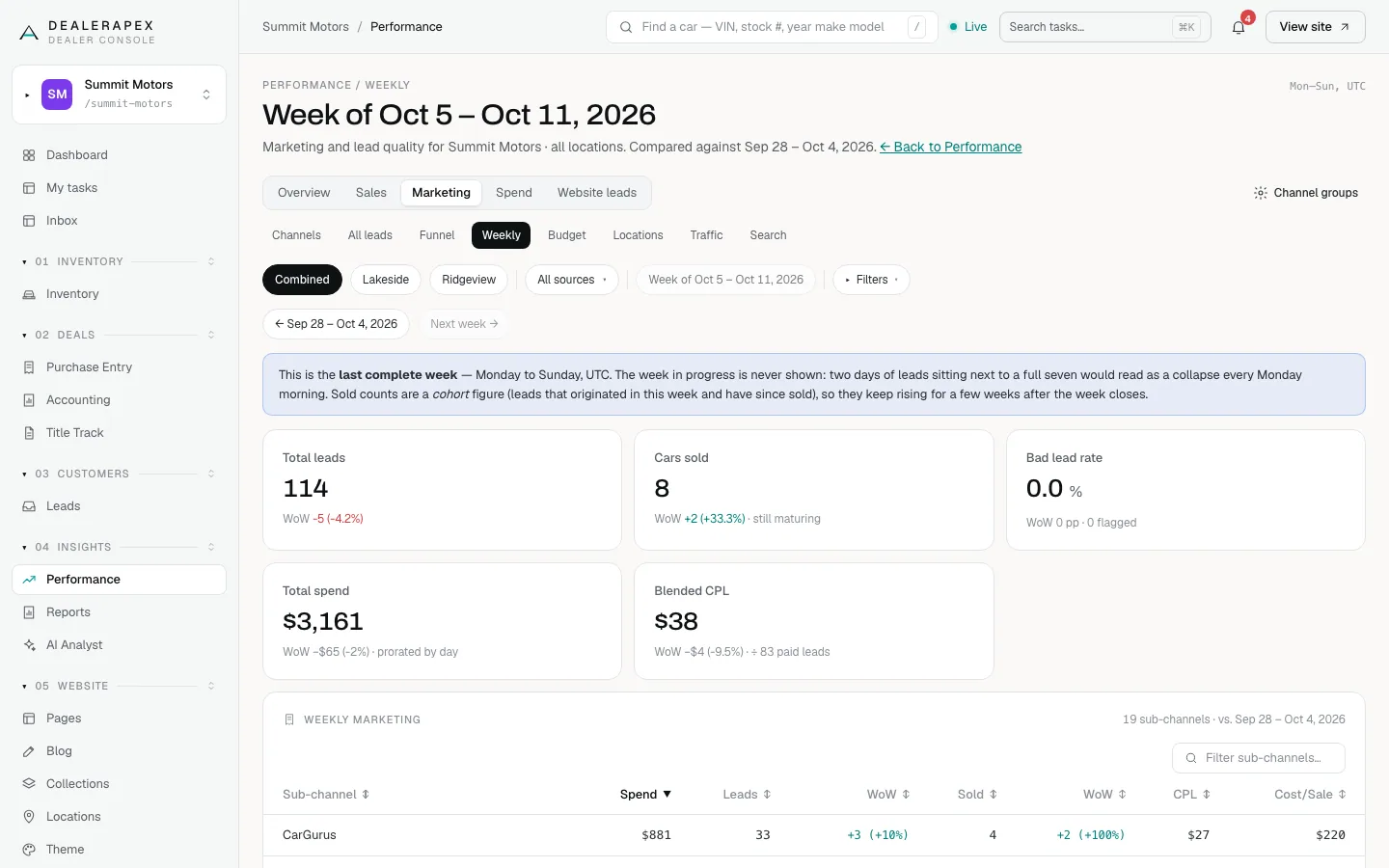
Both are correct. Use cohort sold to judge marketing and sold-by-date for month-end.
Cost per lead in different places
- The Performance overview's CPL is retail spend ÷ paid leads. Free leads such as walk-ins are left out, and so is the money spent on sell-my-car leads.
- The dashboard's Cost per lead, and the All channels row in Reports, are all spend ÷ all leads, free ones included.
The dashboard figure is always lower. Use Performance to judge what a paid lead costs.
Different date ranges
The dashboard's Last 3 months includes this month so far. Performance's Last 3 months is the three complete months before this one. Performance opens on Last month, Reports on Last 6 months, and the dashboard on Last 30 days. Check the range before comparing.
Still doesn't add up?
Check the "Data as of" date on Performance to see when your CRM data last arrived. If the numbers still look wrong, email [email protected] with the page, the range and the two numbers you're comparing.
Common questions
Which lead number should I report to my GM?
For marketing results, use Total leads on the Performance overview. For how many shoppers contacted you through your website, use the lead inbox or the Website leads tab.
Why is a website lead in my inbox missing from All leads?
All leads comes from your CRM. If the lead hasn’t reached your CRM yet, or the CRM created it on a different date, it won’t appear for that range. Open the lead in your inbox to check whether it was delivered. See Check whether a lead reached your CRM.
Why did Performance change when I changed nothing?
Cohort sold counts grow as open leads close, and new CRM data arrives regularly. Older months settle after about 90 days.
Still stuck? Email [email protected] with the page you were on and what you expected to see.