
Sign in to your console
This article walks you through signing in to the DealerApex console for the first time, adding your name, and what to do if you forget your password.
Before you start
You need an invite. Someone with the owner role at your dealership invites you from the Team page, and you get an email from DealerApex. The email has a Set your password button, or an Open your console button if you already have a DealerApex account. That link also tells you your console's address, so bookmark the page it opens. Once your website is live on your own domain, your console is at app. followed by your domain, for example app.summitmotors.com.
The set-password link in an invite expires within the hour. If it has expired, see "Forgot your password?" below, or ask your owner to click Resend invite.
Sign in
- Open your console address in a browser.
- Enter your Email and Password.
- Click Log in.
Or click Continue with Google and choose the Google account that uses the same email address your dealership invited.
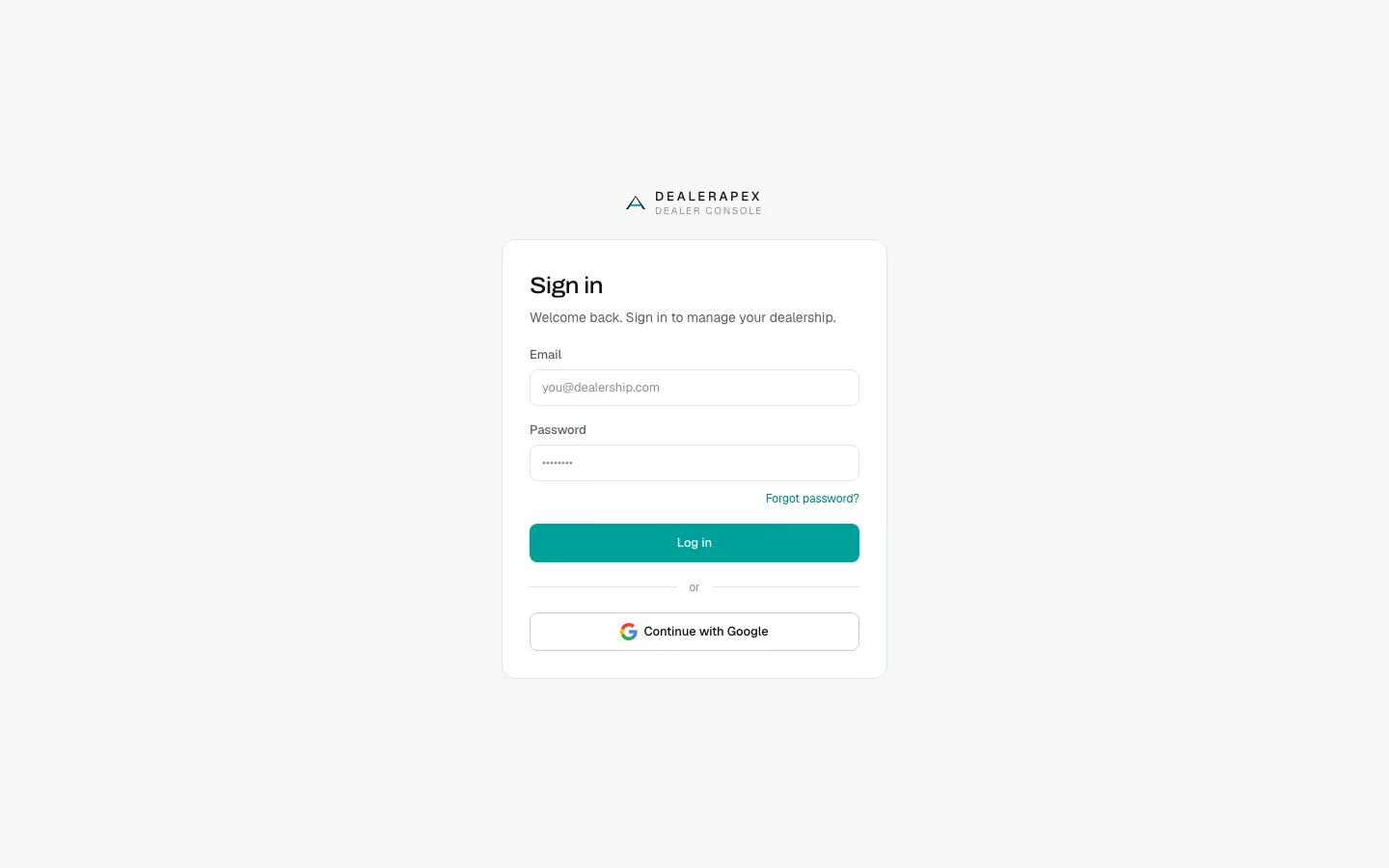
If you have access to more than one dealership, you can switch between them from the dealership name at the top of the sidebar.
Add your name the first time
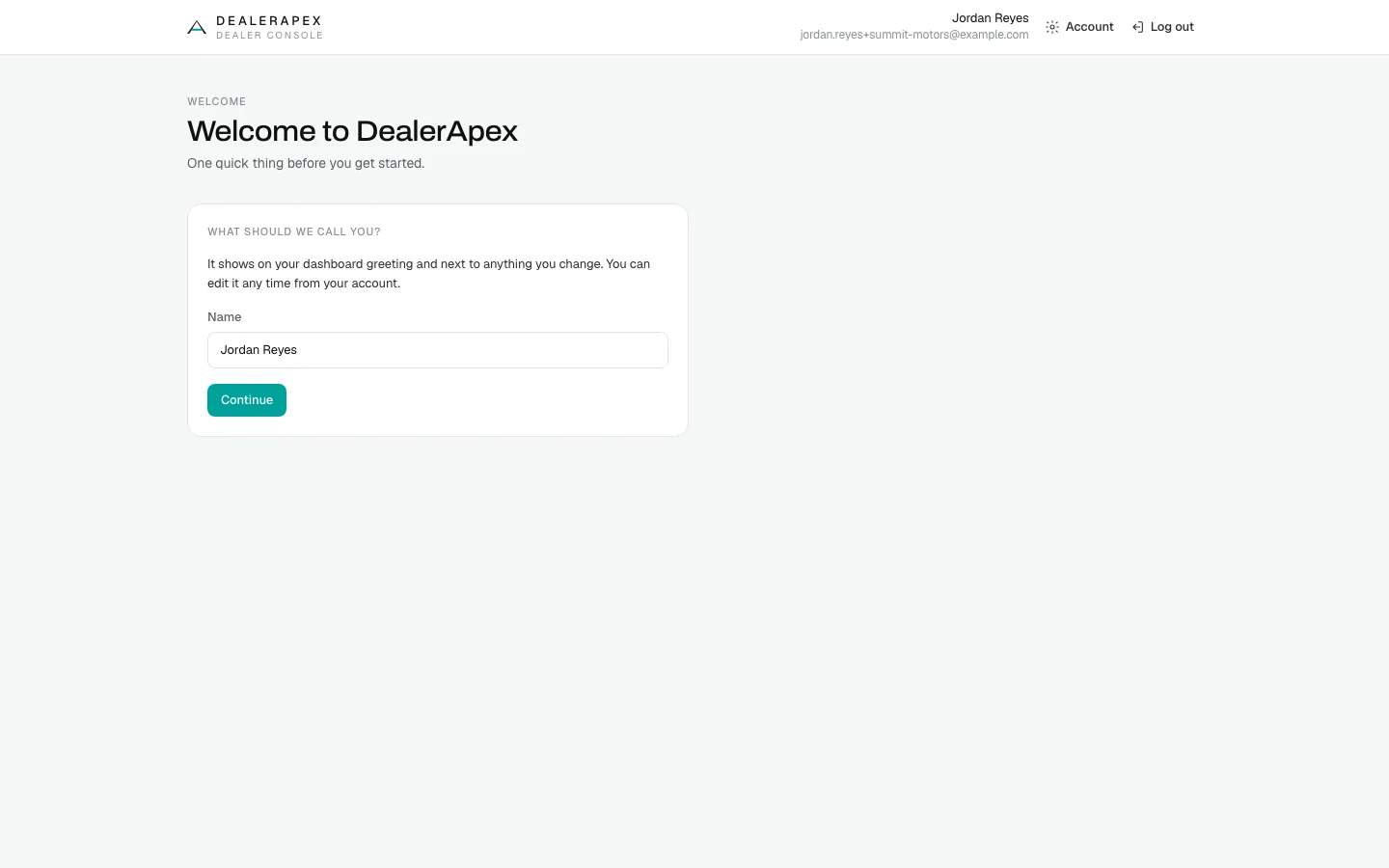
The first time you sign in, the console asks What should we call you? before it opens. Your name shows in the dashboard greeting and next to anything you change.
- Type your name in Name. It can be up to 80 characters.
- Click Continue.
Change your name or password
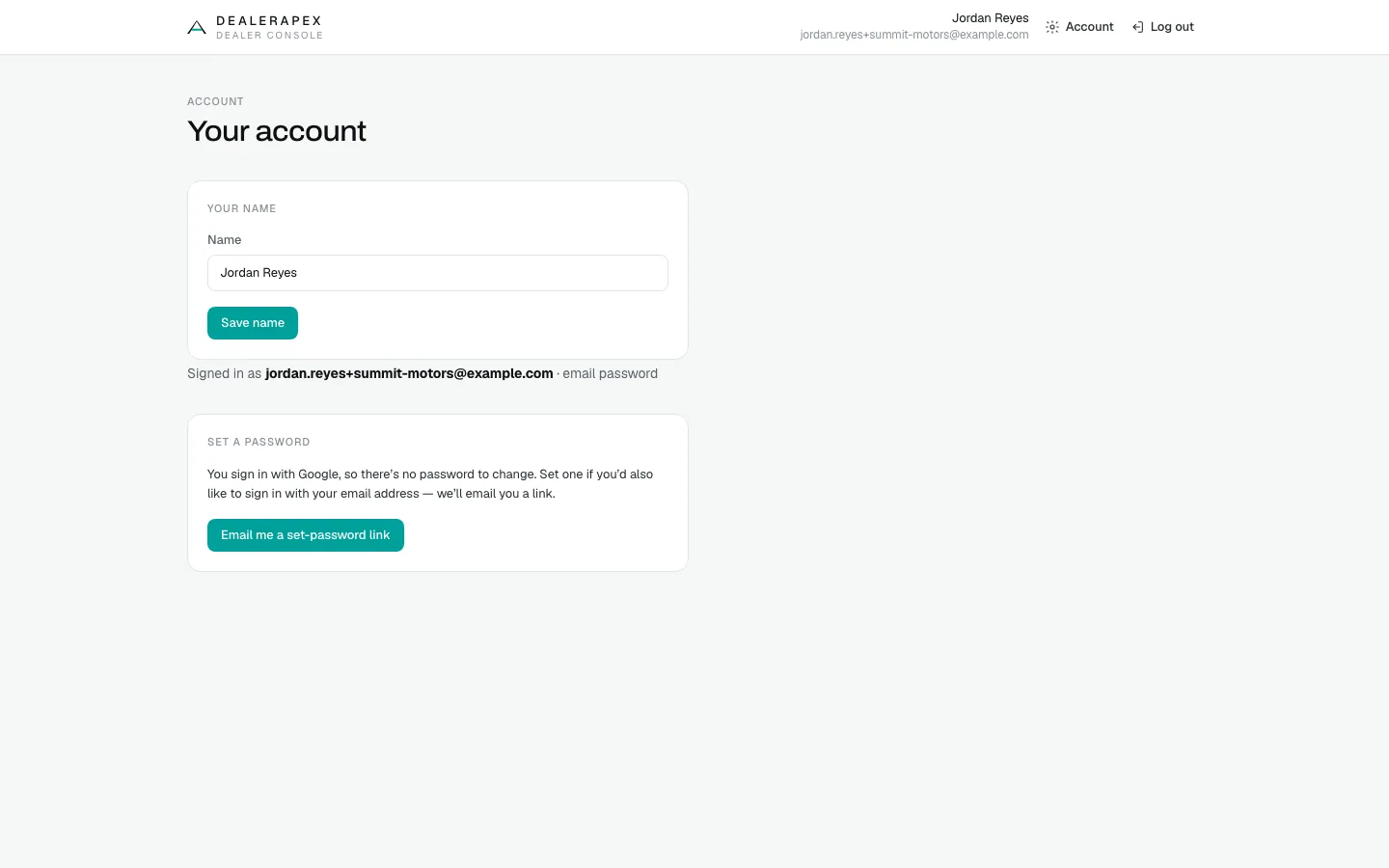
- Click the gear icon next to your name at the bottom of the sidebar. The Your account page opens.
- To change your name, edit Name and click Save name.
- To change your password, fill in Current password, New password and Confirm new password, then click Update password. Your new password needs at least 8 characters.
After a password change, DealerApex signs you out everywhere, including this browser, and takes you to the sign-in page. Sign in again with the new password.
If you only ever signed in with Google, you have no password to change. The page shows Set a password instead. Click Email me a set-password link if you also want to sign in with your email address.
Forgot your password?
- On the sign-in page, click Forgot password?.
- Enter your Email and click Send reset link.
- Open the email and click the link.
- On Choose a password, fill in New password and Confirm password, then click Save password.
- Click Go to sign in and sign in with your new password.
You see the same "we've sent a link" message whether or not the address has an account. If nothing arrives, check your spam folder. If the page says This link has expired, click Request a new link.
If sign-in fails
- Incorrect email or password: check for typos. If you were invited but never set a password, use Forgot password?.
- This account isn't authorized yet: the email you used is not on your dealership's team. Ask your owner to invite that exact address.
- Too many sign-in attempts: wait a few minutes before you try again. Your password may be fine.
To sign out, click the log-out icon next to the gear at the bottom of the sidebar.
Common questions
Which email address do I use?
The one your dealership invited. If you are not sure, ask an owner to check Settings → Team. See Invite your team.
My invite link says it has expired. What now?
Invite links expire within the hour. Click Forgot password? on the sign-in page and use the same email, or ask an owner to click Resend invite on the Team page. See Invite your team.
Can I use both Google and a password?
Yes. If you started with Google, open Your account and click Email me a set-password link to add a password as well.
Why was I signed out after changing my password?
A password change signs you out on every device, so anyone using an old session loses access. Sign in again with the new password.
Still stuck? Email [email protected] with the page you were on and what you expected to see.