
Invite your team and manage their access
The Team tab under Settings lists everyone who can sign in to your console. Use it when someone joins or leaves, or when their job changes.
Who can do this: only an owner. Editors and viewers can see the list, with the note "Only an owner can change team access."
Invite someone
- Open Settings → Team.
- Scroll to Invite a user.
- Enter their Email.
- Choose their Role. It starts on editor.
- Click Invite.
They get an email with a link to set their password. The new person appears in the list with the status Invited until they sign in for the first time.
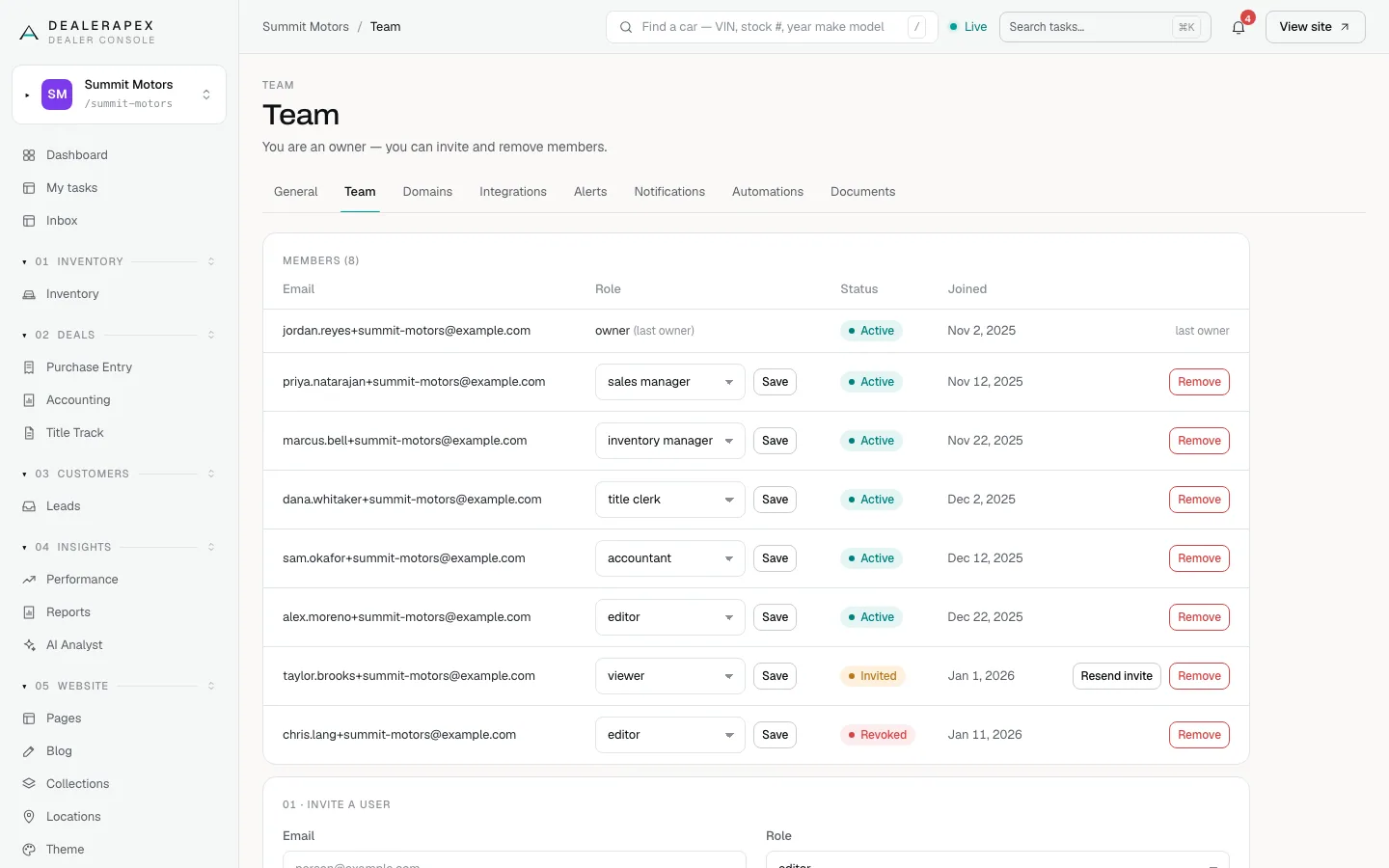
Not sure which role to pick? Roles and permissions explains what each role can see and change.
Resend an invite
The link in the invite email expires within an hour. If someone didn't use it in time:
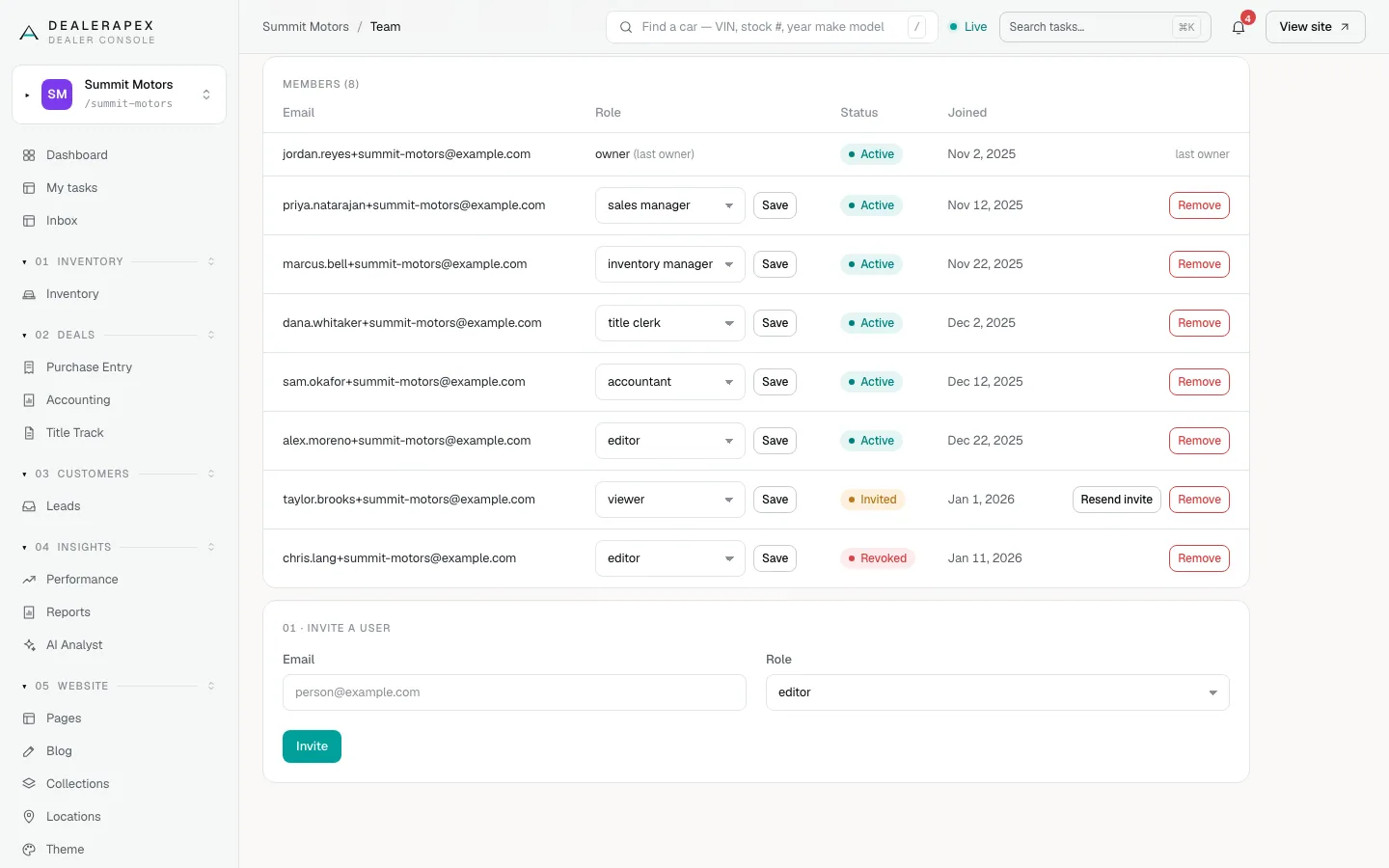
- Find them in the list. Their status is Invited.
- Click Resend invite.
They get a new email with a fresh link. Resend invite only shows for people who have never signed in. Someone who has signed in before and forgot their password should click Forgot password? on the sign-in page instead.
Change someone's role
- Find the person in the list.
- Choose a new role in their Role menu.
- Click Save on that row.
Remove someone
- Find the person in the list.
- Click Remove.
They lose access to your dealership right away. There is no confirmation step, so check the row before you click. If you remove someone by mistake, invite them again.
What the statuses mean
| Status | Meaning |
|---|---|
| Active | Has signed in at least once. |
| Invited | Was invited but has never signed in. Their link may have expired. |
| Revoked | Their DealerApex login was switched off, so they can't sign in anywhere. Email [email protected] if this person should have access again. |
The last owner
Every account needs at least one owner. If you are the only owner, your row shows last owner and has no role menu or Remove button. To step down, first change someone else's role to owner, then that person can change yours.
Common questions
The invite email never arrived. What now?
Check their spam folder, then click Resend invite. If the email still doesn't arrive, they can sign in with Continue with Google using the same address, or use Forgot password? on the sign-in page.
Can I give someone access to only part of the console?
Yes. Roles such as sales manager, inventory manager, title clerk and accountant only see the sections they need. See Roles and permissions.
Someone left the company. Is removing them enough?
Yes. Remove takes away their access to your dealership straight away. If they shared a login with anyone, change it too.
Still stuck? Email [email protected] with the page you were on and what you expected to see.