
Set your dealership name, lead emails and timezone
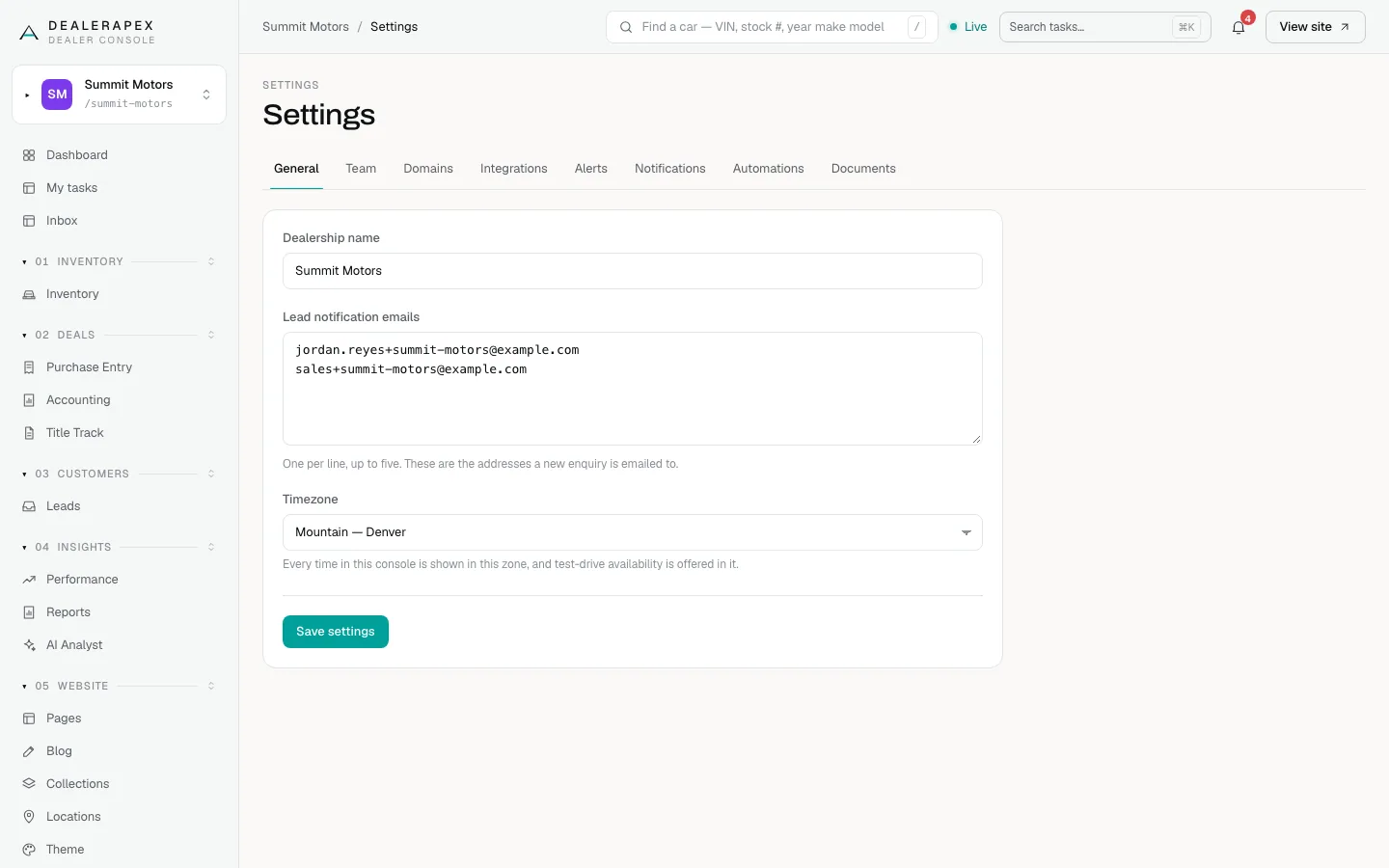
The General tab under Settings holds three things that affect your whole account: your dealership name, the people who get an email for every new lead, and your timezone.
Who can do this: only an owner. Anyone else who opens the page sees "Only an owner can change dealership settings" with their own role.
Change your settings
- In the sidebar, open Settings. The General tab opens first.
- Edit Dealership name. This is the name shoppers see on your website.
- In Lead notification emails, enter one email address per line, up to five.
- Choose your Timezone.
- Click Save settings. A short confirmation appears.
What each field does
- Dealership name appears on your public website, for example in headings and in the details search engines read. It can't be blank.
- Lead notification emails get a plain email every time a shopper sends an enquiry from your website. This is separate from delivering leads into your CRM, which you set up in CRM lead delivery.
- Timezone controls every date and time shown in your console, and the times offered for test-drive bookings on your website. The choices are the US zones from Eastern to Hawaii, including Phoenix (no daylight saving).
If something didn't save
- If you left Dealership name blank, a red message says the name was kept as it was. Your other changes were still saved.
- If someone else changed your account while you were editing, a red message says your timezone was not saved. Reload the page and choose it again.
- An address that isn't a valid email is dropped without a warning, and only the first five addresses are kept. After saving, check the list shows every address you meant to add.
Common questions
Can I send leads to more than five people?
Not from this field. Use a shared mailbox (for example a sales@ address) that forwards to your team, or send leads to your CRM as well.
Why are the times on my leads wrong?
Your timezone is probably set to the wrong zone. Change Timezone here and click Save settings. Every time in the console updates to the new zone.
Does changing the name change my web address?
No. Your web address stays the same. To use your own domain, see Connect your own domain.
Still stuck? Email [email protected] with the page you were on and what you expected to see.