
Connect your own domain
The Domains tab is where your own web address, such as www.summitmotors.com, is connected to your DealerApex website. A custom domain is added to your website's address. It doesn't replace anything.
Who can do this: only an owner. Anyone else who opens the page sees your current domain, if you have one.
What you need
- The domain you want to use, for example www.summitmotors.com.
- Access to the account where your domain's DNS is managed, such as your registrar or IT provider. Changing DNS can take your current website offline, so do it together with us.
What the page shows
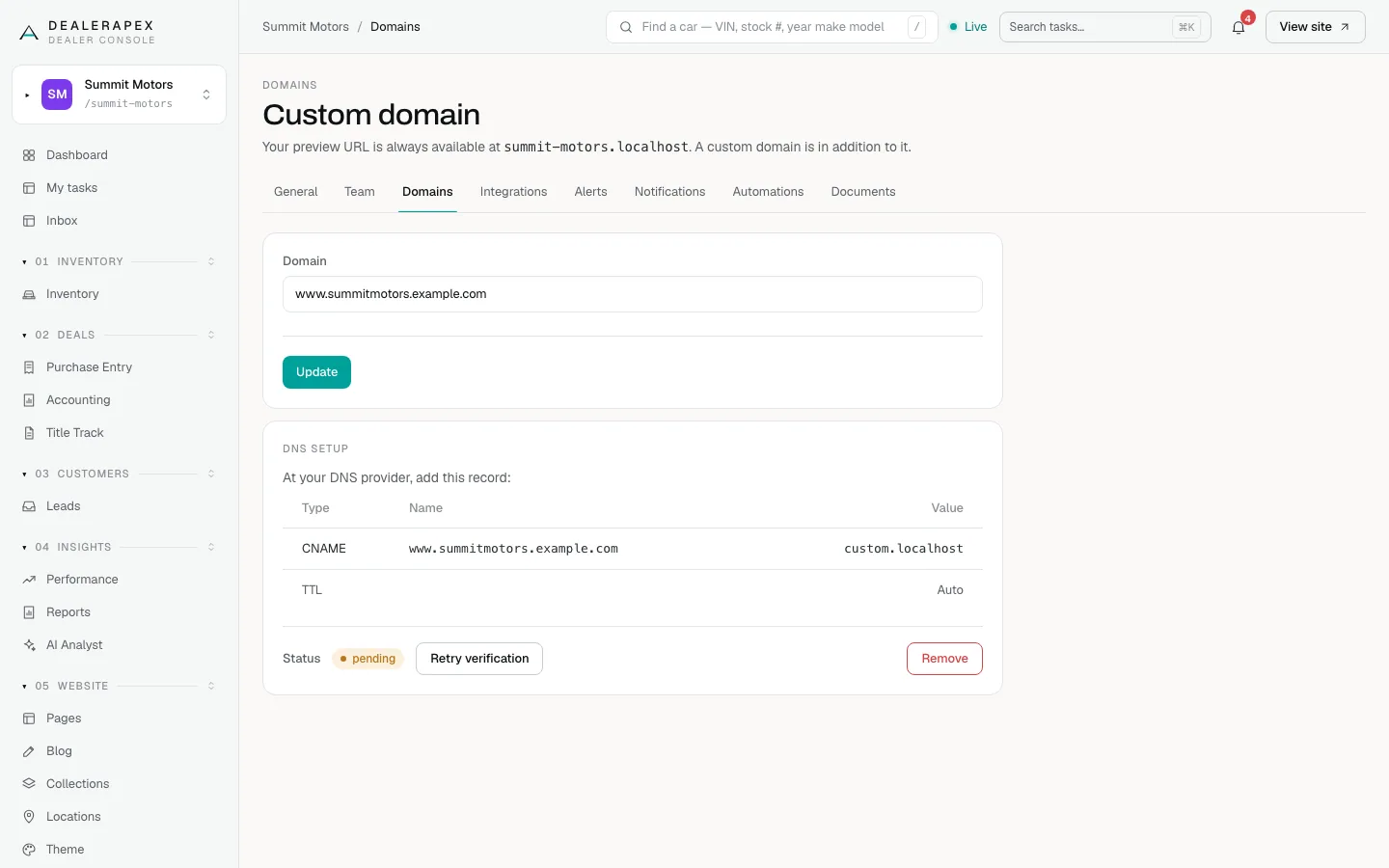
- Domain: the address connected to your website. The button reads Add before a domain is saved and Update after.
- DNS setup: once a domain is saved, this card lists the record to add at your DNS provider: a CNAME record whose Name is your domain, with TTL set to Auto. Check the value with support before you add it.
- Status: shows whether your domain is working yet.
Domain statuses
| Status | Meaning |
|---|---|
| pending | The domain is saved but not working yet. Usually DNS hasn't been changed, hasn't spread yet, or points to the wrong place. The console checks again every minute. |
| active | Your domain is connected and your website loads on it. |
| failed | The domain could not be connected. Email [email protected]. |
Check again or remove the domain
- Retry verification shows while the status is pending or failed. Click it after a DNS change to check again straight away.
- Remove disconnects the domain from your website. Your website stays online at its DealerApex address.
If saving shows "Invalid domain format", check for typos, spaces or a leading https://. Enter only the address, for example www.summitmotors.com.
Common questions
How long does it take for my domain to work?
Once the DNS records are right, usually minutes to a few hours, depending on your DNS provider. The status changes to active on its own.
Will my old website go down?
Your domain switches to the new website when its DNS changes. Plan the change with support so shoppers aren't left without a site.
Do I need to buy a security certificate?
No. Once your domain is connected, your website is served securely over https.
Still stuck? Email [email protected] with the page you were on and what you expected to see.