
Why integration settings are locked
On the Integrations tab, any section that already holds a working value is locked. The fields are greyed out until you unlock them, so an accidental save can't clear something that is live, such as where your leads go.
What a locked section looks like
A locked section shows the message "This section holds a live, working value — locked to prevent an accidental save from clearing it." next to an unlock button. The fields and the save button are greyed out.
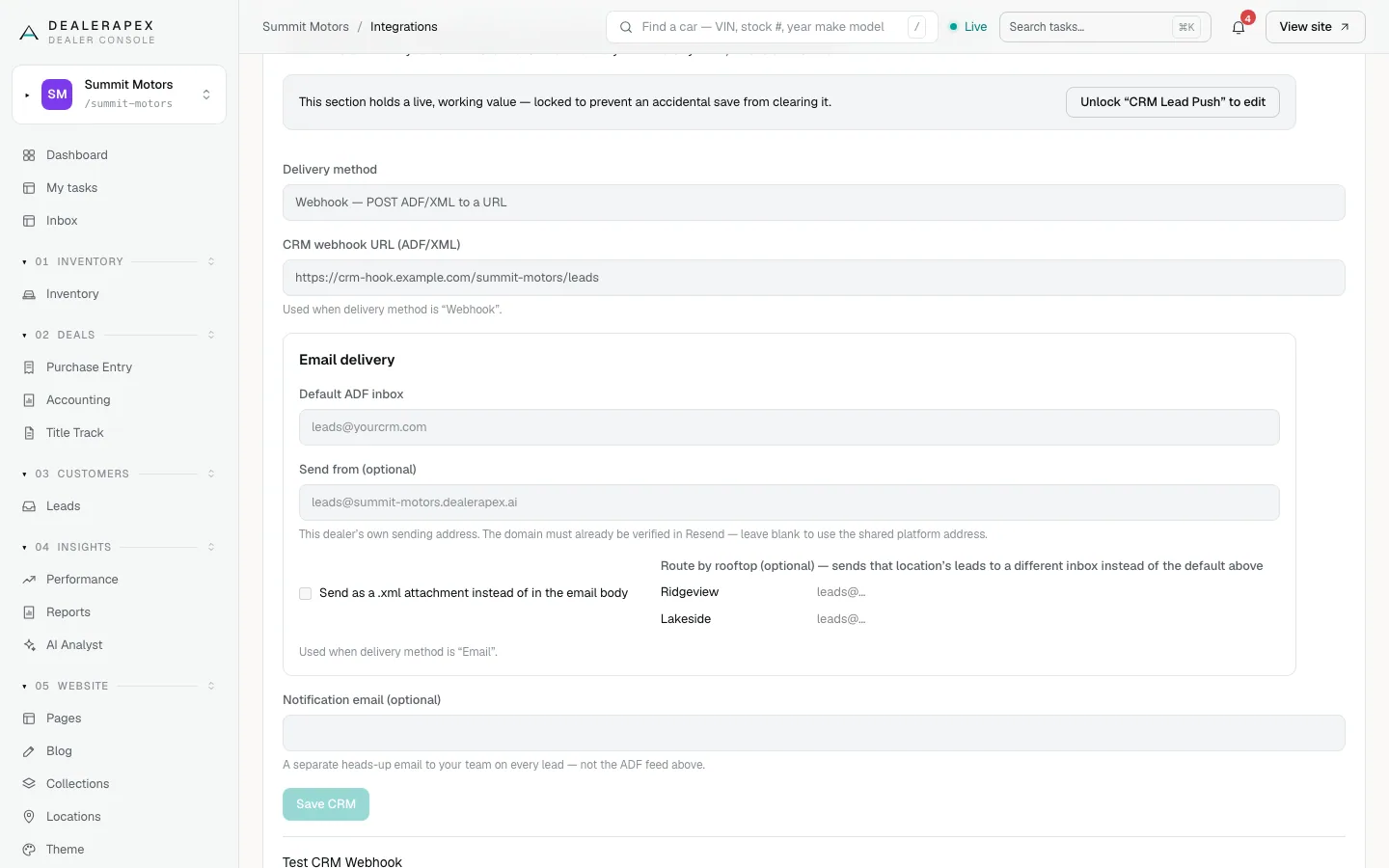
These sections lock once something is saved in them:
- CRM Lead Push
- Google Analytics 4 tag
- Google Tag Manager container
- Google Search Console verification tag
- Each Tracking pixels card
- The GA4 Data API and Search Console API connections
A section with nothing saved yet is already unlocked.
Edit a locked section
- Click the unlock button in the section, for example Unlock "CRM Lead Push" to edit.
- Change only the fields you mean to change.
- Click the section's save button.
The lock comes back when you reload the page.
The Google API connections
The GA4 Data API and Search Console API show a green Connected card instead of the form. It shows the service account, the property or site, when it was saved and when data was last pulled. Click Unlock to edit to show the form.
Your service-account file is never shown again after you save it, so the box is empty when you unlock. Leave it blank to keep the saved file and change only the property ID or site URL.
If you see "This section is locked…" after saving, the section was not unlocked first, and nothing was changed. Reload the page, unlock the section and try again.
Common questions
Did my settings get deleted? The box is empty.
Probably not. Service-account files are never shown after saving. If the card says Connected, your credentials are saved.
Who can unlock a section?
Only an owner can change the Integrations tab. See Roles and permissions.
Still stuck? Email [email protected] with the page you were on and what you expected to see.