
Add Google Analytics 4 and Google Tag Manager
Google Analytics 4 (GA4) and Google Tag Manager (GTM) each have a section on the Integrations tab. Use GA4 to measure your website traffic, and GTM to run other tags your agency manages, such as Google Ads or call tracking.
Who can do this: only an owner.
Add your GA4 tag
- In Google Analytics, go to Admin → Data Streams → Web and copy your Measurement ID. It looks like G-XXXXXXXXXX.
- In your console, open Settings → Integrations and find Google Analytics 4.
- If an ID is already saved, click Unlock "GA4 tag" to edit.
- Paste the ID into Measurement ID.
- Click Save GA4 tag.
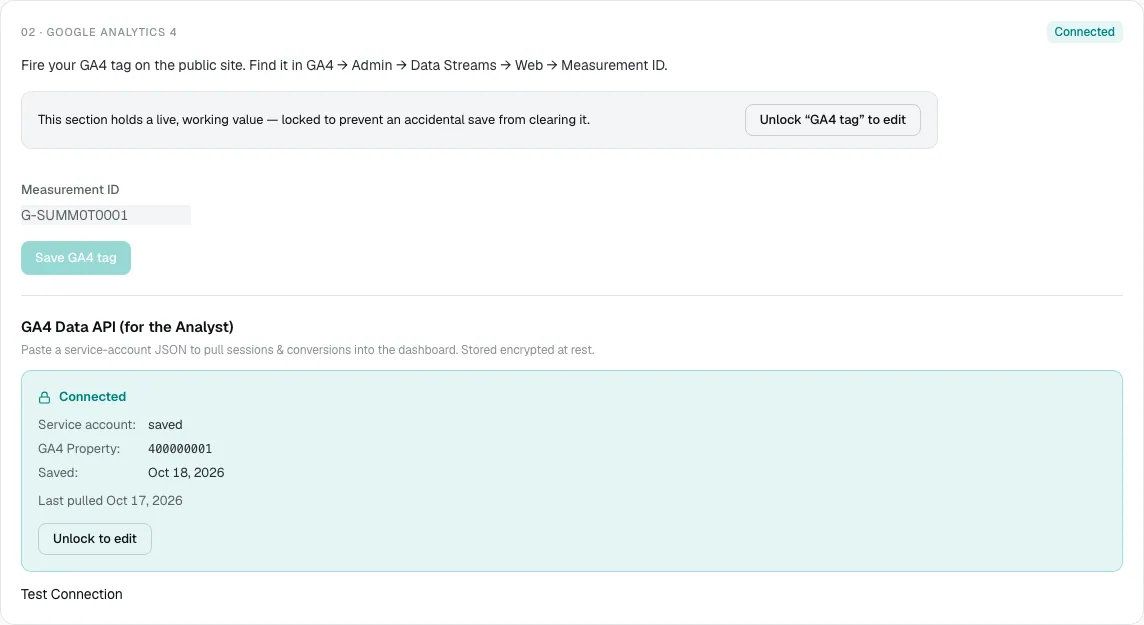
Your website sends GA4 events with standard automotive event names, so your reports are consistent.
Connect the GA4 Data API (optional)
The GA4 Data API (for the Analyst) brings your GA4 sessions and conversions into your console dashboard and the AI Analyst. It needs a Google Cloud service account.
- Enter your GA4 Property ID, the number for your property in Google Analytics.
- Paste the whole service-account file into Service account JSON, including the outer braces.
- Click Save GA4 credentials.
- Click Test Connection. You should see "Connected to GA4 property" with its name.
The service account also needs access to your GA4 property in Google Analytics. Once connected, the card shows Connected, the property and when data was last pulled. Data is pulled nightly, so the first numbers appear the next day. If you need help with the service account, email [email protected].
Add your Tag Manager container
- In Tag Manager, open your workspace and copy the ID next to your container name. It looks like GTM-XXXXXXX.
- In your console, find Google Tag Manager.
- If a container is already saved, click Unlock "GTM container" to edit.
- Paste the ID, or the whole install snippet, into Container ID.
- Click Save container.
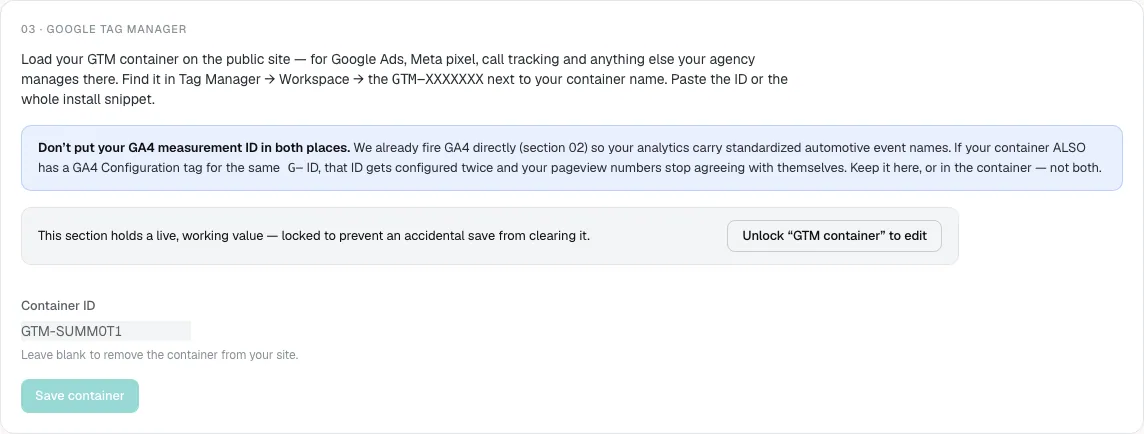
To remove the container from your site, unlock the section, clear Container ID and save.
If an ID is rejected
If you see "is not a GA4 Measurement ID" or "is not a GTM container ID", check you copied the right value. A GA4 ID starts with G-, and a container ID starts with GTM-. Your existing tag is left unchanged.
Common questions
Should I use GA4 here or in Tag Manager?
Here. The console sends GA4 with standard automotive event names. Use Tag Manager for everything else, and remove any GA4 tag for the same ID from your container.
Why don't my console numbers match Google Analytics?
Data is pulled once a night, and the two count some things differently. See Why numbers differ between reports.
Where do I add Google Search Console?
In the Google Search Console section on the same page. See Search Console and instant indexing.
Still stuck? Email [email protected] with the page you were on and what you expected to see.