
Record payments on the Accounting ledger
Accounting shows what each car cost, what has been paid for it and what is still owed. Use it to record how a car was paid for, by check, wire, ACH, floor plan or trade.
Before you start. Owners, editors and accountants can record payments, mark checks cleared and write notes. Inventory managers and viewers can read the page but change nothing. Sales managers and title clerks do not see Accounting.
Read the ledger
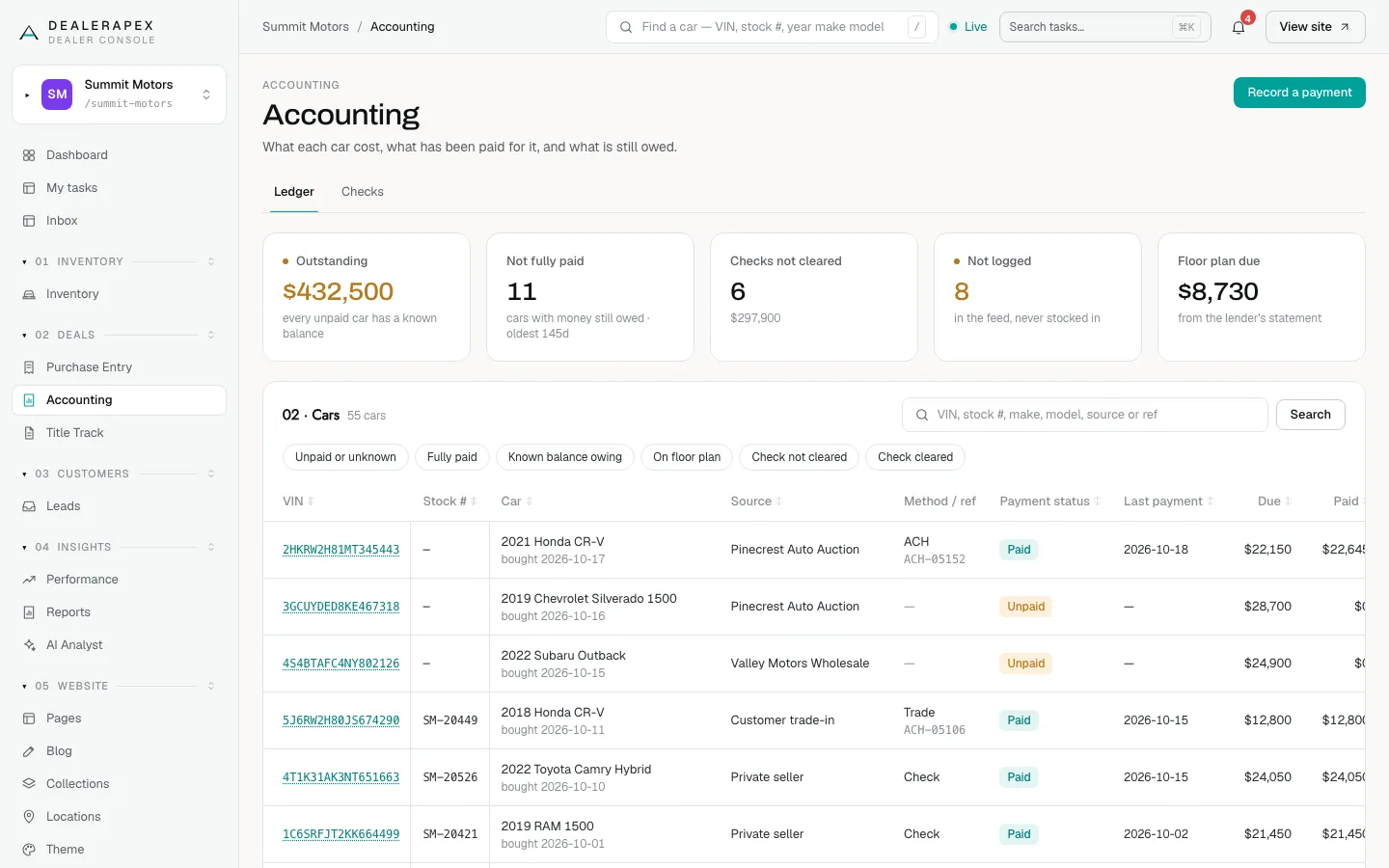
Open Accounting in the sidebar, under Deals. The Ledger tab starts with five tiles:
- Outstanding: the total still owed on unpaid cars. Cars with an unknown balance are listed beside it, never counted as zero.
- Not fully paid: how many cars still have money owed.
- Checks not cleared: checks the bank has not taken yet. See Track checks you have written.
- Not logged: cars in your inventory feed that were never stocked in on Purchase Entry.
- Floor plan due: what your floor-plan lender says is due.
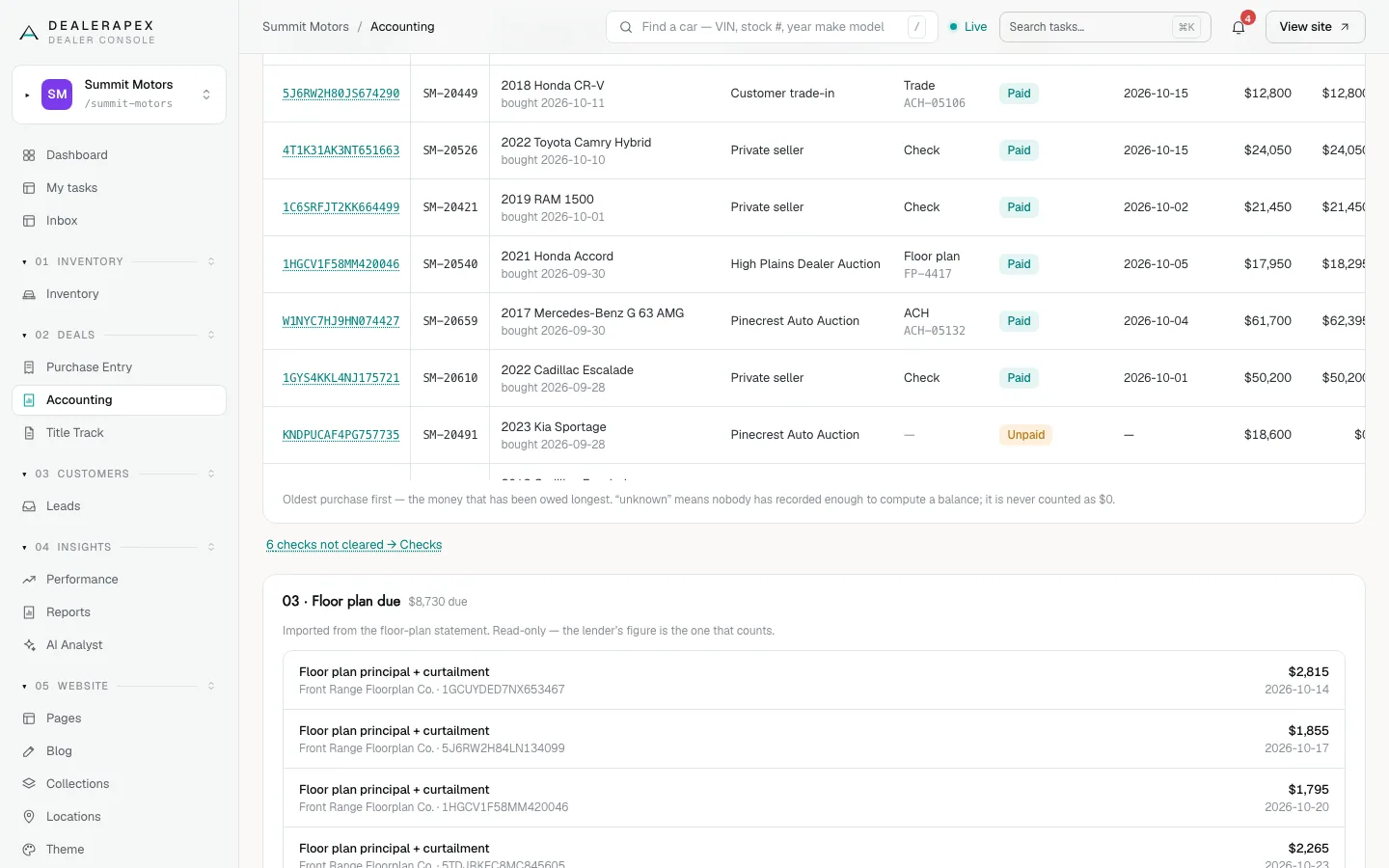
Below, Cars lists every car, oldest purchase first, with Payment status, Last payment, Due, Paid and Balance. Use the search box or the filters Unpaid or unknown, Fully paid, Known balance owing, On floor plan, Check not cleared and Check cleared.
Record a payment
One payment can cover many cars from the same seller, for example a single check for a dozen auction cars.
- Click Record a payment at the top of the page, or Payments on a car's row.
- Choose the Method: Check, Wire, ACH, Floor plan, Trade or Other.
- Enter the Check # for a check (required), or a Reference for anything else.
- Enter the Total, or leave it blank if you do not know it.
- Check the Date and choose the Payee.
- Under Cars this pays for, tick each car. The amount fills in with that car's remaining balance; change it if needed.
- Click Record payment.
If the check number already exists, the cars are added to that check rather than creating a second one. A car whose balance reaches zero is marked Paid by itself.
Correct or settle a car
Click Payments on a car's row, or click its VIN, to open its payment panel.
- Void a payment that was recorded wrongly. You must give a reason; the payment stays visible, crossed out.
- Mark fully paid settles a car whose amounts nobody recorded. You must say why, and the status shows Paid (by hand) so the next person knows it was not proven by the balance. Reopen this car undoes it.
- Type a Note and click Save note for anything the next person should know.
If a car has no purchase price, its balance cannot be worked out. Record what was paid anyway, or mark it fully paid with a reason.
Floor plan due and cars not logged
Floor plan due lists amounts imported from your floor-plan statement. It is read-only: the lender's figure is the one that counts.
Click the Not logged tile to see feed cars with no purchase record. Their balance is unknown, not zero. People who can stock cars in see Create purchase entry; others see ask inventory to log this car.
Recording a payment also updates the Payment Status column on Purchase Entry, which then locks there.
Common questions
Why does a car say "unknown" instead of a balance?
Nobody has recorded enough to work it out, usually because the purchase price is missing. It is never treated as $0. Add the price on Purchase Entry, or mark the car fully paid with a reason.
Can an inventory manager record a payment?
No. Inventory managers can see Accounting so they know whether a car is paid, but recording payments is for owners, editors and accountants.
Why is the cost from my inventory feed not used?
Accounting works from the purchase price and fees entered on Purchase Entry, so every balance rests on a figure someone checked. A cost sent by your inventory feed is not used.
Still stuck? Email [email protected] with the page you were on and what you expected to see.