
Look up a title and read the GM summary
The Title database lists every logged car and where its title is. The GM summary rolls that up into the numbers a manager watches: titles outstanding, dollars at risk and how fast titles come in and go out.
Before you start. Anyone who can open Title Track can read both tabs. Neither tab changes anything.
Find a car in the Title database
- Open Title Track and click the Title database tab.
- Search by VIN, stock number, make, model, seller or tracking number, and click Search.
- Narrow the list with In stock, Sold, Not received, In hand or Sent out.
Each row shows whether the car is Paid (and whether that came from Accounting or was set by hand), the seller and their contact, the purchase and sale dates, and the title status and dates. Click a column heading to sort.
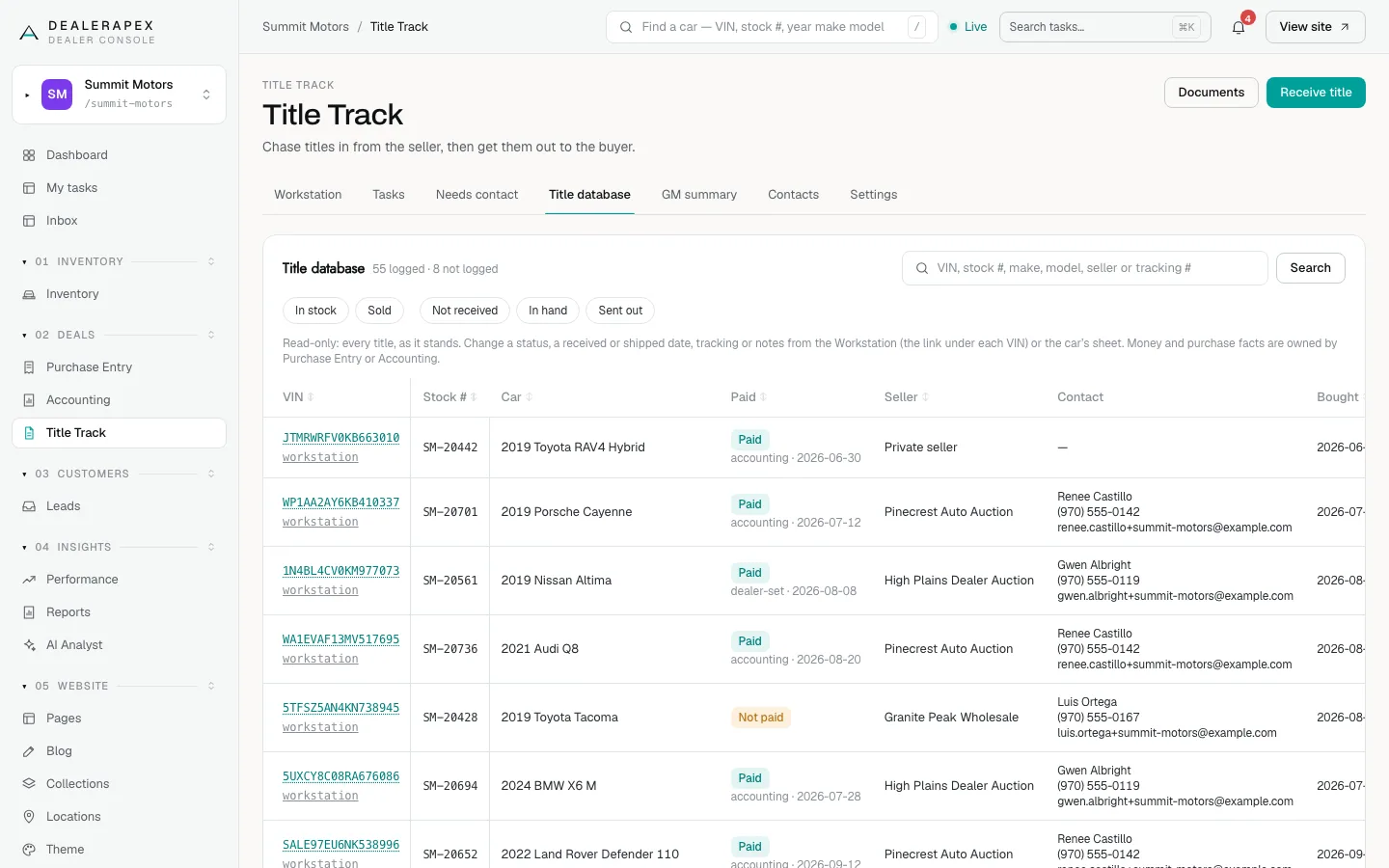
The database is read-only on purpose. To change a status, a received or shipped date, tracking or notes, click workstation under the VIN, or open the car's sheet. Money and purchase facts are owned by Purchase Entry and Accounting.
Read the GM summary
Click the GM summary tab. The tiles answer "how exposed are we?":
- At risk: the cost of every car whose title you do not hold, sold and unsold.
- Not logged: feed cars never stocked in. Their exposure is unknown, so they are not in the At risk figure.
- Floorable now: cars at purchase cost with the title in hand, inside your floor-plan window.
- Outstanding — sold and Outstanding — not sold: the split, with dollars. Sold ones have a customer waiting.
- On deck: not paid yet.
- Backlog: bought before your go-live date.
- Floor plan holds the title: the lender has it, so never chase the seller for these.
- Total outstanding: sold plus not sold, with no car counted twice.
Below the tiles, By disposition breaks stock and titles out by retail, wholesale and so on. Title speed by month shows how many titles came in and went out each month and the average days each took. Sellers who owe us titles lists who to lean on.
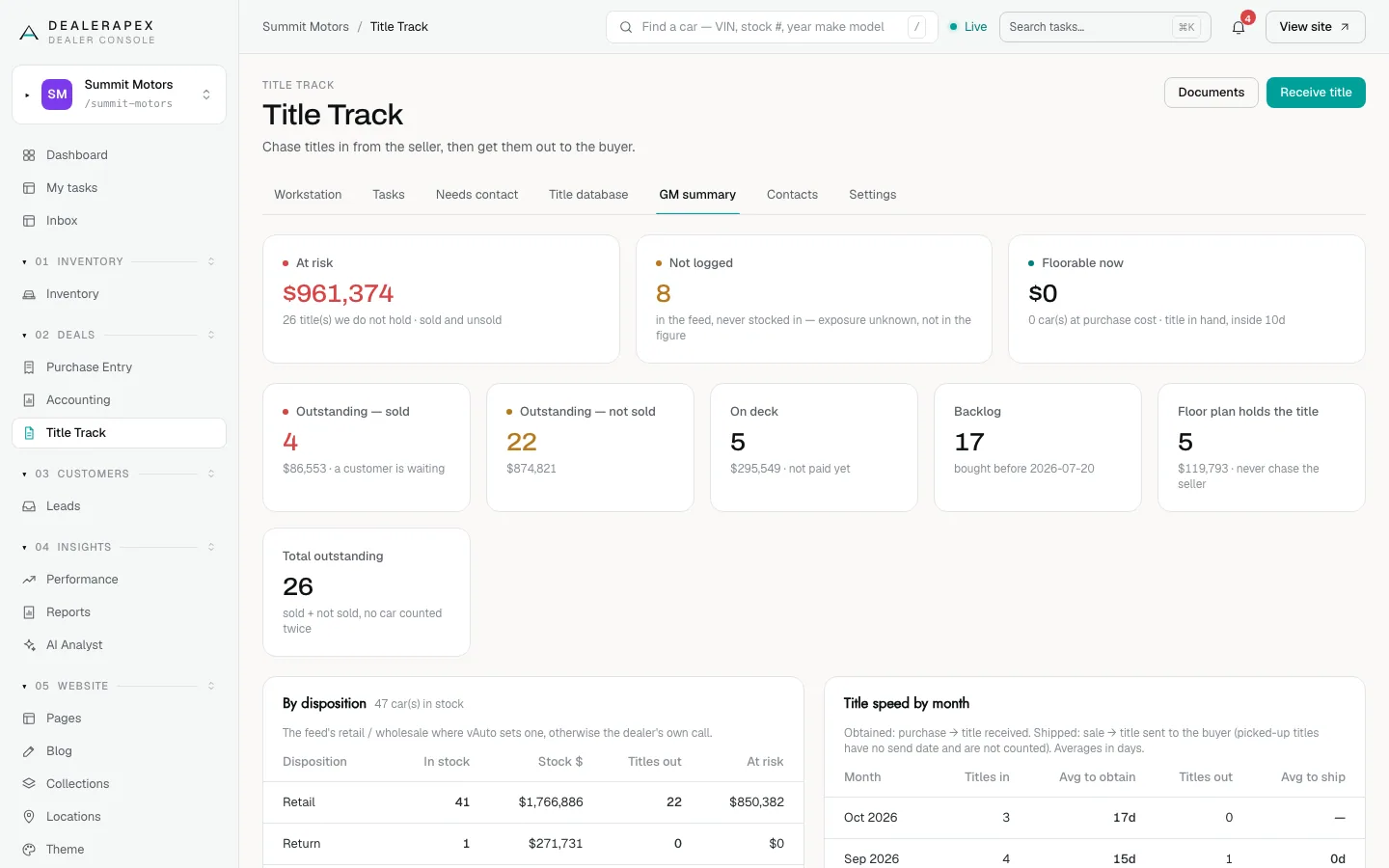
Floorable now only works once a manager sets the Floor plan window days on Settings. See Title settings and the contact book.
Common questions
Why is a car I own missing from the database?
It was probably never logged on Purchase Entry. The header counts these as "not logged". Stock the car in and it appears.
Does At risk include cars the floor plan holds the title for?
At risk counts every title you do not hold yourself. The Floor plan holds the title tile shows how much of that sits with your lender rather than a seller.
Still stuck? Email [email protected] with the page you were on and what you expected to see.