
Keep your vendor list and contacts
Every car in Purchase Entry is tied to a vendor: an auction, a wholesaler or a private seller. The Sources and Contacts tabs keep that list tidy and hold the phone numbers your title clerk needs.
Before you start. Owners, editors and inventory managers can add, rename and remove vendors and contacts. Viewers can read both tabs.
The vendor list
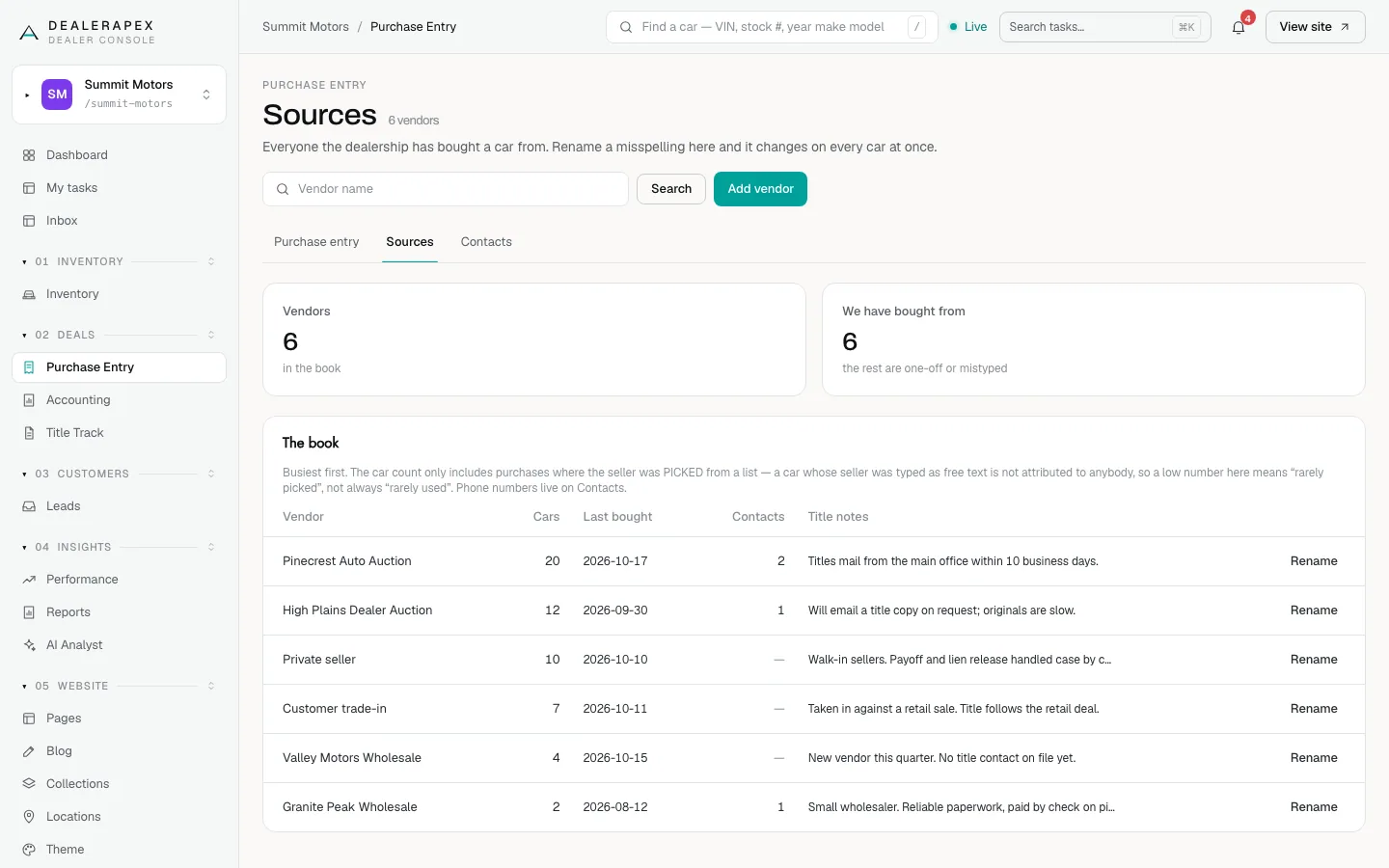
Open Purchase Entry and click the Sources tab. The book lists every vendor, busiest first, with Cars, Last bought, Contacts and Title notes.
The car count only includes purchases where the seller was picked from the list. A seller typed as free text is not counted, so a low number can mean "rarely picked" rather than "rarely used".
Add a vendor
- Click Add vendor.
- Type the Vendor name and, if useful, Title notes (for example, how long their titles take to arrive).
- Click Add vendor.
The vendor appears in every vendor picker straight away. You can also add a vendor while stocking a car in, from the Vehicle source picker.
Fix a misspelled vendor
- Click Rename on the vendor.
- Correct the Vendor name. The hint tells you how many cars will change.
- Click Save name.
Renaming changes the seller shown on every car at once. If another vendor already has that name, you are told which one, so you can spot the duplicate.
A vendor with no cars also has a Remove button. Removing takes it out of the pickers but keeps its history.
Contacts
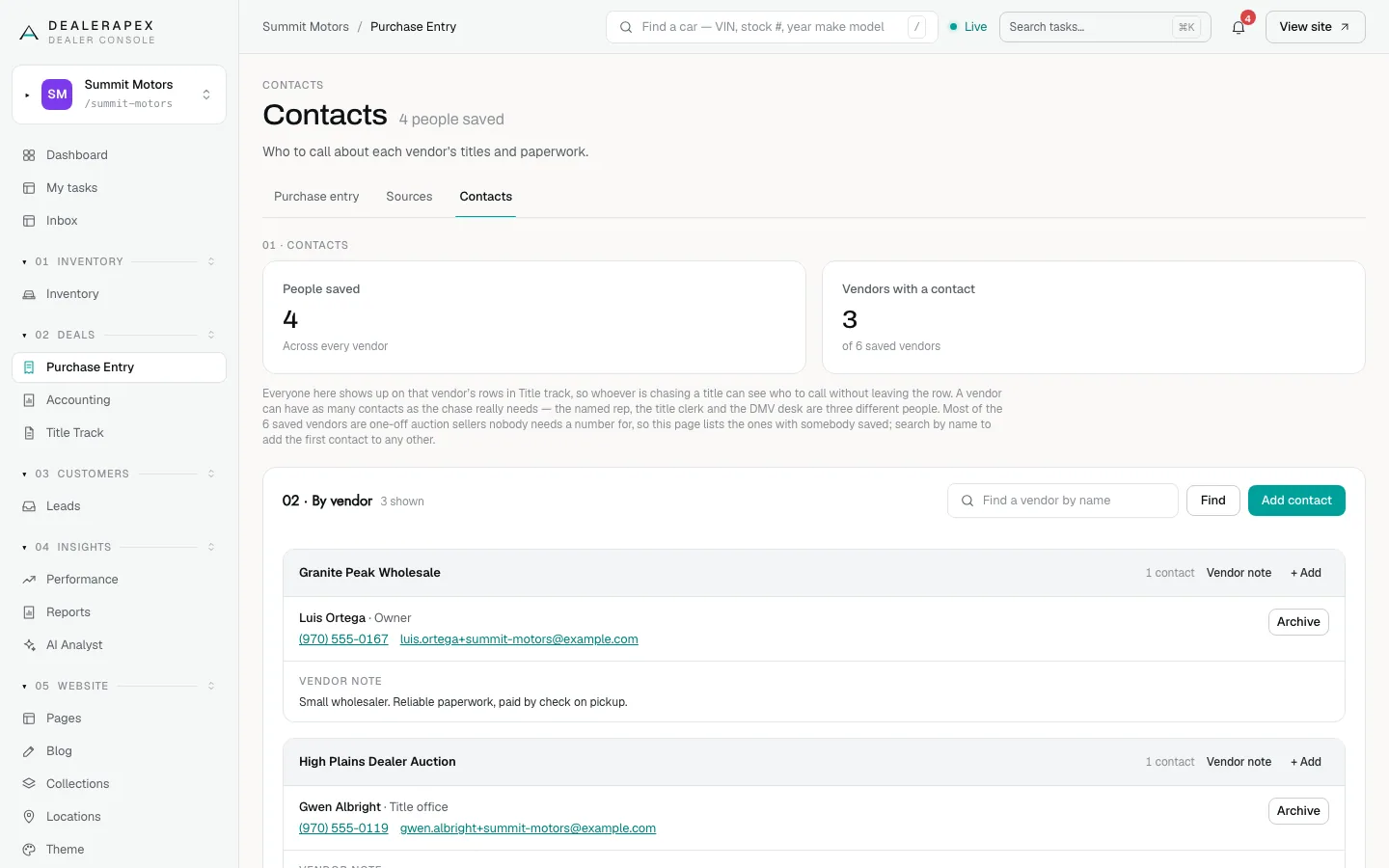
Click the Contacts tab. It lists, by vendor, the people to call about titles and paperwork. A vendor can have as many contacts as you need, for example a rep, a title clerk and a DMV desk.
- Click Add contact, or + Add on a vendor.
- Choose the Vendor and fill Name, Phone, Email, Role and Note.
- Click Save contact.
Click Vendor note to save something that is not a person, such as a shared extension. Click Archive to retire a contact who has left.
These are the same contacts your title clerk sees on Title Track. See Title settings and the contact book.
Common questions
Why does the Contacts tab not list all my vendors?
It lists vendors with somebody saved. Most one-off sellers never need a number. Search for a vendor by name to add its first contact.
Will renaming a vendor change old purchase records?
Yes. Every car bought from that vendor shows the new name, which is the point: one spelling everywhere.
Still stuck? Email [email protected] with the page you were on and what you expected to see.