
Track checks you have written
The Checks tab lists every check you have written for cars: first the ones the bank has not cleared yet, then the ones it has. Use it when you reconcile your bank statement.
Before you start. Owners, editors and accountants can mark checks cleared. Inventory managers and viewers can only read the list.
Open the list
- Open Accounting in the sidebar, under Deals.
- Click the Checks tab, or the checks not cleared → Checks link under the ledger.
Checks written shows each open check with the payee, amount and check number. Some also show an expected date or ON HOLD. Cleared below shows the most recently cleared checks, up to 50.
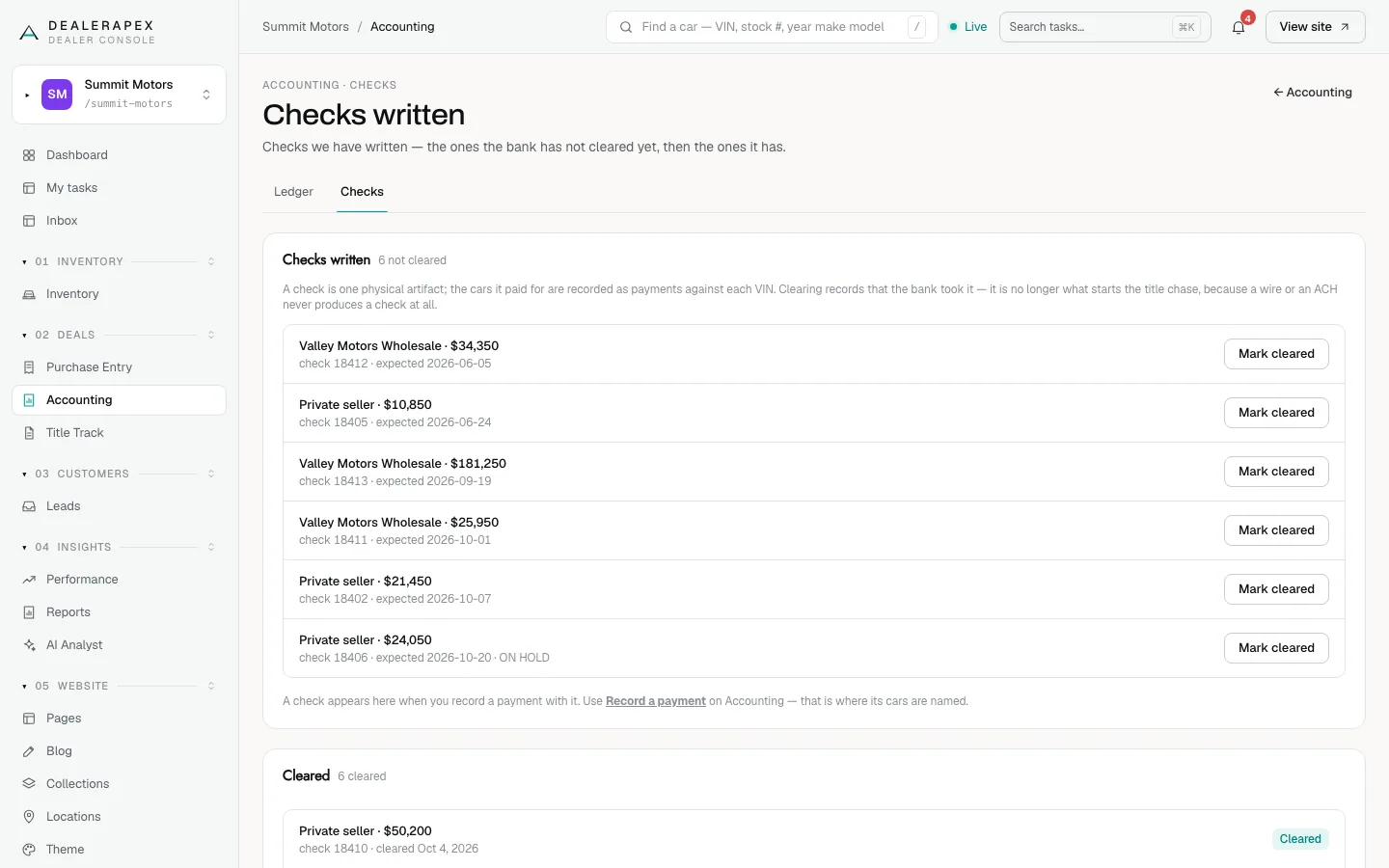
Mark a check cleared
- Find the check in Checks written.
- Click Mark cleared.
A green Check marked cleared. message appears and the check moves to Cleared. You can also clear a check from a car's payment panel on the ledger.
Add a check
Checks are not added on this tab. A check appears here when you record a payment with the method Check, using Record a payment on the ledger. That is where you name the cars it paid for. See Record payments on the Accounting ledger.
Clearing a check records that the bank took it. It does not start the title chase: a car enters the chase once it is paid, whether by check, wire or ACH.
Common questions
I marked the wrong check cleared. How do I undo it?
There is no undo button on this screen. Email [email protected] with the check number and we will put it back.
One check paid for several cars. Is it listed several times?
No. A check is listed once. The cars it paid for are recorded as payments against each VIN on the ledger.
Still stuck? Email [email protected] with the page you were on and what you expected to see.