
Track cars that are not on your website yet
The Unpublished Tracker lists every car you own that isn't on your website yet, such as cars in recon, at the body shop or waiting for photos. Use it to keep each car moving and to see the money tied up in them.
The board fills from your inventory feed and only works if your feed also sends cars that are not published yet. If it is empty and you expect cars there, email [email protected].
Open the board
- Open Inventory in the sidebar.
- Click the Unpublished tab under the title.
- The line under the heading says when the board last synced with your inventory feed. It updates on its own, so there is no refresh button.
- Choose Retail, Wholesale or Auction Sales.
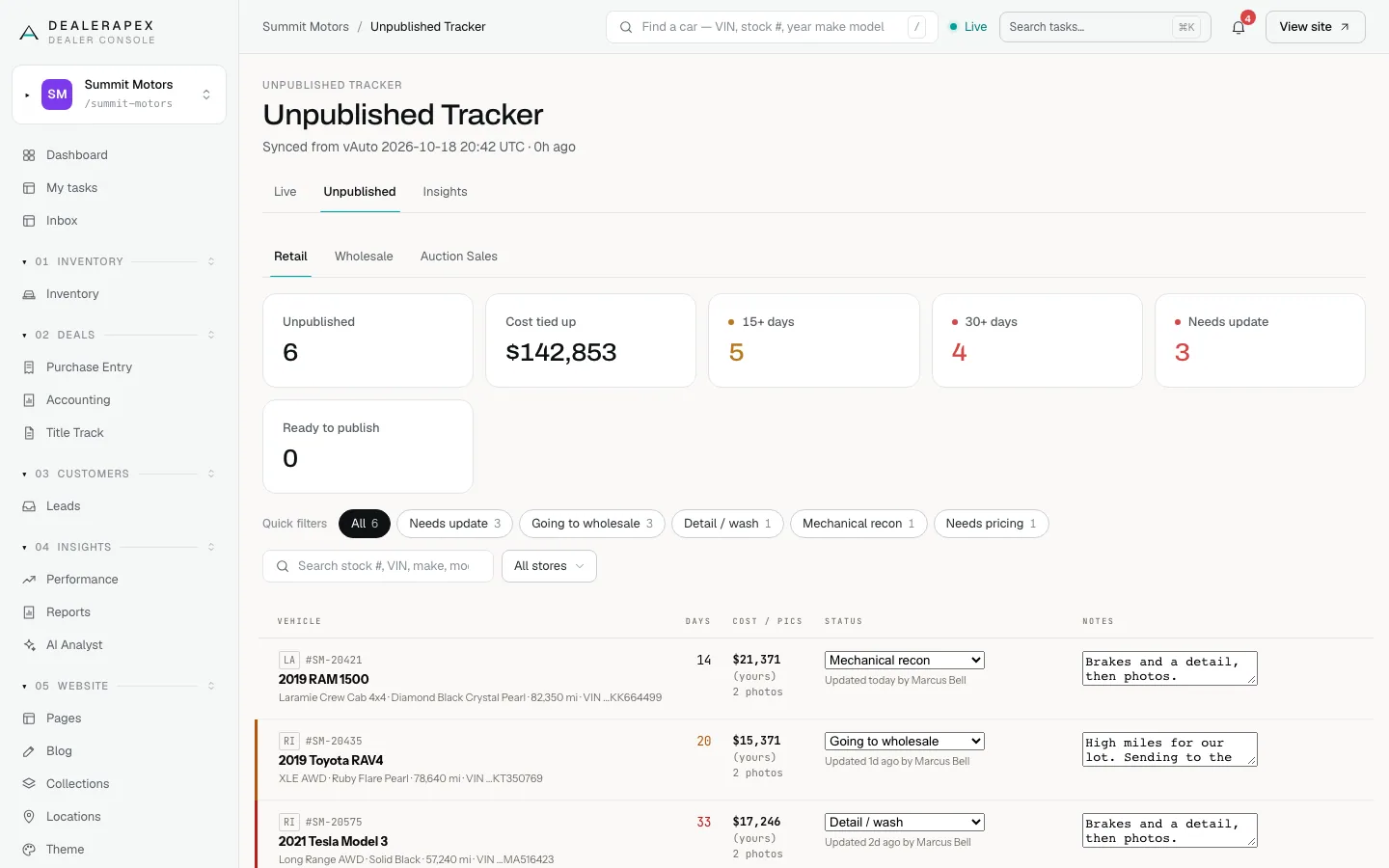
The Retail board
The tiles at the top count Unpublished cars, the Cost tied up in them, cars waiting 15+ days and 30+ days, cars that Needs update, and cars Ready to publish. Each row shows:
- Vehicle: store, stock number, year, make, model, trim, colour, mileage and the end of the VIN. Click it to open the vehicle sheet.
- Days: how long the car has waited. The number turns amber at 15 days and red at 30.
- Cost / Pics: what the car cost and how many photos it has.
- Status: where the car is in recon, from Not started through Mechanical recon, Detail / wash, Photos needed and Needs pricing to Ready to publish.
- Notes: free text for the team, such as "waiting on bumper, ETA Tue".
Update a car
- Choose a new value from the car's Status menu. It saves straight away.
- Type in Notes. Your note saves when you click away from the box.
- Under the status you'll see Updated today by and your name.
A car that nobody has updated for 3 days shows a red NEEDS UPDATE badge and counts in the Needs update tile. Use the Needs update quick filter to work through them.
Filter the board
Click a quick filter such as Needs update, Going to wholesale or Detail / wash to see only those cars. Search by stock number, VIN, make or model, or choose a rooftop from All stores. The filters are in the page address, so you can send a colleague a link to the exact list.
Wholesale and Auction Sales
Wholesale tracks cars your feed marks for wholesale: each car's stage (from Not started to Sold / awaiting pickup), where it is now, its ready date, and auction details such as sale date, run number, floor price and result. Auction Sales totals the results of cars sent to auction, including gross.
On a phone
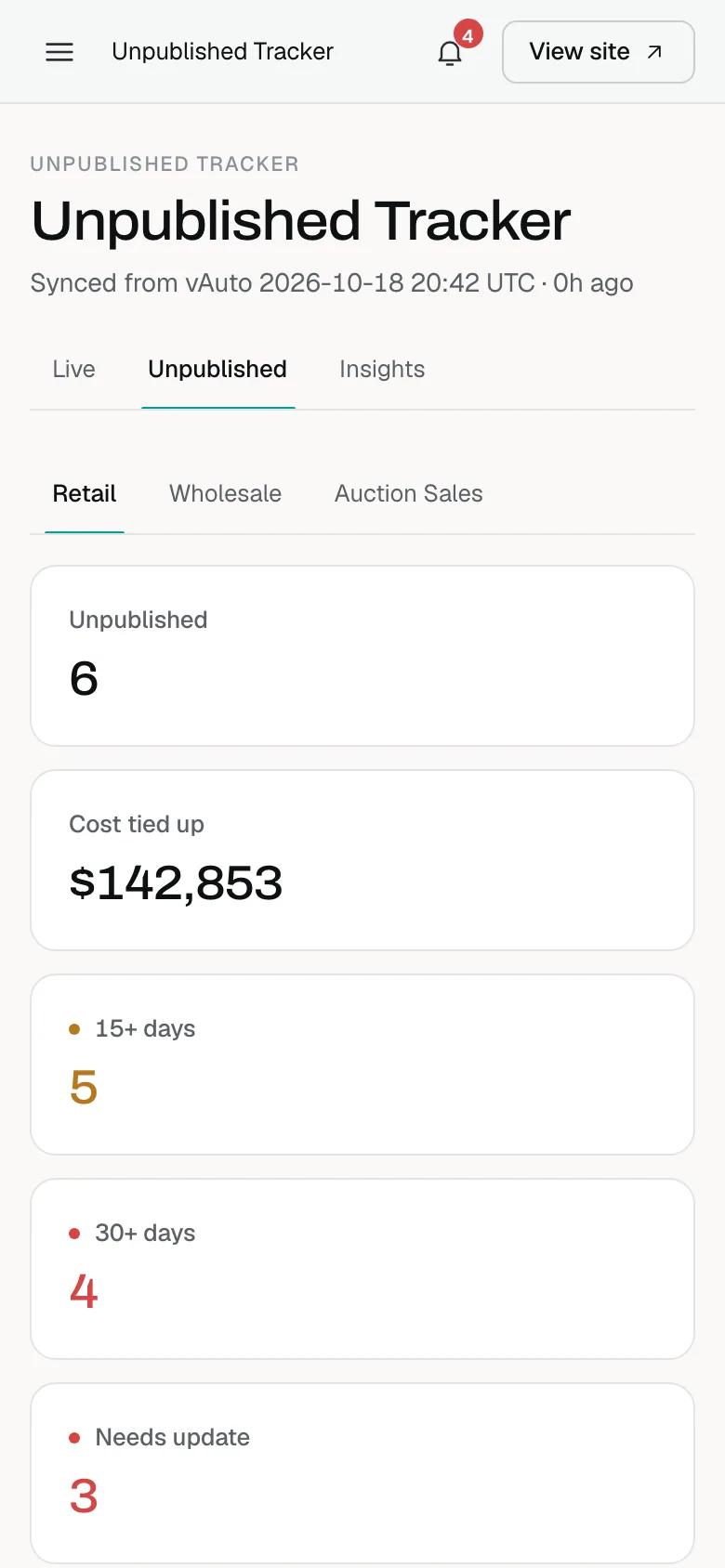
The board works on a phone, so the lot team can update a car from the yard.
Who can do this
Owners and editors can update cars. Viewers can see the board but not change it. Sales managers, inventory managers and the other job roles cannot open it.
Common questions
Does choosing Ready to publish put the car on my website?
No. The status is for your team. The car goes live when it is published in your DMS and the next feed update brings it in.
Why is Cost tied up lower than I expect?
Cars with no cost in the feed add nothing to the total. They aren't counted as $0 cars.
Who owns each car on the board?
The board shows who last updated each car, under its status. Use Notes to record who is responsible if your team needs that.
Still stuck? Email [email protected] with the page you were on and what you expected to see.