
Read a car's vehicle sheet
The vehicle sheet is a pop-up that gathers everything known about one car: where it came from, what was paid, where its title is, its paperwork, and every change made to it.
Open the vehicle sheet
- Open Purchase Entry, Accounting, Title Track, or the Unpublished tab on Inventory.
- Click a car's VIN or name. The sheet opens over the page.
- Click a tab to switch between sections.
- Click Close to go back to the page.
The sheet's address includes the car and the tab, so you can copy the link and send a colleague straight to it. To edit a car's price, photos or status, use its page under Inventory instead. See Edit a car.
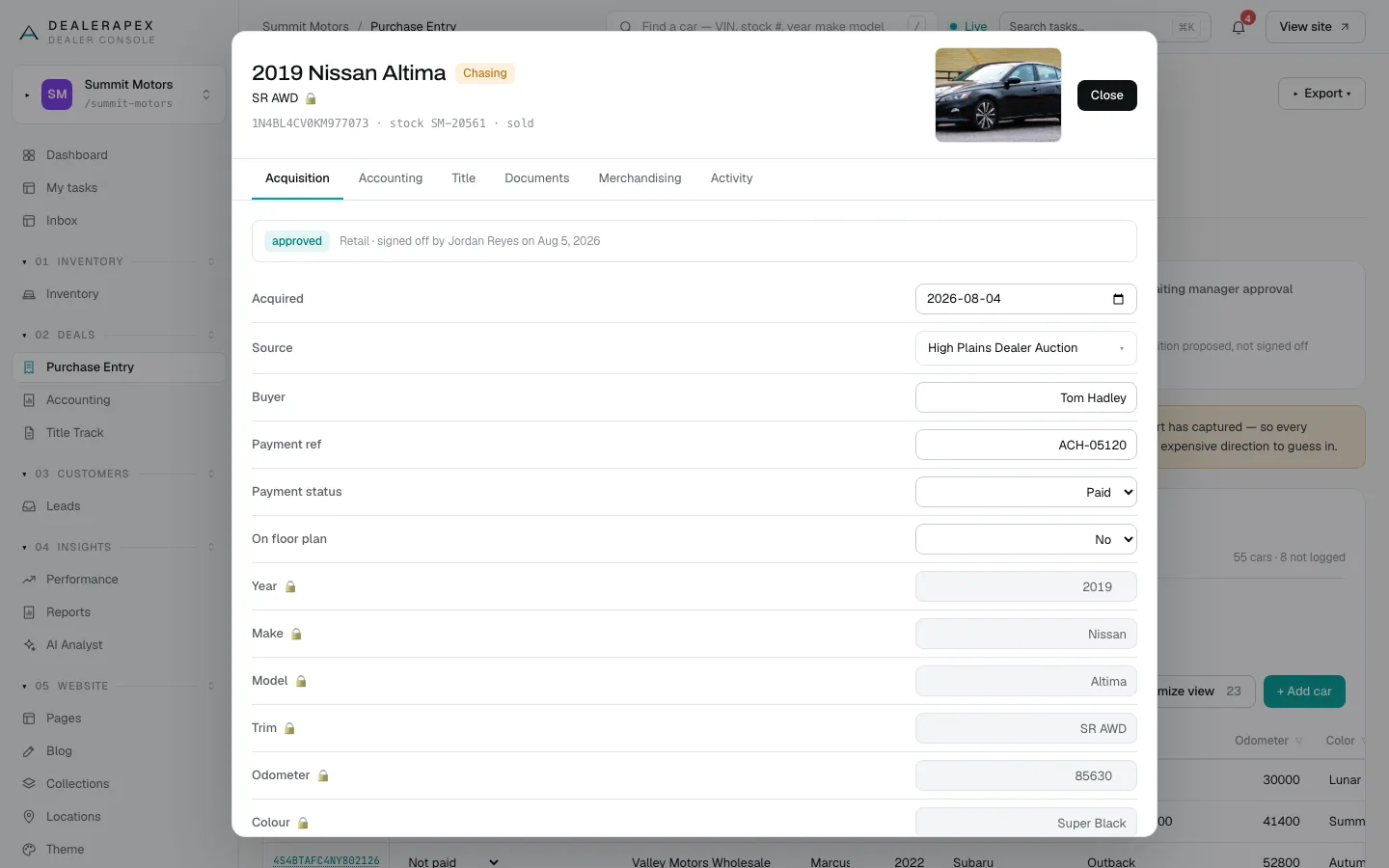
Acquisition
Where the car came from and what it cost: Acquired, Source, Buyer, Payment ref, Payment status, On floor plan, the purchase price and fees, and the landed cost. A coloured strip at the top shows its approval, for example approved and who signed it off. You can edit these fields and click Save.
A small lock next to Year, Make, Model, Trim, Odometer or Colour means From vAuto: your inventory feed maintains that field, so it can't be edited here. See Purchase entry basics.
Accounting
The payments recorded for this car, the same record the Accounting page shows. See The accounting ledger.
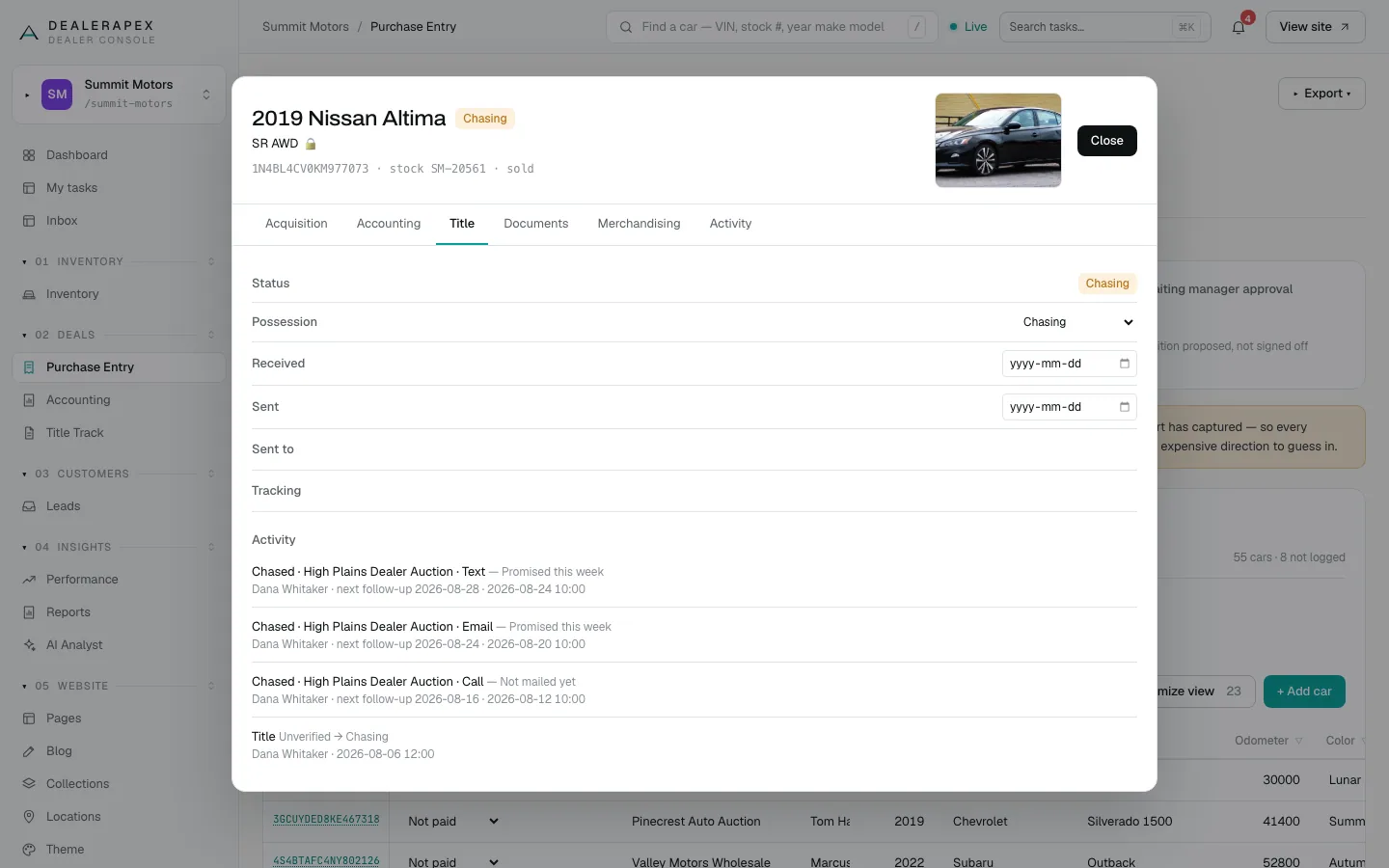
Title
The title's Status, Possession, Received and Sent dates, Sent to and Tracking, with an Activity list of every chase logged from Title Track. See Title Track.
Documents
The title, bill of sale and any other files filed against this VIN. If you are allowed to, you can attach another file here. Scanning a title or bill of sale is done on the Documents page.
Merchandising
What your inventory feed says about the car, read-only: year, make, model, trim, odometer, colour, stock number, list price and status. not in the feed yet means the feed hasn't sent this car yet.
Activity
Every change to the car, newest first: what changed, from what to what, who made the change and when. When your feed takes over a field, the entry says the feed took over this field instead of naming a person.
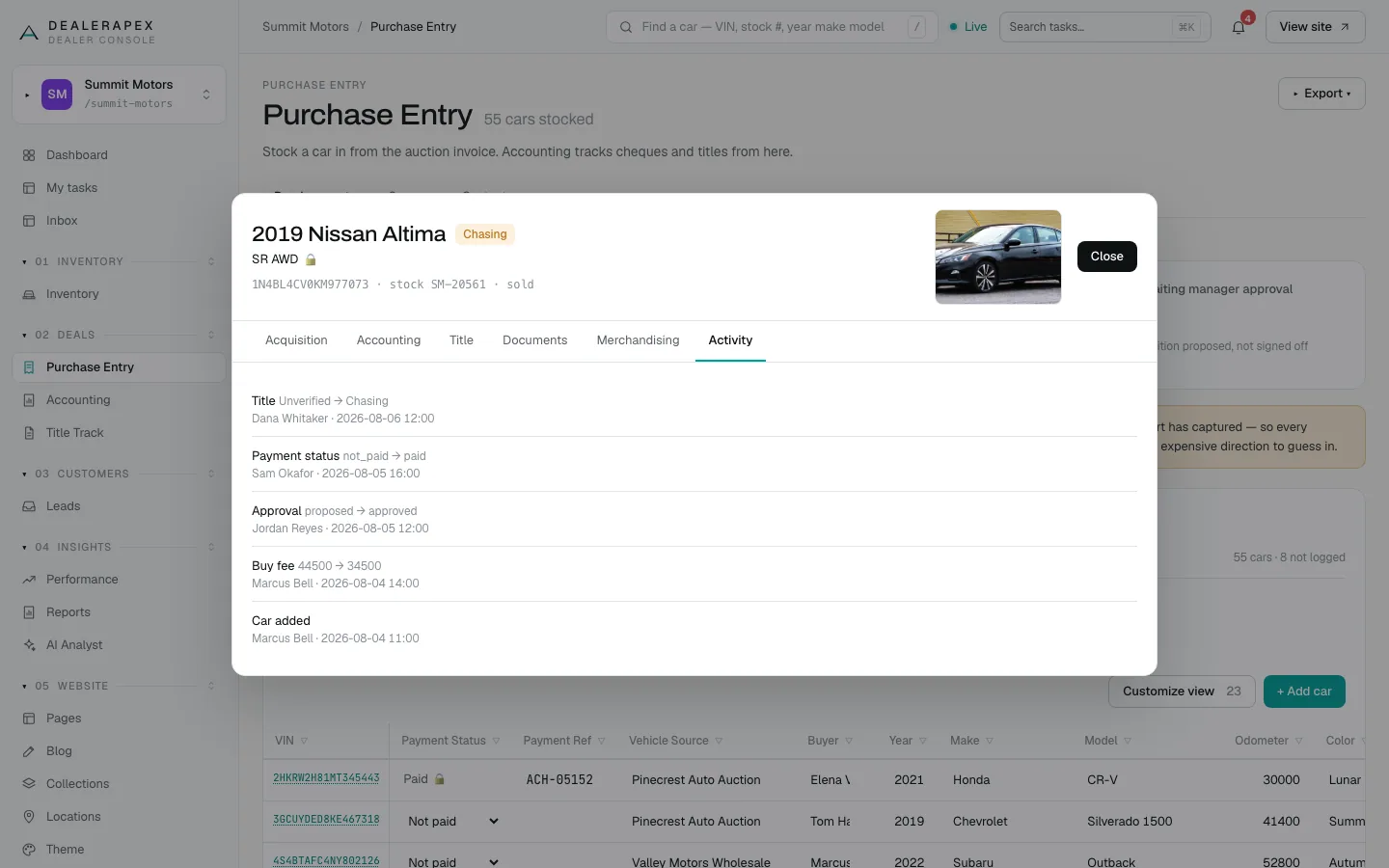
If the tab says No changes yet, nobody has edited the car since it was added.
Tasks
When you open the sheet from Title Track and Tasks is turned on for your account, a Tasks tab lists the open tasks for this car.
Who sees which tabs
You only see the tabs for sections you can open:
| Tab | Who sees it |
|---|---|
| Acquisition, Merchandising, Activity | Everyone who can open the sheet |
| Accounting | Owners, editors, viewers, inventory managers and accountants |
| Title | Owners, editors, viewers, inventory managers and title clerks |
| Documents | Owners, editors, viewers, inventory managers and title clerks |
Common questions
Why can't I edit the year or trim on the sheet?
Those fields show a lock because your inventory feed maintains them. Correct them in your DMS and the next feed update brings the change in.
Why is the Accounting tab missing for me?
Your role can't open Accounting, so the sheet doesn't offer that tab. Ask your account owner if you need it.
Can I open the sheet from the Inventory page?
No. Clicking a car on the Live tab of Inventory opens its editing page. Open the sheet from Purchase Entry, Accounting, Title Track or the Unpublished tab. See Edit a car.
Still stuck? Email [email protected] with the page you were on and what you expected to see.