
Create a collection of cars for a page
A collection is a saved filter, such as "Work trucks" or "SUVs under $35k". Add it to a landing page and the page shows a grid of the matching cars that always reflects your current lot.
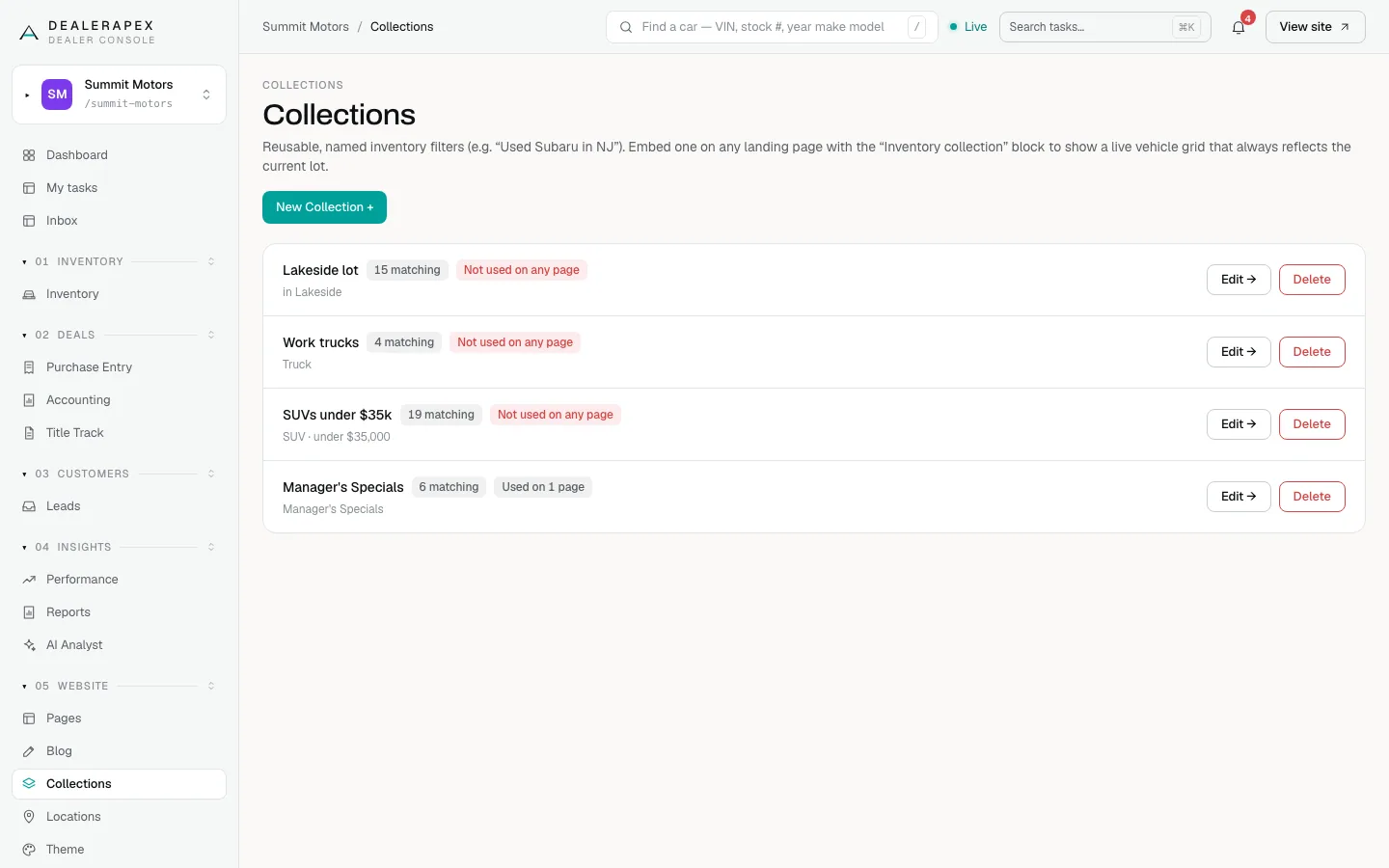
See your collections
- Open Collections in the sidebar, under Website.
- Each collection shows how many cars match it right now, and whether a page uses it. Not used on any page means no page shows it yet.
Create a collection
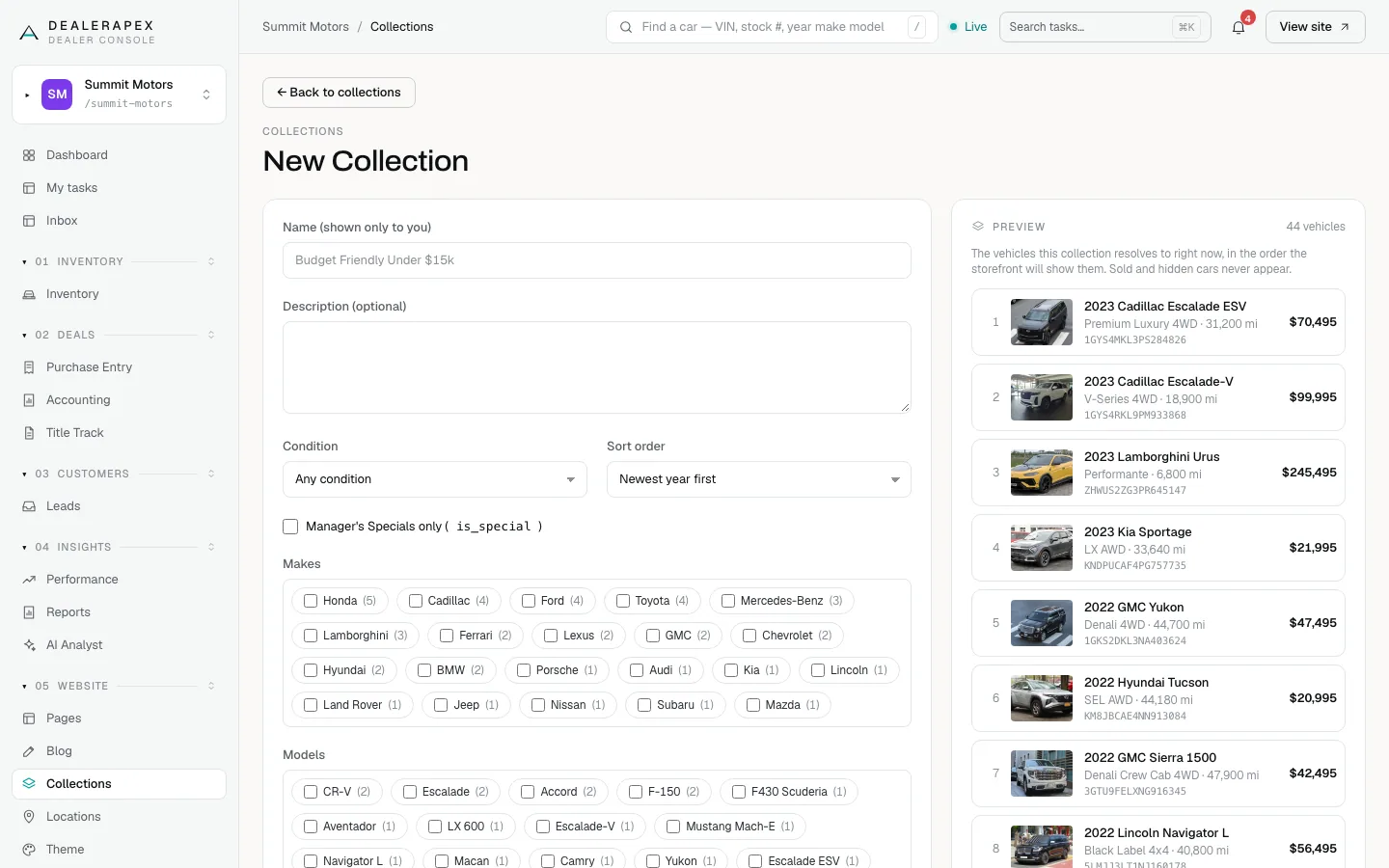
- Click New Collection +.
- Enter a Name (shown only to you), for example "Budget Friendly Under $15k". Shoppers never see it.
- Add a Description (optional) for your team.
- Choose a Condition and a Sort order: Newest year first, Price: low to high, Price: high to low, Lowest mileage first or Featured.
- Tick Manager's Specials only if you want only the cars you marked as specials.
- Tick any Makes, Models and Body styles. The number next to each is how many cars you have.
- Set a Min price ($), Max price ($), Max mileage, Year from and Year to, or a Keyword (optional) such as hybrid.
- Check the Preview on the right. It lists the matching cars in the order your website will show them.
- Click Create collection.
Sold and hidden cars never appear in a collection. As cars arrive and sell, the collection updates on its own.
Edit a collection
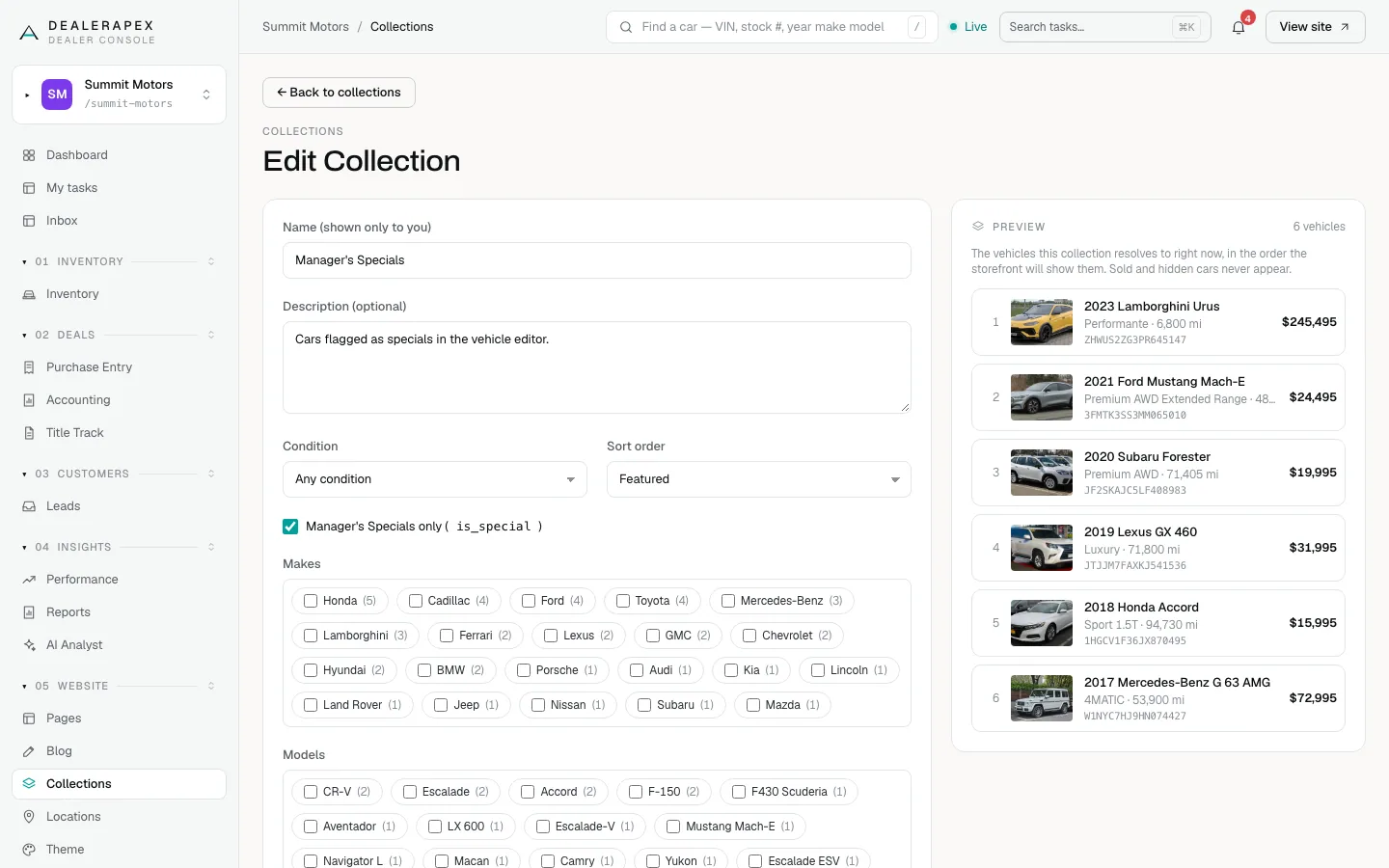
- Click Edit → next to the collection.
- Change the filters. The Preview updates as you go.
- Click Save collection.
Show a collection on a page
Open the page in the Pages editor and add an Inventory collection block. Choose your collection in Collection, add a Heading (optional), and set Max vehicles to show (6 unless you change it). See Landing pages.
Delete a collection
- Click Delete next to the collection.
- Click Yes, delete to confirm, or Cancel.
Who can do this
Owners and editors can create, edit and delete collections. Viewers can see them.
Common questions
Why does my collection show fewer cars on the page than in the preview?
The block on the page shows at most its Max vehicles to show. Raise that number in the block's settings.
Do I need to update a collection when cars sell?
No. A collection is a filter, not a fixed list, so it always shows the cars that match it today.
Can shoppers see the collection name?
No. The name is only for you. Use the block's Heading (optional) for the title shoppers see.
Still stuck? Email [email protected] with the page you were on and what you expected to see.