
Plan next month’s budget
The Budget tab answers the renewal-time question: "where should the same money go next month?" It takes what you spent in the chosen range and suggests a new split across your paid channels.
Who can see it: owners, editors and viewers. The page only makes suggestions. It doesn't change any spend.
Read the plan
- Click Performance in the sidebar.
- Click Marketing, then click Budget.
- Pick the month and rooftop you want to base the plan on.
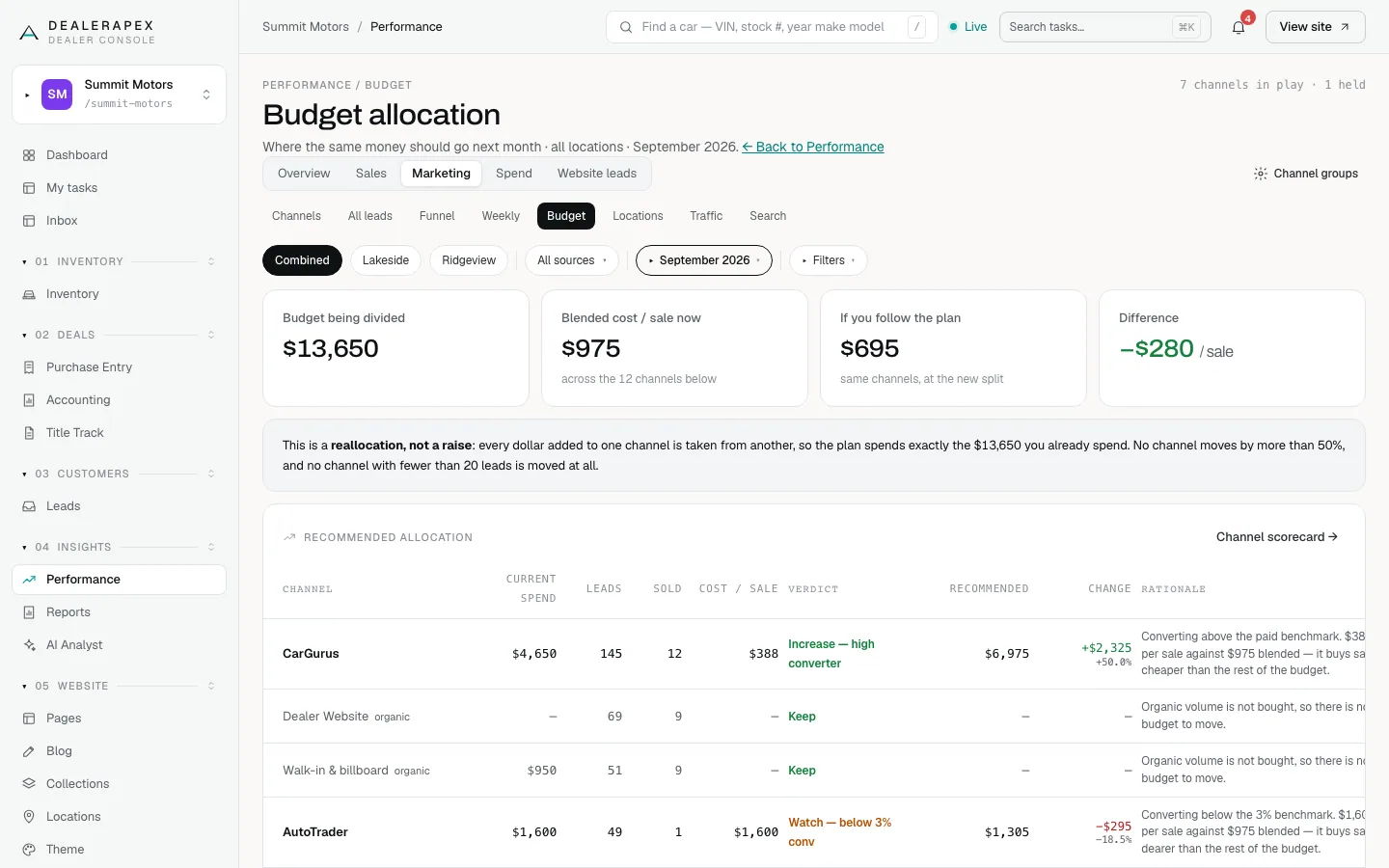
The tiles show:
- Budget being divided: your current paid spend for the range.
- Blended cost / sale now: that spend ÷ the sales it produced.
- If you follow the plan: the cost per sale you'd get at the new split.
- Difference: how much per sale the plan would save, or cost.
The Recommended allocation table shows each channel's current spend, leads, sold, cost per sale, a verdict, the recommended spend, the change and the reason.
How the plan is worked out
- It's a reallocation, not a raise. Every dollar added to one channel is taken from another, so the plan spends exactly what you spend now.
- Channels are judged on cost per sale, lead-to-sale conversion and bad-lead rate.
- No channel moves by more than 50% either way.
- A channel with fewer than 20 leads keeps its current spend, marked held. That's too few leads to judge.
- Free channels such as walk-ins and your website are listed for context with Keep. There's no budget to move.
- A channel with no spend entered gets no recommendation.
Before you act on it
The "If you follow the plan" figure assumes each channel keeps converting at the same rate when its budget changes. That's rarely exactly true, especially for a channel that grows a lot. Treat the plan as a starting point for a conversation with your vendors.
The plan doesn't use gross profit or return on ad spend, because your CRM feed doesn't include gross.
The plan is only as good as your spend entries and lead groups. If a vendor's spend is missing or its leads sit in Unmatched, fix that first. See Enter your ad spend.
Common questions
Why does a channel say held?
It had fewer than 20 leads in the range. That’s too few to judge, so the plan keeps its spend as it is.
Will the Budget tab change what I pay vendors?
No. It only suggests a split. Any change happens when you renegotiate with the vendor and enter the new amounts on the Spend tab.
Still stuck? Email [email protected] with the page you were on and what you expected to see.