
Use Reports: cost per lead, cost per sale and grades
Reports show how your channels move month over month. Performance tells you what happened in one window; Reports put the months side by side so you can see trends.
Who can see it: owners, editors and viewers.
Run a report
- Click Reports in the sidebar, under Insights.
- Click the report name (it opens on Cost Per Lead) and choose a report.
- Use All channels and All locations to narrow the report. The locations filter appears only if you have more than one rooftop.
- Click the date chip and choose This month, Last month, Last 3 months, Last 6 months or Last 12 months, or enter custom dates and click Apply.
- Choose By day, By week or By month.
- Click Table or Chart.
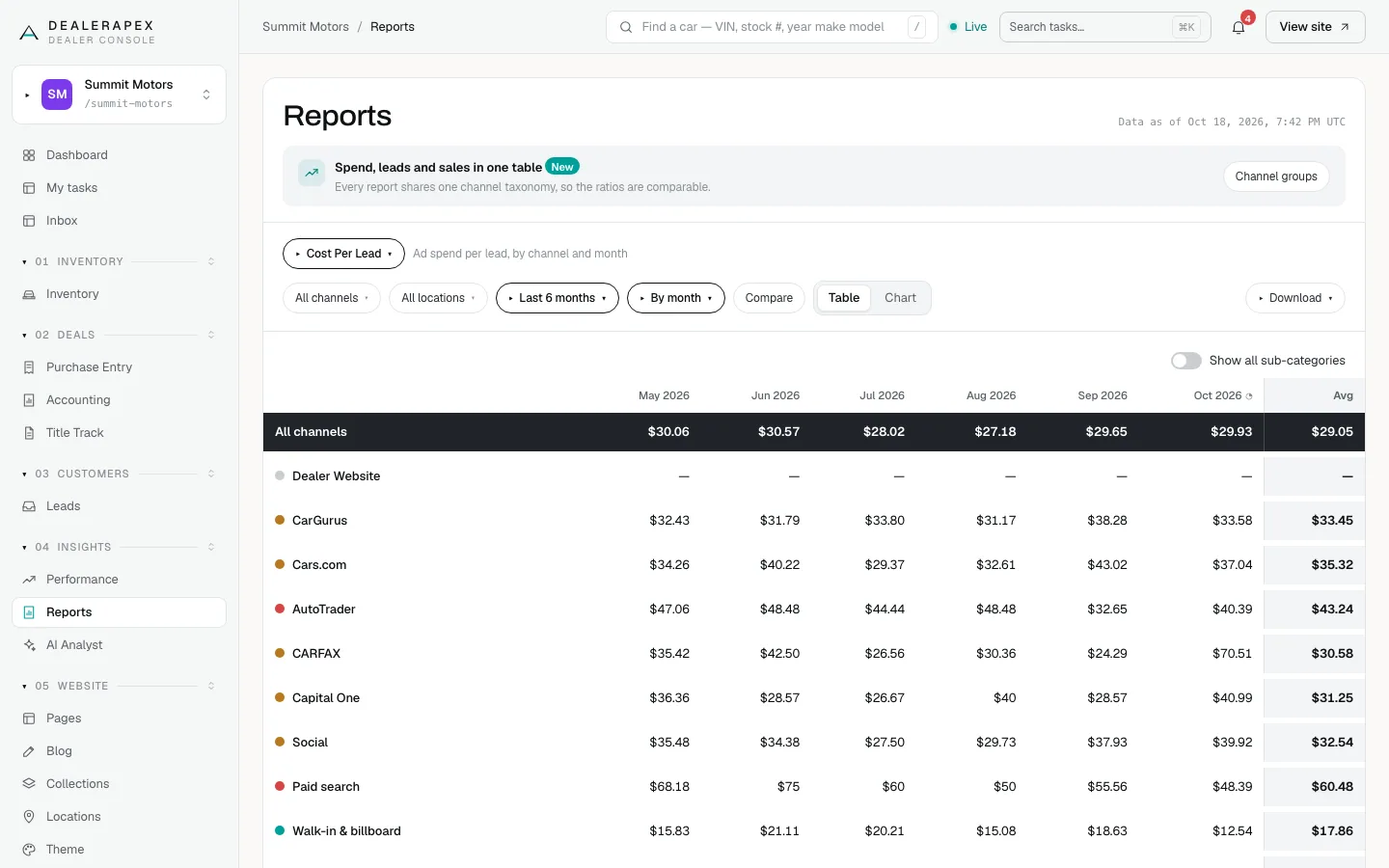
The default view is Cost Per Lead over the last 6 months, by month. Every report uses the same channels as your lead groups and the same default filters as Performance. Turn on Show all sub-categories to see the products inside each channel.
The five reports
- Cost Per Lead: ad spend per lead, by channel and month.
- Cost Per Sale: ad spend per closed sale, by channel and month. Under Basis, Lead cohort divides by sales from leads that arrived that month, which is best for judging a channel. Close date divides by sales closed that month, which matches your books.
- Channel Grades: every channel graded Good, OK or Bad.
- Funnel Conversion: the conversion rate from one stage to the next, from lead to sale.
- Acquisition: lead, appointment and sale counts by channel over time. Choose a stage: Leads, Engaged, Booked, Showed, Sold or Bad.
The cost reports only have figures where you've entered spend. See Enter your ad spend. They can only be shown by month, because spend is entered by month.
How the totals work
The black All channels row and the Avg column are total spend ÷ total leads (or sales), not an average of the cells. A busy month counts for more than a quiet one.
The current month is left out of the Avg on Cost Per Lead, because it's still running. On Cost Per Sale, months from the last 90 days are left out of the Avg, because their leads are still closing. A month marked "still maturing" will change.
Channel Grades
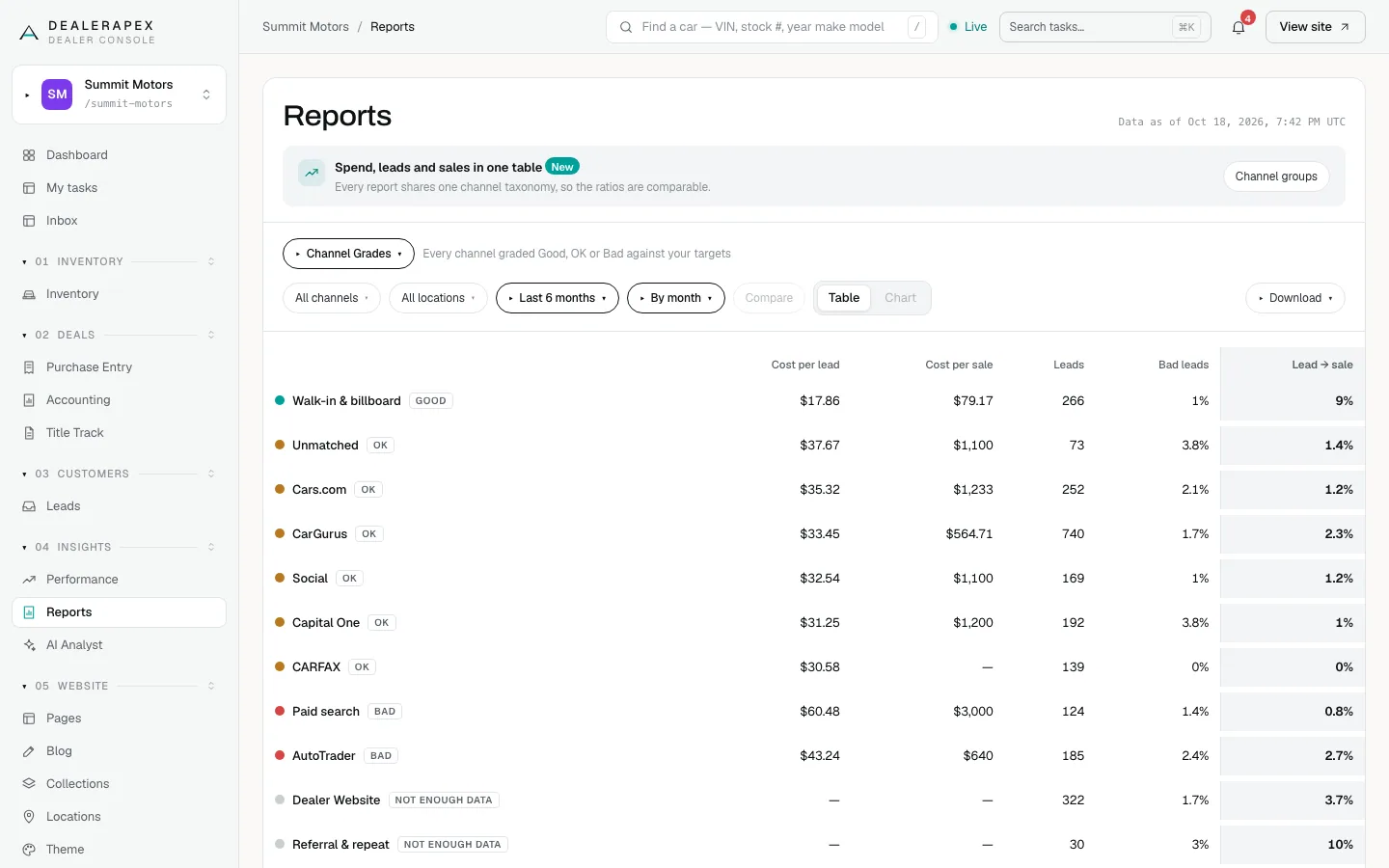
Each channel's cost per lead is compared with the blended cost per lead of your paid channels. At or below 0.8 times the blend is Good, above 1.2 times is Bad, and anything in between is OK. Free leads such as walk-ins are left out of the blend. A channel with fewer than 20 leads shows Not enough data.
Read Bad leads next to the cost. A channel sending mostly junk can look cheap per lead.
Funnel Conversion
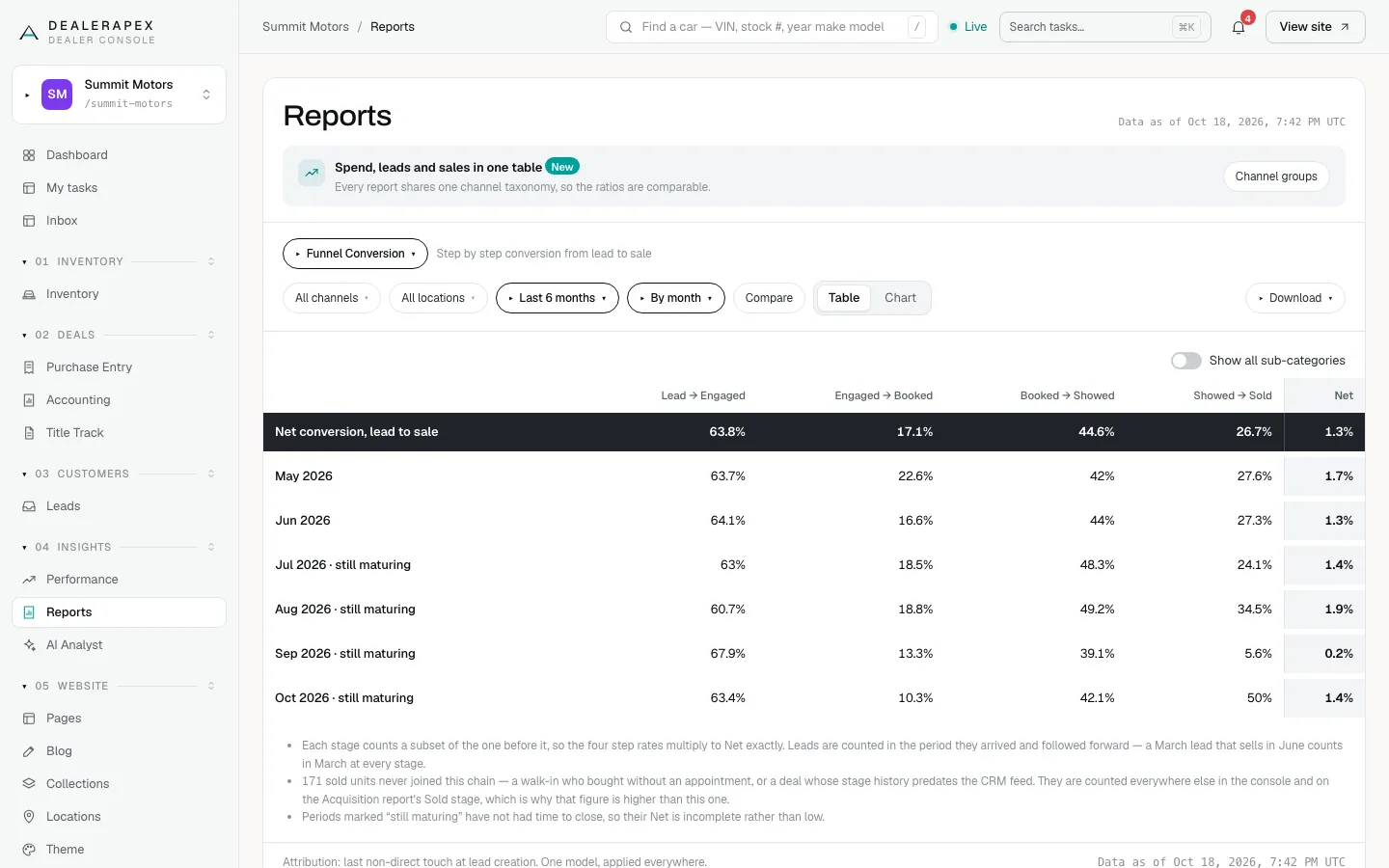
Each stage is a subset of the one before, so the four step rates multiply to the Net rate. Leads are counted in the month they arrived and followed forward. Some sales never went through the booked-and-showed path, such as a walk-in who bought without an appointment. Those are counted on the Acquisition report's Sold stage, so its sold figure is higher.
Compare periods
- Click Compare.
- Each period gets a column for the same days one range earlier.
- To pick your own comparison dates, click the vs chip, enter dates and click Apply.
Channel Grades has no period columns, so Compare is greyed out there.
Download or print
Click Download, then choose:
- CSV for every row in a spreadsheet, not just what's on screen.
- PDF for a print-friendly page. Use your browser's print dialog to save it as a PDF.
Common questions
Why is the All channels cost per lead lower than every channel’s?
All channels divides total spend by every lead, including free ones such as walk-ins and website leads. Paid channels only count their own leads, so they read higher.
Which Cost Per Sale basis should I use?
Use Lead cohort to judge whether a channel’s leads turn into sales. Use Close date when you want the figure to match the sales on your books for that month.
Why can’t I choose By day on the cost reports?
Spend is entered by month. A daily cost would divide an estimate by an exact count, so the cost reports only show months.
Still stuck? Email [email protected] with the page you were on and what you expected to see.