
Ask the AI Analyst
The AI Analyst answers questions about your dealership in plain English, such as "which cars have been sitting longest?". Every figure it quotes comes from your own data. It never makes numbers up.
Who can do this: owners and editors can ask questions. Viewers can open the page but can't ask.
Ask a question
- Click AI Analyst in the sidebar, under Insights.
- Click one of the suggested questions, or type your own in Ask the analyst….
- Click Ask.
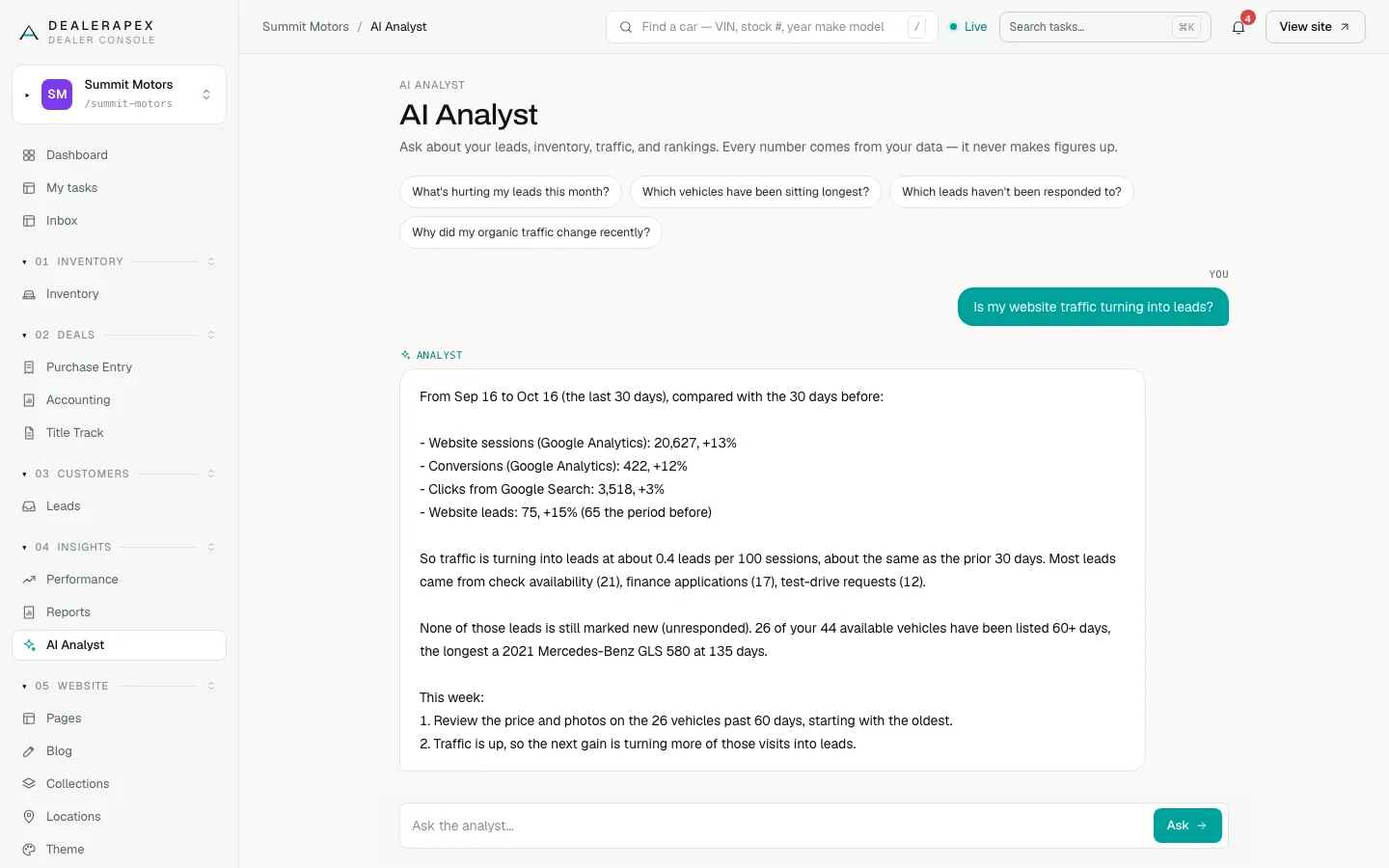
Your question and the answer appear in the conversation. The conversation is yours: other people on your team see their own.
You can also ask from the dashboard. Click a suggested question or type in the AI Analyst box and click Ask, and the AI Analyst page opens with your answer.
The suggested questions
- What's hurting my leads this month? A summary of your website leads, sessions and conversions, with three things to do this week.
- Which vehicles have been sitting longest? How many available cars have been on the lot 60 days or more, and the oldest ones.
- Which leads haven't been responded to? How many website leads from the last 30 days are still marked new.
- Why did my organic traffic change recently? Search clicks and sessions against the previous 30 days.
What the analyst can see
The analyst looks at the last 30 days compared with the 30 before. It can see:
- your website leads, by source, and how many are still new;
- Google Analytics sessions and conversions;
- Search Console clicks;
- your available inventory and how long each car has sat.
It doesn't see your CRM's sales, your ad spend or your cost per lead. For those, use Performance and Reports. If you ask about them, the answer may only cover what the analyst can see.
Traffic figures need Google Analytics and Search Console connected, with their data access turned on. See Connect Google Analytics and Tag Manager. Without them, the traffic parts of an answer will be zero.
Common questions
Can the analyst tell me my cost per sale?
No. It doesn’t see your CRM sales or ad spend. Use the Performance overview or the Cost Per Sale report in Reports for that.
Can my colleagues see the questions I ask?
No. Each person sees their own conversation with the analyst.
Why does the analyst say my sessions are zero?
Google Analytics isn’t connected or hasn’t synced yet. Ask an owner to check it under Settings → Integrations. See Add Google Analytics 4 and Google Tag Manager.
Still stuck? Email [email protected] with the page you were on and what you expected to see.