
See what sold and what’s on the lot
The Sales tab on Performance lists the cars you actually delivered, shows which makes and models sell, and shows how old your stock is. Use it for month-end checks against your own books.
Who can see it: owners, editors and viewers.
To open it, click Performance in the sidebar, then click the Sales tab. It has three tabs: Sold, Vehicles and Inventory.
Sold: every car delivered
- Click Sold.
- Choose a rooftop and a date range in the filter bar.
- To find one deal, type a buyer, vehicle or deal number in the search box and click Search.
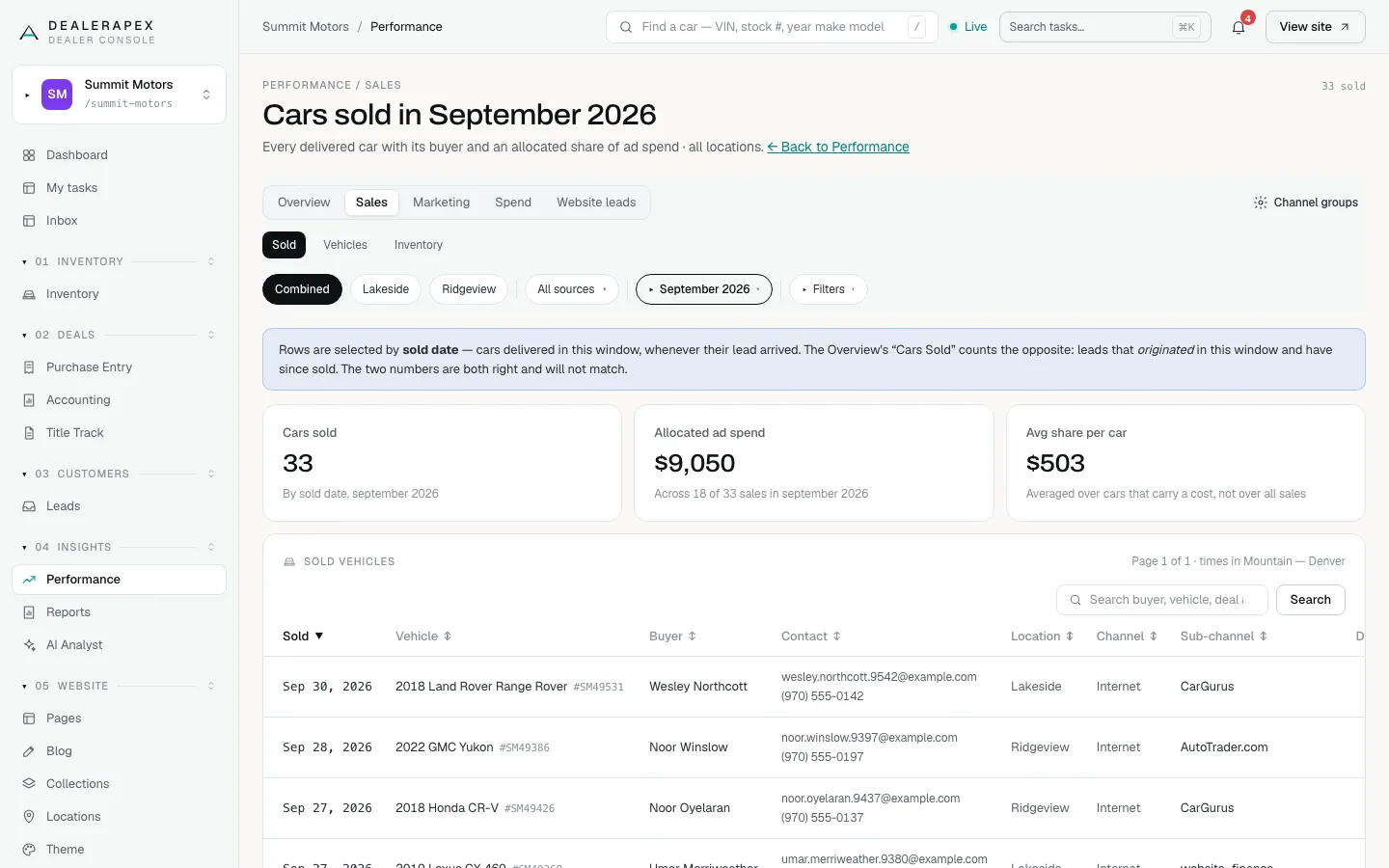
This tab picks cars by sold date: every car delivered in the range, whenever its lead arrived. That's the number to check against your books. The overview's Cars sold counts the opposite (leads that arrived in the range and have since sold), so the two won't match.
- Cars sold: deliveries in the range.
- Allocated ad spend: the spend shared out across the cars that carry a cost.
- Avg share per car: allocated spend ÷ the cars that carry a cost.
The per-car cost is a share, not a measurement. Nothing ties an ad dollar to one car, so each car gets its channel's spend for that month divided by the cars that channel sold that month. Every car from the same channel in the same month shows the same figure.
Vehicles: weekly sales and demand
- Click Vehicles.
- Read the tiles, then scroll to Sold by week and the make and model table.
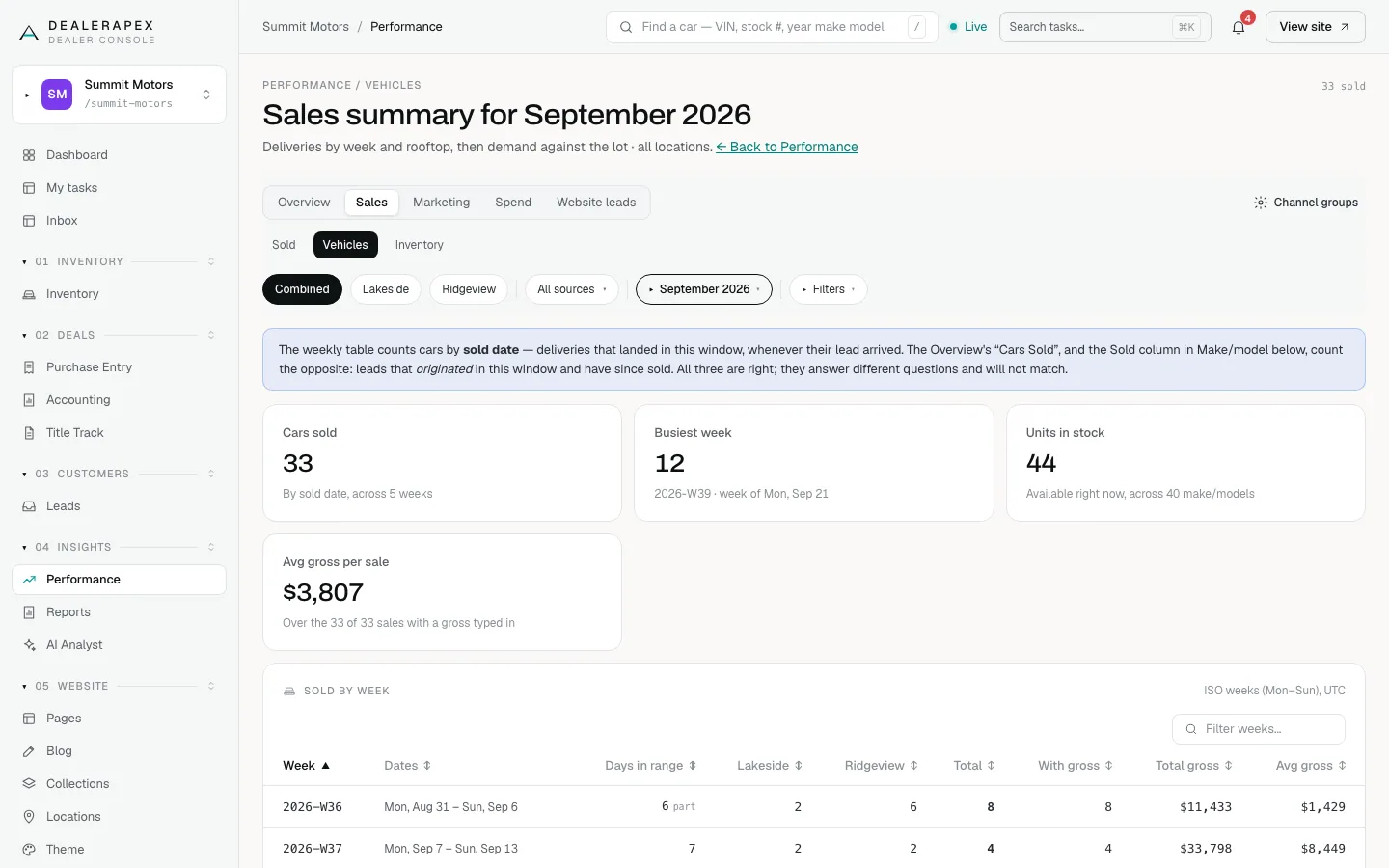
- Sold by week counts cars by sold date, in Monday-to-Sunday weeks, split by rooftop. A week cut off by your date range is marked "part".
- Avg gross per sale averages only the sales that have a gross entered. Owners can type a deal's gross on the Sold (from this cohort) list under Marketing → All leads.
- The make and model table's Sold column counts leads from the range that have since sold, so it won't match the weekly table.
Inventory: how long cars have sat
- Click Inventory.
- Click All rooftops or a rooftop name. These are the rooftop names from your vehicle feed.
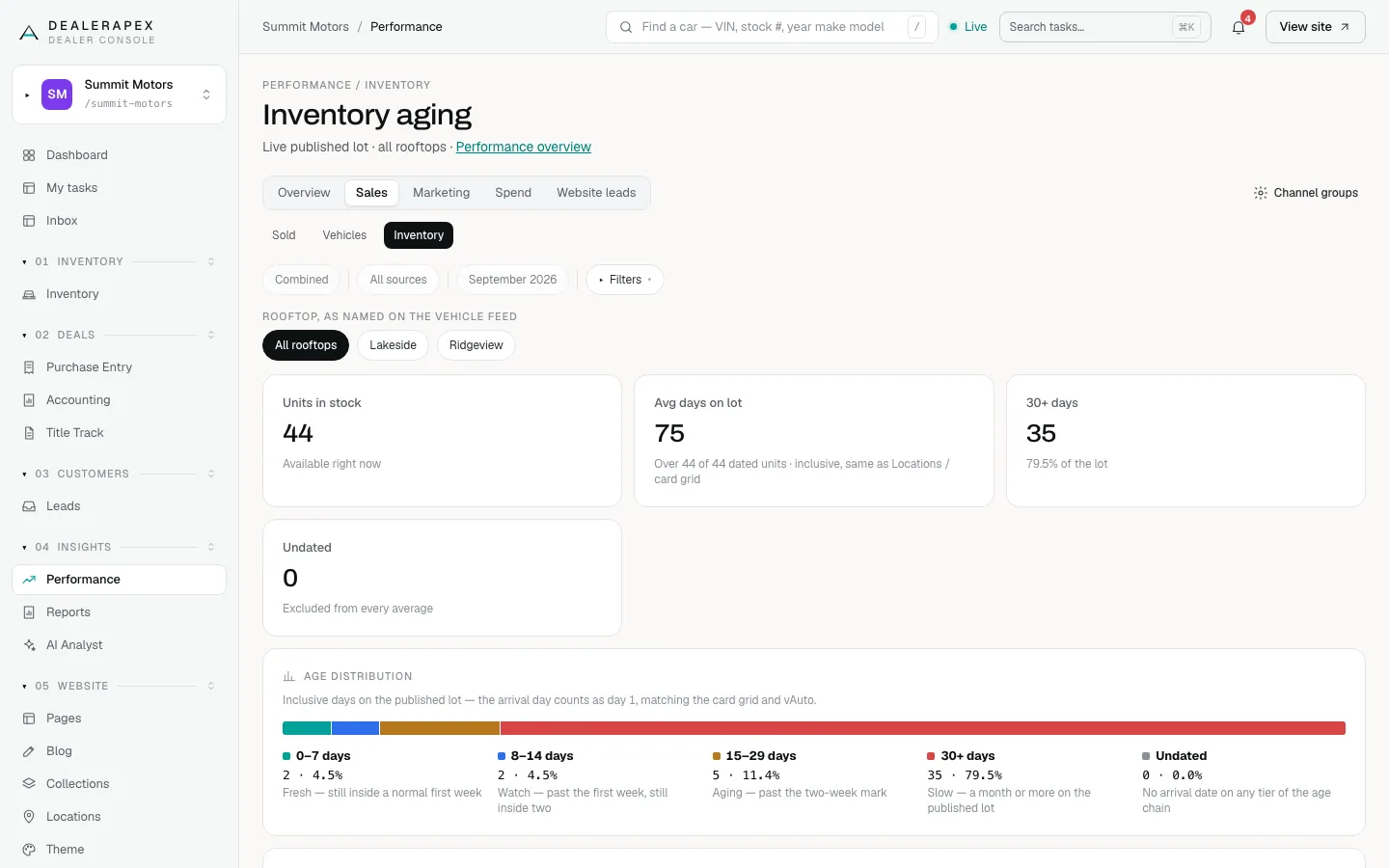
Days on lot counts the day a car arrived as day 1. The age bar groups your published cars into 0–7 days, 8–14 days, 15–29 days, 30+ days and Undated. Undated cars have no arrival date and are left out of every average.
This tab always shows the lot as it is today. The date range and source filters don't apply here.
Common questions
Why does Sold show a different number from Cars sold on the overview?
Sold counts cars delivered in the range. The overview counts leads that arrived in the range and later sold. Use Sold for month-end totals and the overview for judging marketing.
Why do some cars show no ad spend share?
Their channel has no spend entered for that month, or it’s a free source such as a walk-in. Add the spend on the Spend tab and the share fills in. See Enter your ad spend.
Why is Avg gross per sale blank?
No sale in the range has a gross yet. Your CRM feed doesn’t include gross profit, so it appears only where an owner has typed it in or once a DMS sales-history feed is connected.
Still stuck? Email [email protected] with the page you were on and what you expected to see.