
Compare channels, leads and rooftops
The Marketing tab on Performance breaks your leads and spend down by vendor, by funnel stage, by week and by rooftop. Use it to decide which vendors earn their money.
Who can see it: owners, editors and viewers.
To open it, click Performance in the sidebar, then click Marketing. Its tabs are Channels, All leads, Funnel, Weekly, Budget, Locations, Traffic and Search. Budget, Traffic and Search have their own articles: Plan next month's budget and Read traffic and search data. The filter bar and its defaults work as described in Read the Performance overview.
Channels: what each vendor cost and delivered
A channel is a vendor you pay, set up as one of your lead groups. A sub-channel is a product inside it, spelled exactly as your CRM spells it.
- Click Channels.
- Read the Channel scorecard. Click a column heading to sort by it.
- Click the arrow next to a channel to see its sub-channels.
- Click a leads number to open those leads.
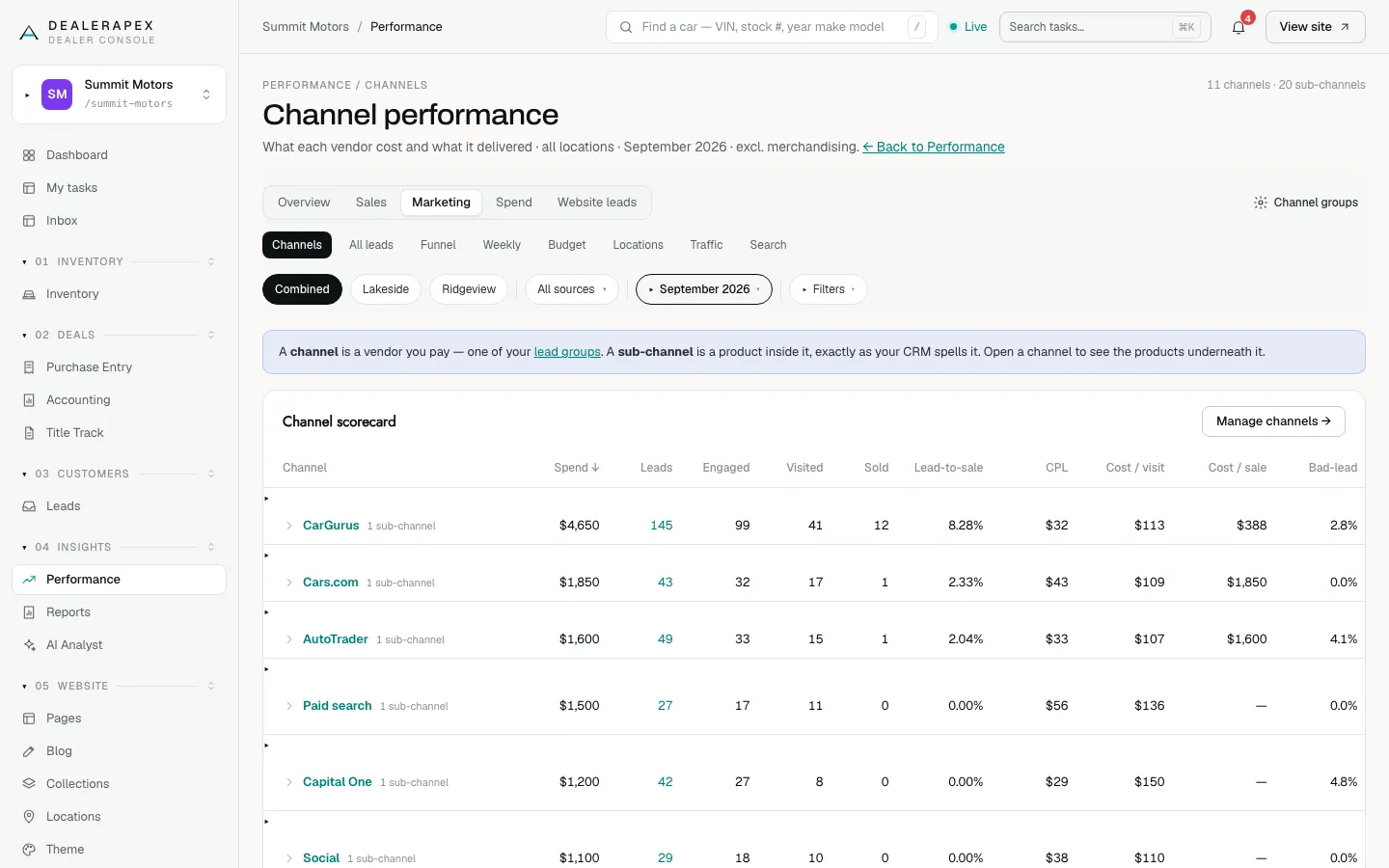
Click Manage channels to change which sources belong to which channel.
All leads: the rows behind the numbers
All leads lists every CRM lead that arrived in the range. It's the same list you reach by clicking a tile on the overview.
- Click All leads.
- To focus on one model, choose a Make, then a Model.
- Click Leads, Sold (from this cohort) or Bad to switch lists.
- Under What this is made of, click By channel or By source label to see where the leads came from.
The list shows each lead's date, contact, vehicle, source, group, status, lost reason and first response time. On the Sold (from this cohort) list, owners can type the deal's gross.
This is not your lead inbox. The inbox shows the forms submitted on your website; All leads shows every lead in your CRM. See Why your numbers don't match.
Funnel: where leads stop moving
- Click Funnel.
- Read the bars from Leads down to Sold, then the Biggest leak line.
- Scroll to By channel and click Channel or Sub-channel to compare vendors.
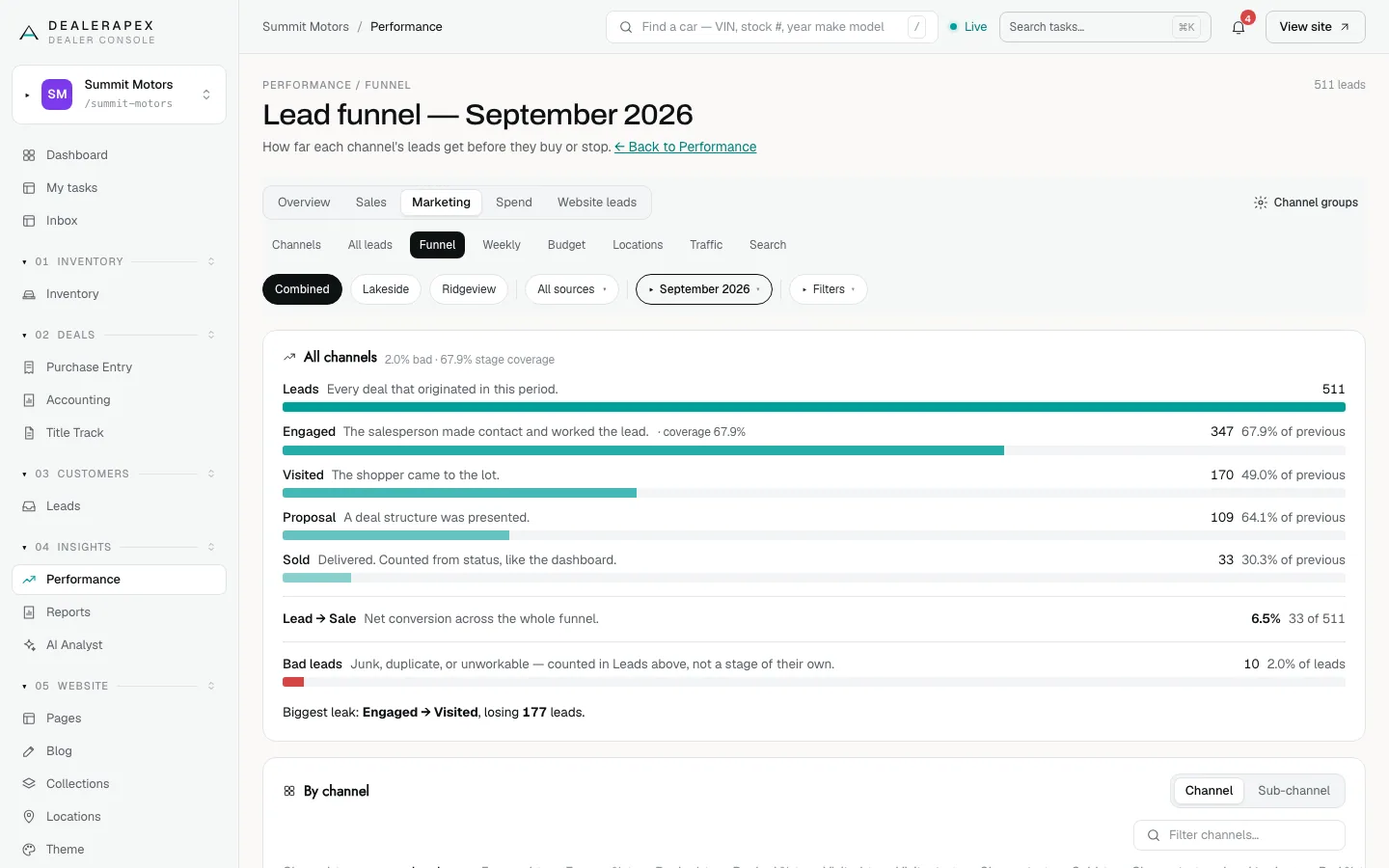
Each stage comes from your CRM's deal stages: Engaged means a salesperson worked the lead, Visited means the shopper came to the lot, Proposal means a deal was presented, and Sold means delivered. "Stage coverage" tells you how many deals have any stage history. If too few do, the page says "Not enough stage history to draw a funnel" rather than drawing a misleading one.
Weekly: the last full week
- Click Weekly.
- Use the previous-week and Next week buttons to move between weeks.
The page always shows a complete Monday-to-Sunday week (in UTC), compared with the week before. The week in progress is never shown. Tiles show Total leads, Cars sold, Bad lead rate, Total spend and Blended CPL, with a table by sub-channel below. Cars sold keeps rising for a few weeks after the week closes, as its leads buy.
Locations: rooftop by rooftop
- Click Locations.
- Read Channel mix by rooftop, which shows each channel's spend, sold and cost per sale at each store.
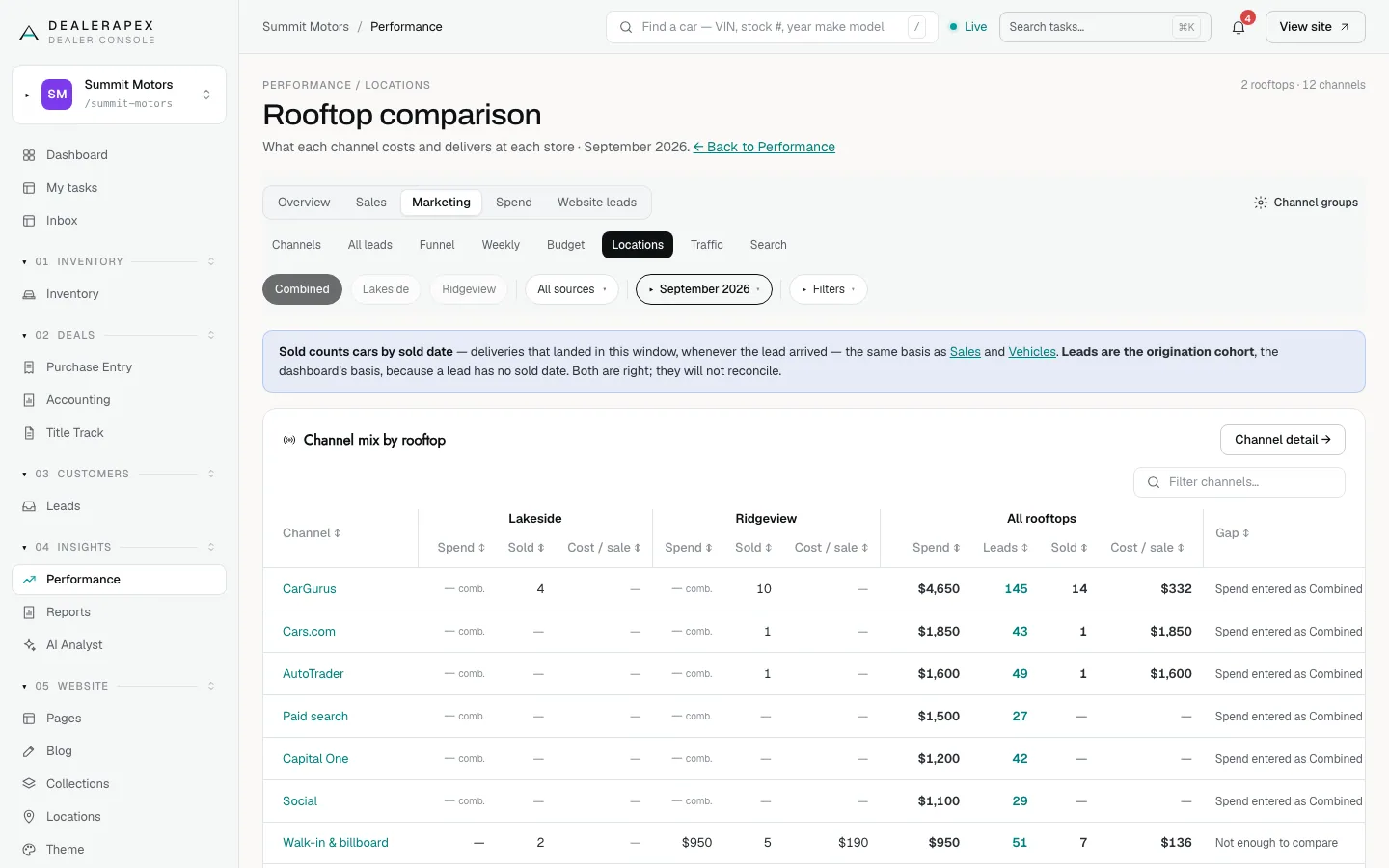
Sold on this page counts cars by sold date. Spend you entered for all locations together can't be split by store, so it shows as "comb." under each rooftop and the Gap column says "Spend entered as Combined". To compare stores on cost, enter spend per rooftop.
Website leads
The Website leads tab, next to Spend, looks only at forms submitted on your website: leads by source tag, by make and model, and which sales can be traced back to a website form.
Common questions
What is the Unmatched channel?
Leads whose source no lead group claims yet. Add a rule to the right group and they move there straight away. See Group your lead sources into channels.
Why does Locations show “comb.” instead of a dollar amount?
That spend was entered for all locations together, so it can’t be split between stores. Enter the spend per rooftop on the Spend tab to see each store’s cost. See Enter your ad spend.
Why can’t I see this week on the Weekly tab?
The Weekly tab only shows complete weeks. A part-week next to a full one would look like a collapse every Monday.
Still stuck? Email [email protected] with the page you were on and what you expected to see.