
Set your financing and payment display
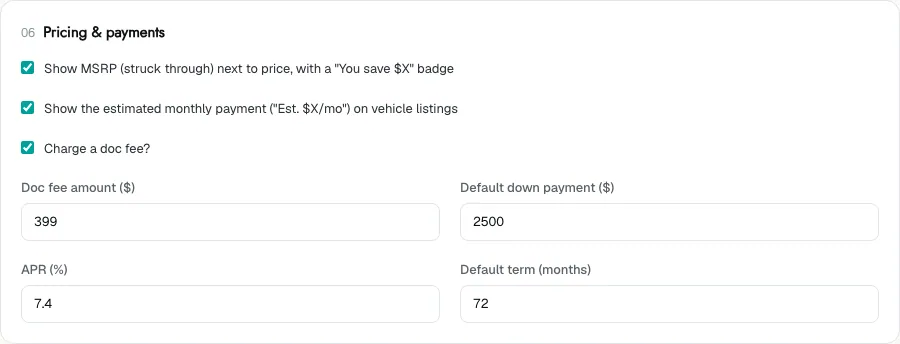
The Pricing & payments section of Theme controls how prices and estimated payments appear on your vehicle cards and vehicle pages.
Who can do this
Owners and editors can make changes here. Viewers can open every screen but can’t save. Sales managers, inventory managers, title clerks and accountants don’t see the website sections at all.
Change the settings
- Open Theme and go to Pricing & payments.
- Change the settings described below.
- Click Save theme.
What each setting does
| Setting | What it does |
|---|---|
| Show MSRP (struck through) next to price, with a "You save $X" badge | When a car has an MSRP above your price, shows the MSRP crossed out and the saving. |
| Show the estimated monthly payment ("Est. $X/mo") on vehicle listings | Shows an estimated payment on cards and vehicle pages. |
| Charge a doc fee? | Adds your doc fee to the price shown on vehicle pages, as a separate Document Fee line and a Total Price. |
| Doc fee amount ($) | The fee, in dollars. |
| Default down payment ($) | The down payment the estimate assumes. |
| APR (%) | The interest rate the estimate assumes. |
| Default term (months) | The loan length the estimate assumes, such as 72. |
How the estimated payment is worked out
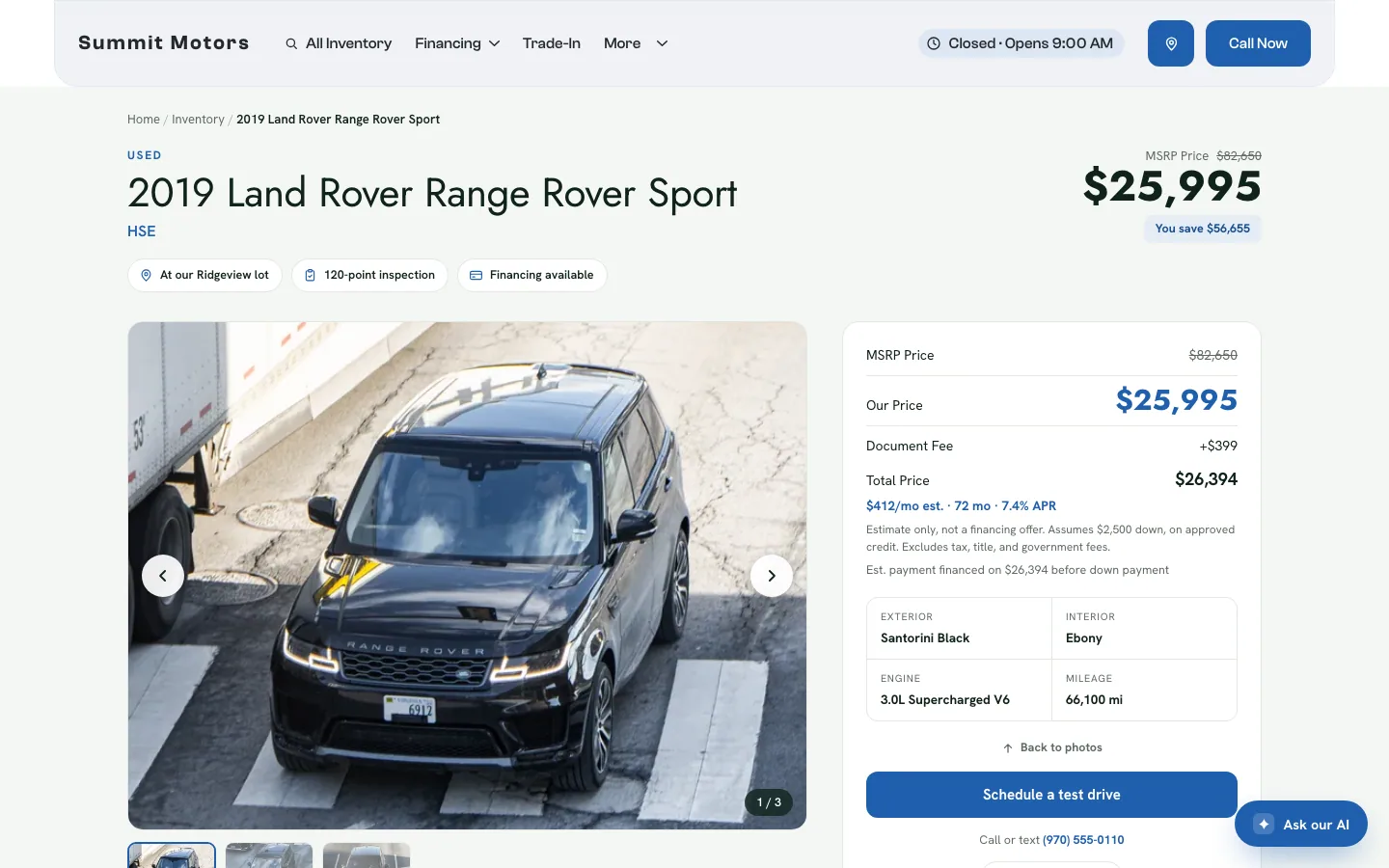
The estimate takes the car’s price, adds the doc fee if you charge one, takes off the default down payment, and spreads the rest over your term at your APR. Every card, vehicle page and payment calculator on your site uses the same numbers, so a car’s payment matches wherever a shopper sees it.
On the vehicle page the estimate carries a note: "Estimate only, not a financing offer", along with the down payment it assumes and that it excludes tax, title and government fees. Shoppers can try a different down payment and term in the calculator to see their own number.
Choosing your numbers
- Use an APR that a typical buyer with decent credit could actually get from your lenders. A rate that is too low makes every payment look better than the real offer.
- Check the doc fee against what your state allows and what your desk charges.
- If you don’t want to show payments at all, untick Show the estimated monthly payment.
Pre-qualification and credit application widgets from lenders such as Capital One and Upstart are set up by DealerApex, not on this screen. See Lender and vendor widgets.
Common questions
Why doesn’t a car show the "You save" badge?
The badge only appears when the car has an MSRP that is higher than your price. Add or check the MSRP in the vehicle editor. See Edit a car.
Is the estimated payment a financing offer?
No. It is an estimate based on your default settings, and the vehicle page says so. The real payment depends on the buyer’s credit and lender.
Does the doc fee change the estimated payment?
Yes. When Charge a doc fee? is ticked, the fee is added to the amount being financed before the payment is worked out.
Still stuck? Email [email protected] with the page you were on and what you expected to see.