
Change how your inventory page looks
The Inventory display section of Theme controls how your inventory results page lays out cars, and a few of the shortcuts shoppers see.
Who can do this
Owners and editors can make changes here. Viewers can open every screen but can’t save. Sales managers, inventory managers, title clerks and accountants don’t see the website sections at all.
Change the settings
- Open Theme and go to Inventory display.
- Change the settings described below.
- Click Save theme.
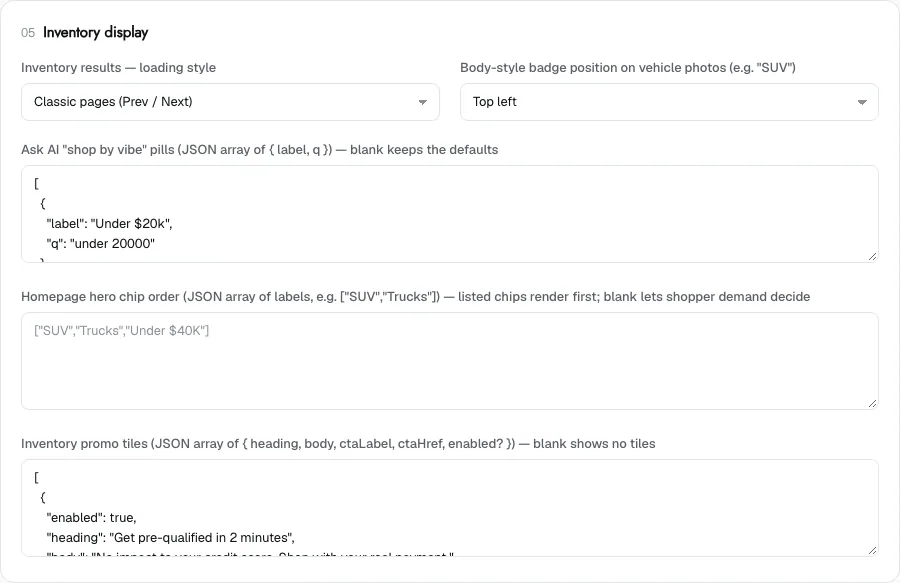
Loading style and badge
- Inventory results — loading style: Classic pages (Prev / Next) shows a set number of cars per page with page buttons. Infinite scroll (load more on scroll) keeps loading cars as the shopper scrolls.
- Body-style badge position on vehicle photos (e.g. "SUV"): choose Top left, Top right, Bottom left or Bottom right.
Shortcuts and tiles
These boxes take a list in JSON format. Leave a box blank to keep the built-in behaviour. Which of them you see depends on your site’s design.
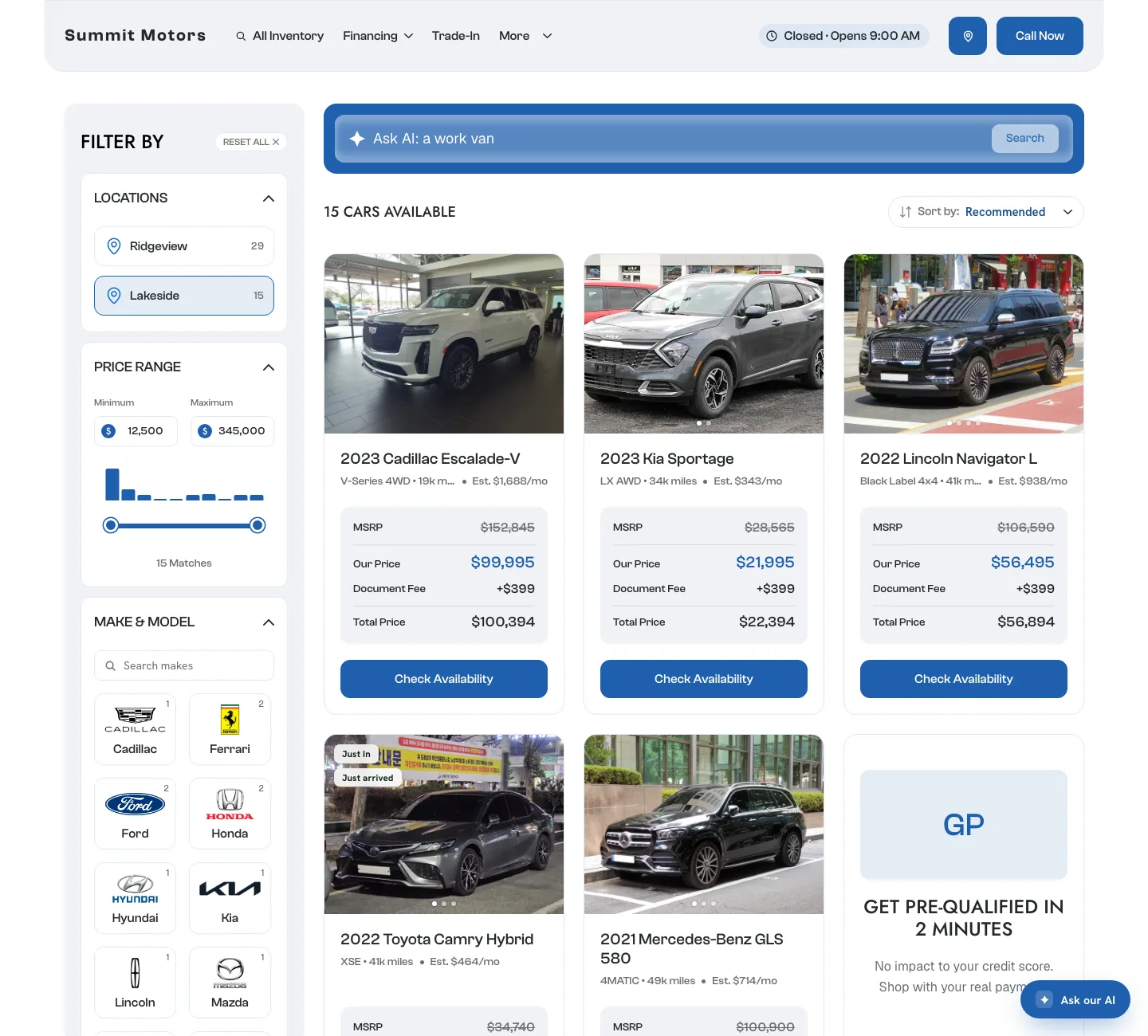
- Ask AI "shop by vibe" pills: quick buttons next to the sort menu that run an AI search, such as "Budget friendly". Each pill has a label and the search it runs, for example [{"label":"Under $20k","q":"under 20000"}]. A list here replaces the built-in pills completely.
- Homepage hero chip order: the order of the quick-filter buttons under your homepage search bar, such as ["SUV","Trucks","Under $40K"]. Chips you list come first. Leave it blank to let shopper demand decide the order.
- Inventory promo tiles: cards placed among the cars on your inventory page, such as "Get pre-qualified in 2 minutes". Each tile has a heading, body, button label and button link. Add "enabled": false to hide a tile without deleting its text. Blank shows no tiles.
If a list isn’t valid JSON, the theme won’t save and the page names the field to fix.
What you can’t change here
- The filters themselves, such as make, model, body style, colour and price, come from your inventory data. A filter appears when your cars have that information.
- The page title and description Google shows for your inventory page are on the SEO screen. See Inventory page SEO.
- Which cars appear depends on your inventory. See Feed and sync.
Common questions
Which is better, pages or infinite scroll?
Classic pages are easier for shoppers to come back to and share. Infinite scroll suits shoppers browsing on a phone. Try one for a few weeks and check your leads.
Why doesn’t a filter, like colour, show on my inventory page?
Filters are built from your inventory data. If your feed doesn’t send that information for your cars, the filter has nothing to show.
Still stuck? Email [email protected] with the page you were on and what you expected to see.